

Jump to section (8)
- 1.NotebookLM vs. ChatGPT vs. Claude (2026 Table)
- 2.Round 1: Lecture Slides, PDFs & Audio Overviews
- 3.Round 2: 300-Page Readings & Essay Synthesis
- 4.Round 3: Handwritten Notes & Active Quizzing
- 5.The 3-Tool Study Workflow That Beats Pulling an All-Nighter
- 6.Turn Your Lecture Notes Into an Interactive Tutor
- 7.Claude vs. NotebookLM vs. ChatGPT for Study Notes (2026 Comparison)
- 8.Frequently Asked Questions
Open Google NotebookLM when your exam is strictly based on your professor's uploaded slides and you want clickable page citations plus Audio Overviews for $0. Open ChatGPT when you need to photograph handwritten notes, hear simpler analogies, or run Socratic quizzes. Open Claude when you need to connect themes across a 300-page textbook reading without losing context.
What are you trying to solve right now?
Pick your bottleneck to compare 2026 pricing caps, free student promos, or test our matched AI coach.
Skip $19/mo lecture paywalls that lock you out after 2 uploads.
Most AI note apps cap free accounts at 1–2 lectures. Use our 13-Source Lecture Studio (/notes) to record classes, import slides or YouTube links, and run 17 1-click study pills with zero hidden upload traps.
Compare Deep-Dive Guides (Save $15–$20/mo):
If you have a folder full of lecture slides and textbook PDFs right now, here is the 10-second verdict: open Google NotebookLM when your exam tests your professor's exact slides and you want clickable citations plus podcast-style Audio Overviews for $0, open ChatGPT when you need to photograph handwritten notes or drill interactive Socratic quizzes, and open Claude when you need to connect complex themes across a 300-page reading.
Most students pick one AI app and force it to handle every assignment. That is why their study guides miss key slide details or run into free-tier message walls at midnight. At Vertech Academy, we uploaded the exact same 6 weeks of college lecture slides, 240-page textbook PDFs, and handwritten notebook photos into all three tools. Here is what actually works in 2026.
-
 NotebookLM: Slide-Locked50 sources/notebook + inline citations
-
★ Zero-Spoiler Active Recall ($0)
 Vertech Socratic PromptsTurns uploaded notes into live exams
-
 ChatGPT: Handwritten NotesBest vision OCR + Socratic quizzing
-
 Claude: 300-Page Readings200K context + cross-chapter themes
-
🎧NotebookLM: Audio Overviews2-host podcast summary of your PDFs
-
✓100% Free Student StackCombine all three without paying $20/mo

NotebookLM vs. ChatGPT vs. Claude (2026 Table)
When you are studying for a general topic, any chatbot can help (see our full 3-way model comparison on ChatGPT vs Claude vs Gemini for studying or our 2-way breakdown of ChatGPT vs Gemini for students). But when your exam grades you strictly on your professor's uploaded slides and assigned readings, how each tool handles uploaded files changes everything. Here is how they compare across six core note-studying metrics:
NotebookLM vs. ChatGPT vs. Claude vs. Vertech Workflow
| Note-Studying Metric | Google NotebookLM | ChatGPT | Claude (Anthropic) | All 3 + Vertech Prompts |
|---|---|---|---|---|
| Locks Strictly to Your Notes? | ✓ Yes (100% source-locked) | Mixes outside web knowledge | Follows uploaded PDFs closely | ✓ Enforces strict slide citations |
| Inline Page Citations | ✓ Clickable passage pins | ✕ Only if prompted manually | Quotes sections when asked | ✓ Auto-requests slide numbers |
| Upload Capacity (Free) | Up to 50 sources / notebook | Daily file upload cap on Free | 200K context (Strict daily cap) | Zero extra token waste |
| Handwritten Note Photos | ✕ No direct photo OCR | ✓ Best handwriting vision | Good on clean handwriting | ✓ Structured note cleanup |
| Audio Podcast Mode | ✓ 2-Host Audio Overviews | 1-on-1 Live Voice Mode | ✕ Text & Artifacts only | ✓ Active oral quiz drills |
| Practice Exam Quality | Static study guide list | ✓ Interactive Study Mode | Great essay & synthesis prompts | 1-by-1 Socratic Grading |
Your Exam Is "From the Slides Only":
- ✓You want to dump 12 lecture slide decks, 3 syllabi, and 4 YouTube links into one course vault.
- ✓You need clickable citations on every answer so you never study outside facts by mistake.
- ✓You want a 12-minute 2-host Audio Overview podcast to listen to while walking to class.
Your Notes Need Explaining or Testing:
- ✓You take notes by hand on paper or an iPad and need clean photo-to-text transcription.
- ✓Your professor's slides are too cryptic and you need a simple real-world analogy first.
- ✓You want interactive 1-question-at-a-time quizzing that adapts to your wrong answers.
You Have Dense Humanities or Law PDFs:
- ✓You are comparing arguments across a 250-page history, literature, or seminar reading packet.
- ✓You want visual study flowcharts or interactive flashcards rendered inside Claude Artifacts.
- ✕Watch out: Long PDF uploads burn through Claude's free message cap in 6 to 8 turns.
Run All Three Together For $0:
- ✓Step 1: Store your whole semester's slides in NotebookLM for cited fact lookup.
- ✓Step 2: Use Summarizer Specialist in Claude or ChatGPT to map high-yield exam traps.
- ✓Step 3: Drill active recall in ChatGPT with Pocket Quiz.
Round 1: Lecture Slides, PDFs & Audio Overviews
When your professor says, "Everything on the midterm comes straight from my lecture slides," general AI chatbots have a dangerous habit: they blend your slides with outside internet definitions. If your biology professor teaches a simplified 4-step pathway and ChatGPT adds two graduate-level enzymes from Wikipedia, you can actually lose points on a strict grading rubric.
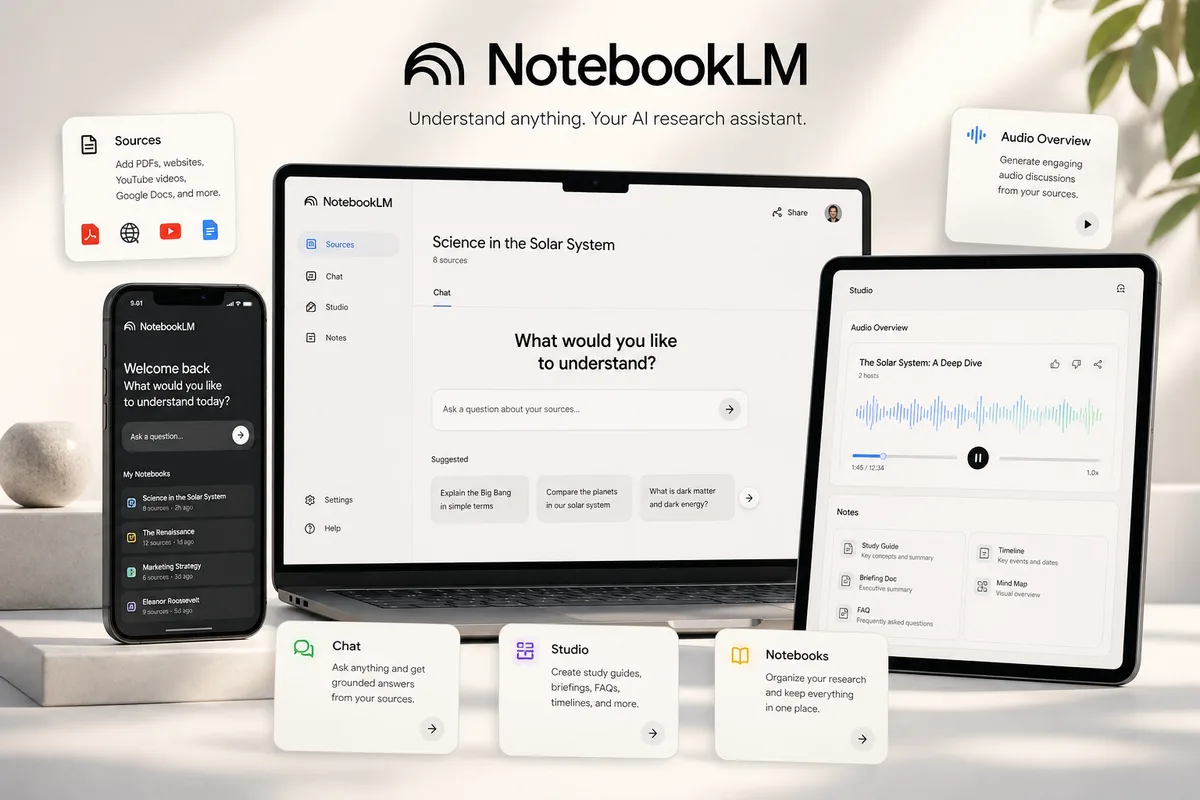
Google NotebookLM wins Round 1 hands down. It treats your uploaded PDFs, Google Docs, Google Slides, and YouTube lecture links as a closed vault. Every bullet point it generates ends with a numbered citation badge; click the badge, and NotebookLM scrolls directly to the exact paragraph in your uploaded slide deck.
Even better is NotebookLM's Audio Overview feature. With one click, two AI hosts turn your 80 pages of dry lecture slides into a 12-minute conversational podcast. Listening to the Audio Overview while walking to campus gives your brain a mental map of the chapter before you sit down to do active recall. You can even click Interactive Mode to raise your hand and ask the hosts a question mid-episode.
Round 2: 300-Page Readings & Essay Synthesis
NotebookLM is great at finding facts inside your files, but its answers can feel dry and fragmented when you ask it to connect deep philosophical, historical, or scientific arguments across 200 pages.
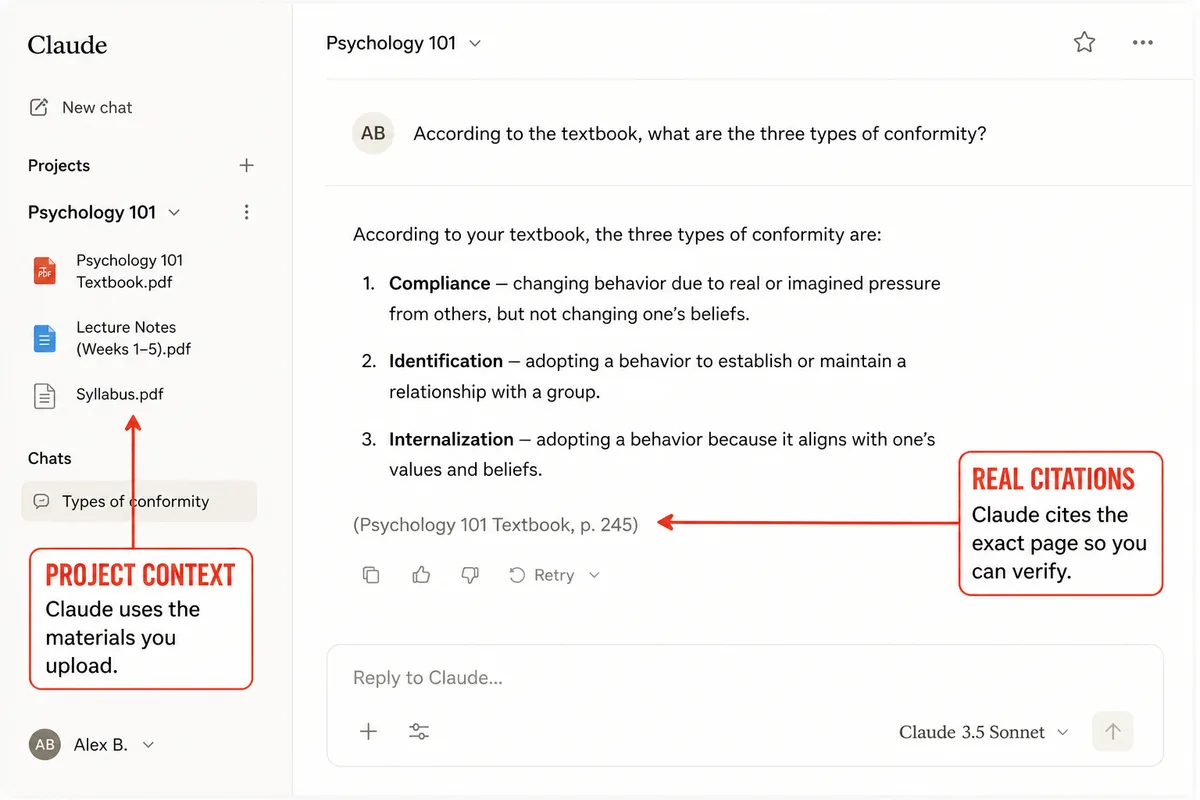
Claude by Anthropic wins for dense reading packets and seminar prep. When you upload two 90-page PDFs into Claude, it reads the subtle tension between Author A on page 14 and Author B on page 162 far more naturally than ChatGPT or NotebookLM. Plus, with Claude Artifacts, you can ask Claude to turn your messy class notes into an interactive visual diagram or color-coded comparison table right in the side window.
The catch with Claude Free: every time you send a follow-up question in a thread containing a 150-page PDF, Claude re-processes that entire context window. On the free tier, that will lock you out after 5 to 8 messages. To save your free messages, use one comprehensive prompt (like our Summarizer Specialist) instead of twenty tiny questions.
Round 3: Handwritten Notes & Active Quizzing
Taking notes by hand during lecture forces your brain to process ideas in real time. The problem comes two weeks later when you try to study from six pages of hurried cursive, arrows, and half-erased whiteboard sketches.
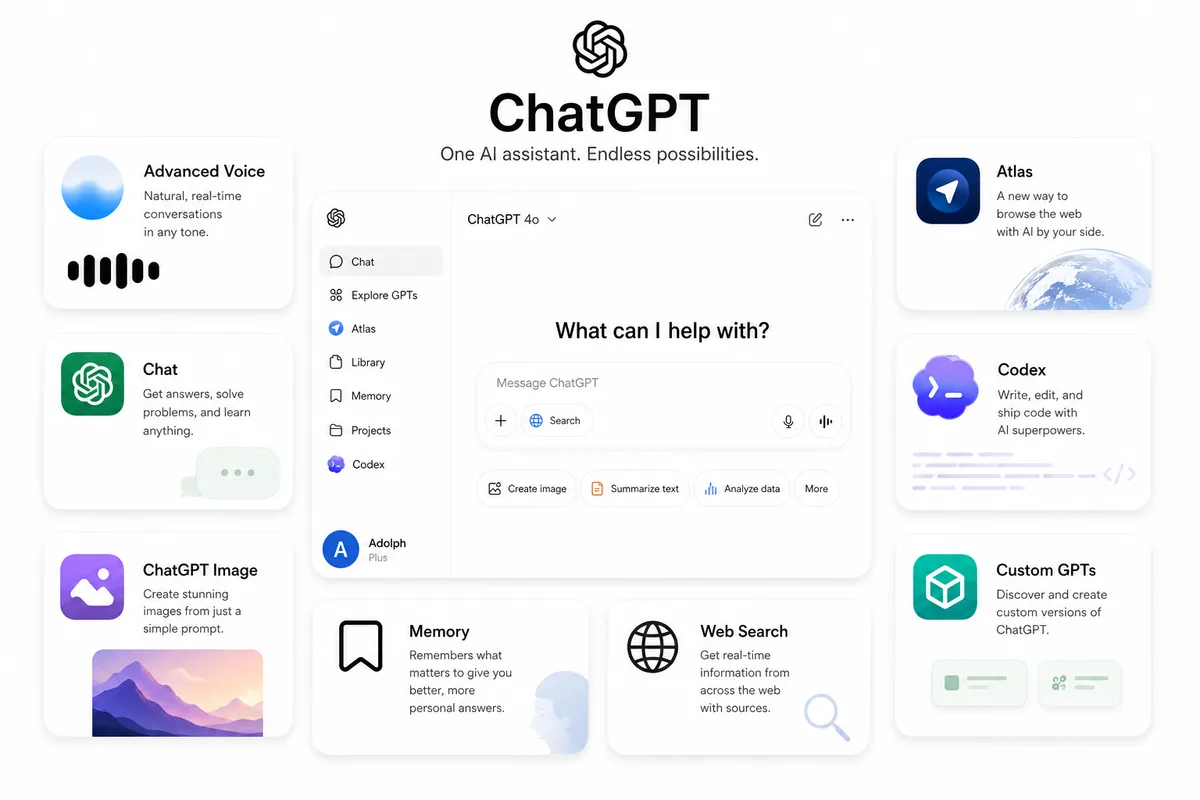
ChatGPT wins both handwritten note OCR and interactive quizzing. NotebookLM cannot ingest raw JPEG photos of notebook pages at all. In ChatGPT, you can snap four photos of your spiral notebook from your phone, and its vision model accurately reads arrows, chemical structures, and shorthand abbreviations.
Once your notes are inside ChatGPT, it also beats NotebookLM and Claude at adaptive quizzing. While NotebookLM generates a static worksheet of 10 questions at once, ChatGPT paired with a Socratic prompt quizzes you one question at a time, waits for your answer, explains why Option B is a trap, and gives you a hint before revealing the solution. (Want to see all the top quiz generators ranked? Check our guide to the 7 best AI exam prep tools.)
Why Summarizing Notes Is Not Studying
The AI Summary Illusion
- • Uploading 6 slide decks into AI, clicking "Summarize," and skimming the pretty bullet points twice.
- • Listening to a NotebookLM Audio Overview on 1.5x speed and assuming you are ready for the test.
- • Asking ChatGPT to explain your notes without verifying if it pulled outside facts your professor never taught.
- • Burning all your free Claude messages on one-line chat replies before generating practice questions.
The Active Note-Testing Routine
- • Using NotebookLM Audio Overviews only as a 10-minute warm-up before class or reading.
- • Running the Summarizer Specialist to extract high-yield definitions and commonly confused pairs.
- • Closing your notes and drilling 1-by-1 scenario questions in Pocket Quiz.
- • Teaching the toughest slide back in your own words to the Simplifier Specialist.
The 3-Tool Study Workflow That Beats Pulling an All-Nighter
As we showed in our breakdown of the 7 free AI tools that beat $20/month plans, you do not have to choose between NotebookLM, ChatGPT, and Claude. Each tool is free to start, and when you connect them with Socratic prompts (while keeping your own work safe from academic integrity flags), they form a complete exam prep pipeline.
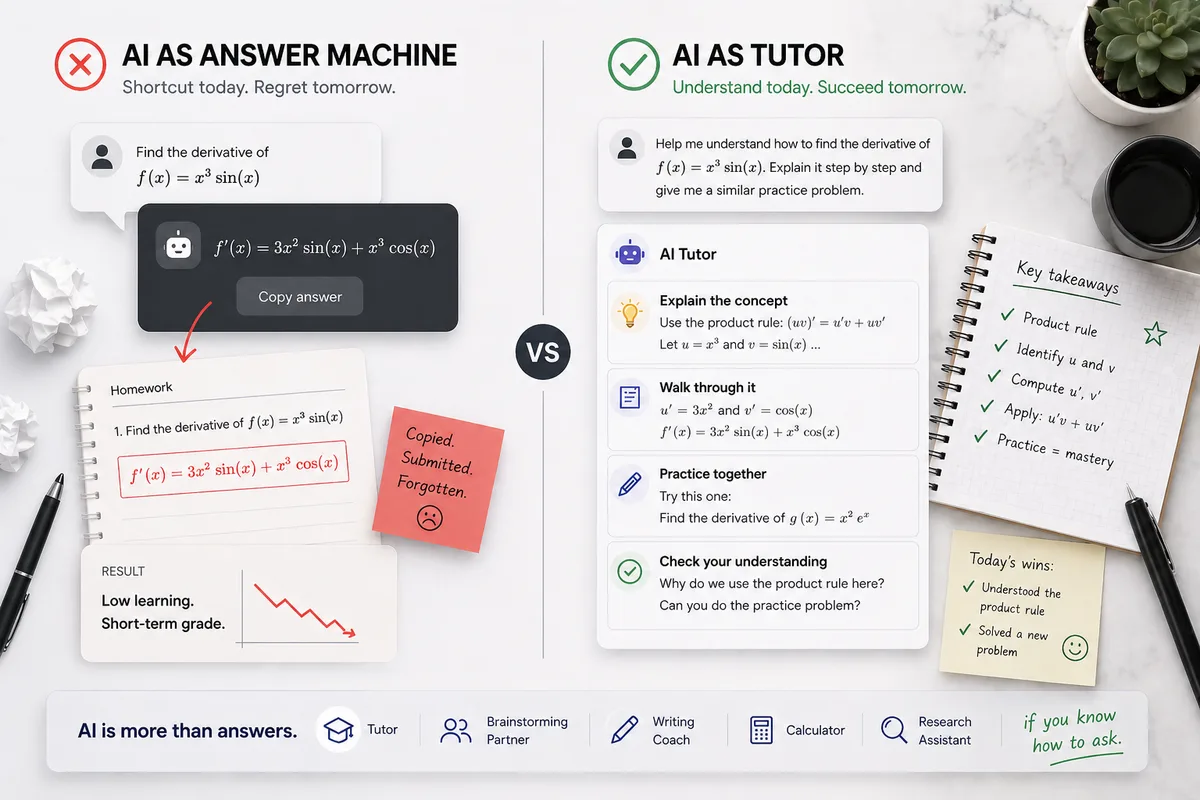
Turn Messy Notes Into Active Mastery
Stop wasting 20 minutes typing custom instructions every time you upload a PDF. The Vertech Prompt Library gives you 35+ pre-engineered Socratic study systems for ChatGPT, Claude, and Gemini.
How to Study Any Stack of Lecture Notes Tonight
Step 1: Lock Your Slides in Google NotebookLM (5 Mins)
Upload all of your unit lecture PDFs and syllabus into one NotebookLM notebook. Run our Slide-Locked Midterm Blueprint Prompt above to get an inline-cited checklist of the 8 highest-yield topics.
Done when: You have a cited master list of what your professor actually emphasized.Step 2: Unpack Tough Readings in Claude or ChatGPT (10 Mins)
Take the 2 or 3 hardest concepts from your list and paste them into Claude (for long readings) or ChatGPT (for analogies and handwritten notes) using our Simplifier Specialist prompt.
Done when: You can explain why each mechanism works in plain English without looking at the slide.Step 3: Drill 6 Cold Scenario Questions in ChatGPT (15 Mins)
Close NotebookLM and run our Slide-Grounded Socratic Quiz Engine Prompt or Pocket Quiz in ChatGPT so you practice retrieving answers cold before exam day.
Done when: You answer at least 5/6 scenario questions accurately on your own.Stop Collecting Summaries You Never Test
The 10-second test that tells you whether your AI note workflow is actually building memory.
Hey student,
Generating a 3-page summary in NotebookLM or Claude feels productive because the screen fills up with neat bullet points in five seconds.
But memory is only built when you struggle to retrieve an answer. Use NotebookLM to organize your sources, then immediately switch to Socratic quizzing so you test yourself before your professor does.

Turn Your Lecture Notes Into an Interactive Tutor
Unlock all 35+ Socratic study prompts built for ChatGPT, Claude, and Gemini, or upload your notes directly into our built-in AI study workspace with a 14-day free trial.
Claude vs. NotebookLM vs. ChatGPT for Study Notes (2026 Comparison)
How to choose between Google NotebookLM, Claude Projects, and ChatGPT when turning messy class notes into study guides.
| Feature | Google NotebookLM | Claude 3.7 Sonnet (Projects) | ChatGPT (Custom GPTs / Plus) |
|---|---|---|---|
| Hallucination Protection | 100% Source-Grounded (answers strictly from your uploads) | Very High (200K context window per Project) | Moderate (blends web/training data unless constrained) |
| Inline Page Citations | Yes — clickable citations jumping to exact PDF paragraph | Manual quote extraction on request | Basic file references |
| Audio Podcast Overviews | Yes — 1-click 2-host Audio Overview of your lecture notes | No native audio overview generator | Interactive live voice conversation |
| Socratic Practice Quizzes | Generates static study guides & FAQ lists | Strong essay & conceptual critique | Best for interactive 1-by-1 adaptive quizzing |
| Winner by Use Case | Use NotebookLM first to organize and cite your raw PDFs for $0, then use Claude or Vertech’s Socratic Tutors to quiz yourself actively on weak spots. | ||
Related Study Resources & Free AI Tools
- Step-by-Step Hub Guide: How to Use Google NotebookLM for Textbooks & Lecture Notes
- Science-Backed Study Method: The SQ3R Textbook Reading Method
- 24/7 Interactive AI Tutor: Practice with Summarizer Specialist
- Free Prompt Engineering Course: S-Tier AI Prompt Writing for Students (28 Free Lessons)