
Jump to section (7)
- 1.Why 80% of Student Planners Are Abandoned by Week 3
- 2.1) Vertech Study Calendar (/calendar): From Syllabus PDF to Exam Schedule in 30 Seconds
- 3.2) Reclaim AI vs. Motion vs. Trevor AI: Which Auto-Scheduler Wins?
- 4.3) Notion + Goblin Tools: The Ultimate Anti-Procrastination Pair
- 5.The Only Study Calendar Connected Directly to Your Notes & AI Tutors
- 6.Turn Your Course Syllabi Into an Automated Exam Plan.
- 7.Frequently Asked Questions
Skip $19 to $34/month executive auto-schedulers like Motion that are built for corporate meetings rather than exam prep. For 2026 students, the winning setup is dropping your course syllabus PDFs into the Vertech Study Calendar (/calendar) to auto-extract every exam and assignment, exporting to Google Calendar / Apple Calendar via 1-click .ICS sync, and pairing each study block with spaced repetition instead of vague "Study Biology" calendar blocks.
What are you trying to solve right now?
Pick your bottleneck to compare 2026 pricing caps, free student promos, or test our matched AI coach.
Skip $19/mo lecture paywalls that lock you out after 2 uploads.
Most AI note apps cap free accounts at 1–2 lectures. Use our 13-Source Lecture Studio (/notes) to record classes, import slides or YouTube links, and run 17 1-click study pills with zero hidden upload traps.
Compare Deep-Dive Guides (Save $15–$20/mo):
If you want an AI study planner that actually stops Sunday-night cramming in 2026, here is the 10-second verdict: skip $19–$34/month corporate schedulers like Motion. Drop your course syllabi into the Vertech Study Calendar (/calendar) to auto-extract every exam and 1-click sync with Google Calendar, use Notion Education ($0 w/ .edu) for long-term course hubs, and use Goblin Tools ($0) when ADHD task paralysis hits.
We tested the 7 most popular AI calendar and study planner apps across a real 5-course college semester (16 credits, 3 labs, and 9 midterms). Here is why most digital planners fail by Week 3—and which apps actually keep you ahead of deadlines.
-
 1. Vertech Calendar (/calendar)Syllabus PDF Auto-Parser + .ICS Sync
-
★ Auto-Parse Syllabi + .ICS Sync
 2. Notion + Notion CalendarFree Education Plus w/ .edu Email
-
RC3. Reclaim AI (Free / $8/mo)Smart Google Calendar Habit Defending
-
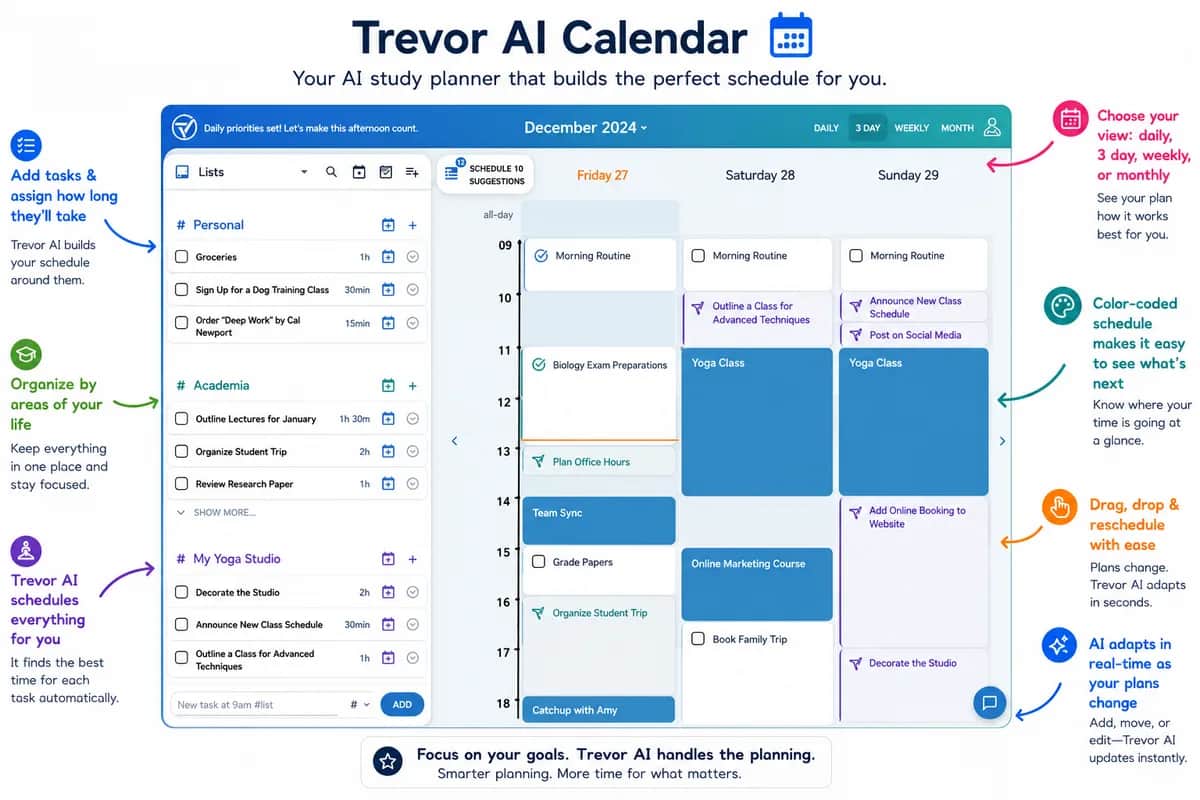
TR4. Trevor AI ($0–$3.99/mo)Clean Drag-and-Drop Time Blocking
-
GB5. Goblin Tools ($0 Web)Best ADHD Micro-Step Task Slicer
-
MO6. Motion ($19–$34/mo)Powerful Auto-Scheduler • Overpriced
Why 80% of Student Planners Are Abandoned by Week 3
During Syllabus Week, every student feels unstoppable. You spend three hours color-coding a Notion template or downloading a new calendar app, typing in your Tuesday/Thursday lecture times, and promising yourself you will study two hours every evening.
Then Week 3 hits. A chemistry lab takes four hours longer than expected, you skip two calendar blocks, and suddenly your planner is a wall of overdue red badges. Worse, writing "Study Biology 4:00 PM – 6:00 PM" on a calendar tells you when to sit at your desk, but not what active recall drill to execute once you sit down.
A real 2026 AI study planner must do three jobs automatically: 1) Extract every deadline from your syllabus PDFs in seconds, 2) Schedule backward from exam weights (1d/3d/7d review blocks), and 3) Launch the exact flashcards or Socratic quiz for that block in one click.
Vertech Calendar vs. Notion vs. Reclaim AI vs. Motion vs. Trevor AI
| Feature / App | Vertech Calendar (/calendar) | Notion + Calendar | Reclaim AI | Motion AI |
|---|---|---|---|---|
| 2026 Student Price | $0 Free Tier (+ $6/mo yr Pass) | $0 Free w/ .edu (AI add-on ~$8/mo) | $0 Free Lite ($8/mo Starter) | $19–$34/mo (Pricey for students) |
| Syllabus PDF Auto-Parser? | ✓ Instant Syllabus Drop Modal | ✕ Manual table entry | ✕ Manual task entry | ✕ Manual task entry |
| Google / Apple / Canvas .ICS? | ✓ 1-Click .ICS Export & Import | ✓ Google Calendar 2-way sync | ✓ Google Calendar native | ✓ Google / Outlook sync |
| Backward Exam Spacing? | ✓ Auto-schedules 7d / 3d / 1d prep | ✕ Manual setup required | Schedules habits by priority | Auto-packs deadlines |
| Built-In Flashcards & Tutor? | ✓ Linked to /notes & 35+ Tutors | ✕ Notes only (no Socratic tutor) | ✕ Calendar only | ✕ Calendar only |
Use Vertech Calendar When:
- ✓You want to drop 5 course syllabus PDFs on Day 1 and auto-populate every exam, quiz, and reading block.
- ✓You want each calendar block linked directly to your Study Notes and Socratic AI Coach.
- ✓Bonus: Exports a clean `.ics` file in 1 click to Google Calendar, Apple Calendar, Canvas, or Omnivox.
Use Notion When:
- ✓You enjoy building a master database of course syllabi, club projects, and internship applications.
- ✓You verify your `.edu` email to get the Notion Education Plus plan for $0.
- ✕Skip if: You spend more time tweaking aesthetic icons and cover photos than actually studying.
Use Reclaim or Trevor When:
- ✓You live inside Google Calendar and want AI to automatically find 45-minute gaps between classes and part-time shifts.
- ✓You want a lightweight drag-and-drop to-do sidebar next to your week view.
- ✕Skip if: You need an app that understands exam weights or generates practice quizzes from your lectures.
Use Goblin Tools When:
- ✓You are staring at a massive task ("Write 12-page sociology paper") and feel paralyzed on where to begin.
- ✓You want the "Spiciness Level" slider to break one scary task into ten 5-minute checkboxes.
- ✕Skip Motion ($19–$34/mo): Motion is built for corporate executives, not student budgets.
1) Vertech Study Calendar (/calendar): From Syllabus PDF to Exam Schedule in 30 Seconds
The biggest chore of every semester is opening five 14-page course syllabi and manually copying 60 quiz, lab, and midterm dates into your calendar. Miss a single line on page 9, and you get blindsided by a 20% midterm.
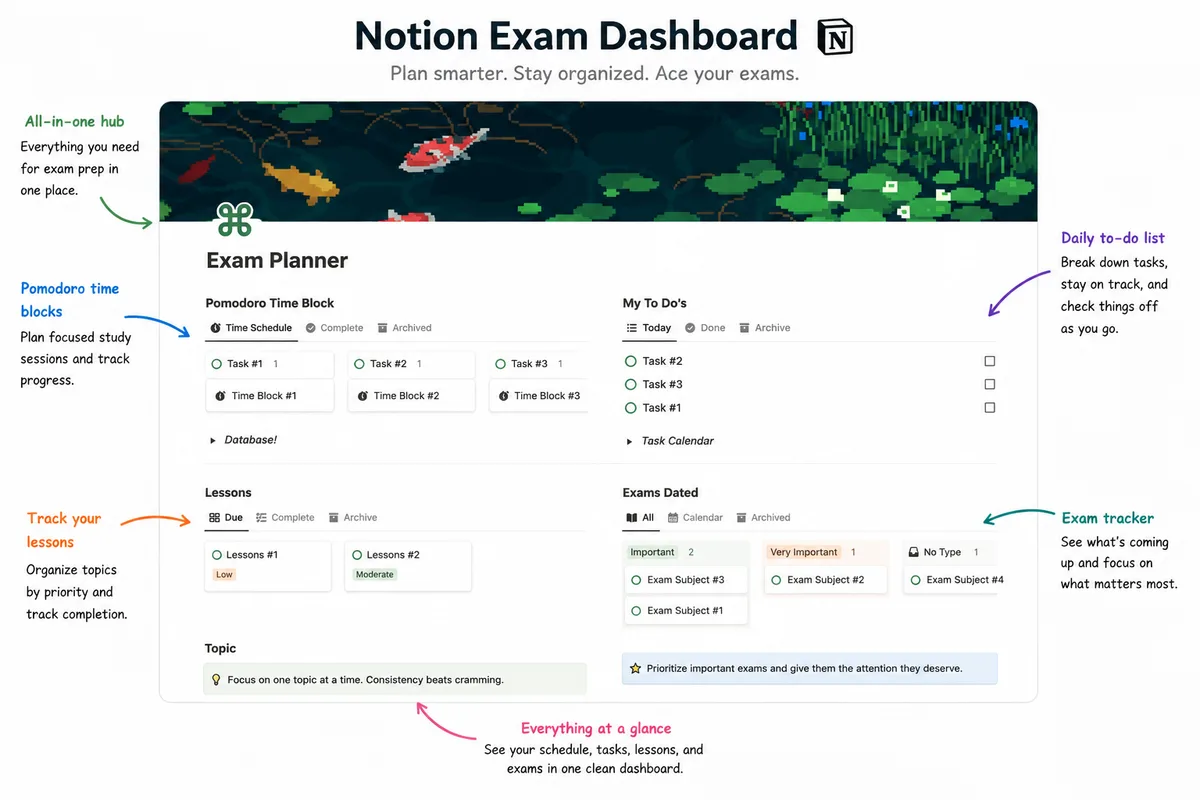
Inside the Vertech Tactile Study Calendar (/calendar), you click Syllabus Drop, upload your syllabus PDF (or paste the course schedule), and let our parser extract every exam, project, and quiz automatically.
Even better, instead of just marking "Midterm Exam" on Friday, October 24, our Learning Planner schedules backward-planned active recall sprints at 7 days, 3 days, and 1 day before the test—and exports everything to Google Calendar or Apple Calendar via 1-click `.ICS` sync.
2) Reclaim AI vs. Motion vs. Trevor AI: Which Auto-Scheduler Wins?
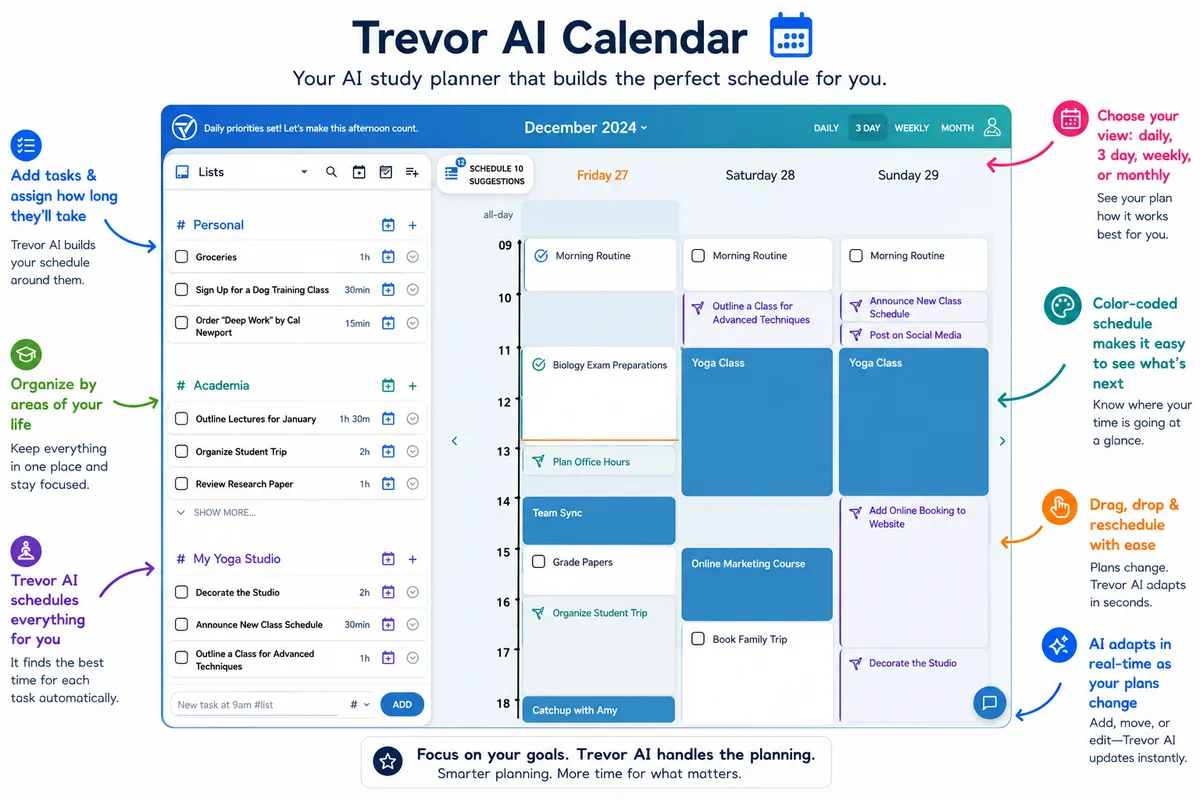
If your calendar changes constantly because of work shifts or lab overruns, auto-scheduling AI calendars like Reclaim AI, Trevor AI, and Motion promise to reshuffle your study blocks automatically whenever a conflict pops up.
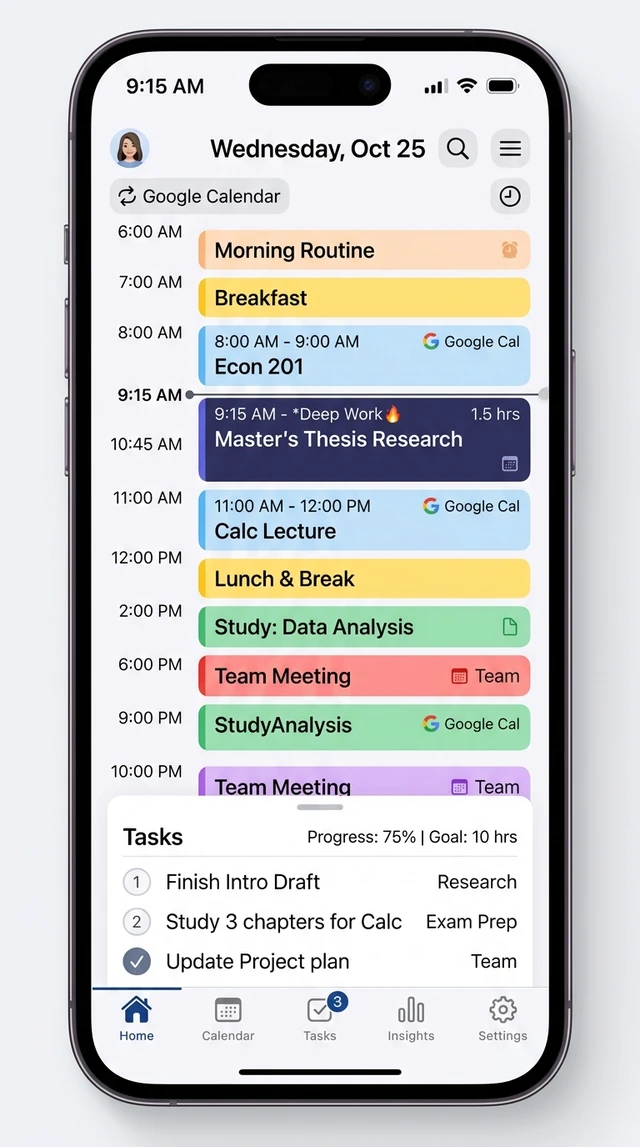
In our testing, Reclaim AI (Free Lite tier) and Trevor AI gave students the cleanest Google Calendar integration without breaking the bank. You tell Reclaim you need three 45-minute "Organic Chemistry Problem Set" blocks before Friday at 5:00 PM, and it defends those slots on your calendar.
By contrast, Motion ($19 to $34/month) is overkill for 99% of students. Its constant auto-reshuffling can actually trigger anxiety when you miss a single morning block and watch your entire week rearrange itself.
3) Notion + Goblin Tools: The Ultimate Anti-Procrastination Pair
Why do students procrastinate even when a study block is sitting right there on Google Calendar? Because the calendar event says "Work on History Research Paper"—which is a project, not a physical next action.
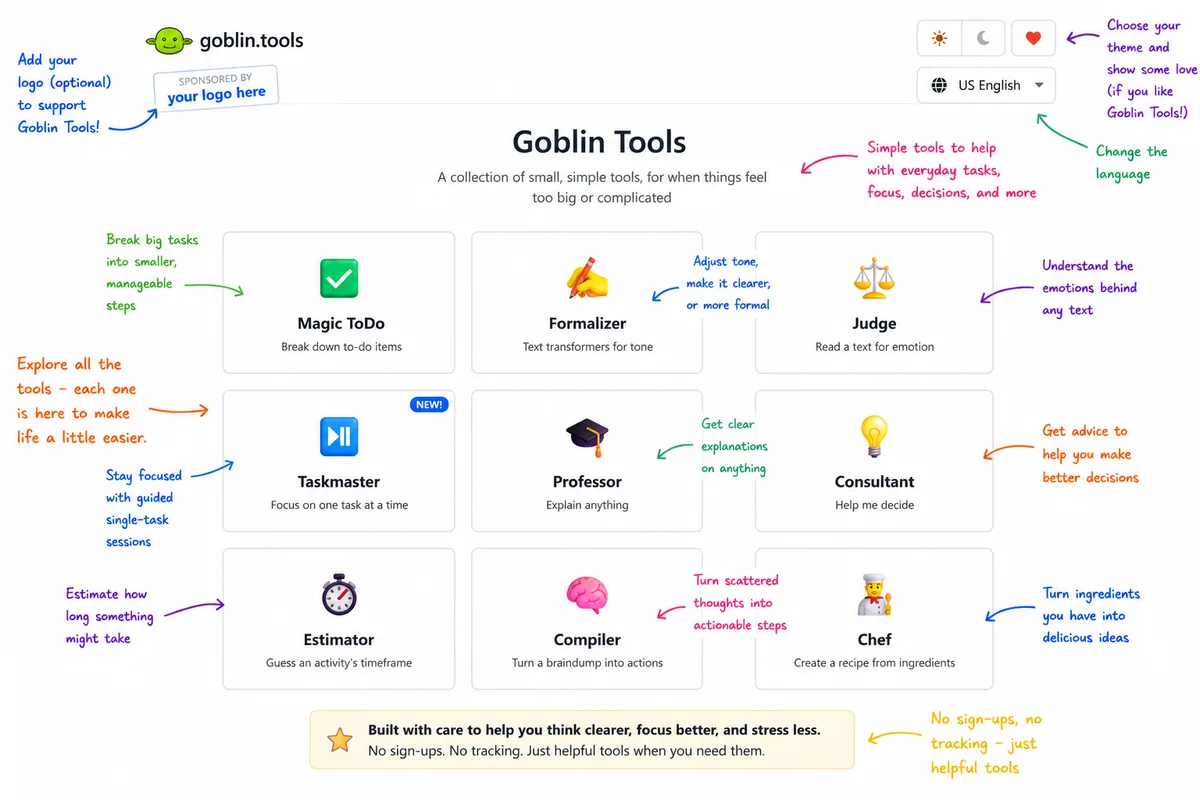
Whenever you feel frozen at the start of a calendar block, open free Goblin Tools (or our Task Starter coach). It breaks one intimidating assignment into tiny, frictionless micro-steps ("Open Google Doc and type 3 ugly bullet points for paragraph 1").
Keep your Notion setup equally minimalist: one Master Deadlines table synced with Vertech Calendar, and spend 95% of your time doing active recall inside your notes and flashcards.
Aesthetic Productivity Theater vs. Backward Exam Planning
The Aesthetic Planner Trap
- •Spending 3 hours on Sunday customizing Notion widgets, Lo-Fi embeds, and color palettes instead of studying.
- •Writing vague calendar blocks like "Study Chemistry (3 hrs)" with no clear output or practice quiz target.
- •Paying $29/month for a corporate auto-scheduler that doesn’t know the difference between a 1% quiz and a 40% final.
- •Giving up on your entire schedule on Wednesday because one class ran 30 minutes late.
The Backward-Planned Sprint System
- •Dropping all course syllabi into Vertech Study Calendar (/calendar) on Day 1 and syncing via `.ICS` to Google Calendar.
- •Naming every 25-minute calendar block after a measurable output ("Drill 20 Pharm flashcards + 3 Socratic questions").
- •Scheduling 7-day, 3-day, and 1-day pre-exam retrieval sprints automatically.
- •Using Learning Planner or Task Starter to recalibrate in 60 seconds whenever life happens.
The Only Study Calendar Connected Directly to Your Notes & AI Tutors
Standalone calendar apps can only remind you that an exam is coming. They cannot help you actually learn the material when the reminder goes off.
Inside Vertech Academy (/calendar), your syllabus schedule connects directly to our 13-Source Notes Studio (/notes), your 1d/3d/7d Spaced Repetition Flashcard Queue, and 35+ Socratic AI Coaches.
Vertech Calendar + Notes + Tutors
Drop in your syllabus PDF, auto-schedule backward review blocks, export to Google Calendar (.ICS), and launch your matched AI tutor in 1 click.
How to Automate Your Study Schedule Tonight
Drop Your Course Syllabi Into /calendar (3 Mins)
Open Vertech Study Calendar (/calendar), click Syllabus Drop, and upload your course syllabus PDFs so every midterm and assignment is mapped out.
Done when: All major exam dates and percentage weights are visible on your calendar.Export .ICS to Your Phone’s Calendar (2 Mins)
Click Export `.ICS` to sync your exam countdowns and 7d/3d/1d study blocks directly into Google Calendar or Apple Calendar on your phone.
Done when: Your phone calendar shows 45-minute pre-exam sprints a week before every test.Attach an Active Output to Tomorrow’s Block (5 Mins)
Open Learning Planner to convert tomorrow’s study block into a specific 25-minute flashcard and Socratic quiz goal.
Done when: Tomorrow’s calendar block names the exact quiz or problem set you will complete.Why I Stopped Writing "Study for 3 Hours" on My Calendar
The tiny wording shift that doubled my actual focus time in college.
Hey student,
Whenever I put "Study Organic Chemistry — 3 Hours" on my calendar, I found an excuse to clean my room instead. Three hours of vague studying feels like a prison sentence.
When I changed the calendar title to "Complete 15 Reaction Cards + 3 Socratic Practice Problems (25 Mins)," I started immediately. Plan by output, never by vague hours.

Turn Your Course Syllabi Into an Automated Exam Plan.
Try our Syllabus Drop Study Calendar (/calendar), 13-Source Notes Studio, and 35+ Socratic Tutors free for 14 days ($0 today).
Related Study Resources & Free AI Tools
- Live Study Calendar: Open the Vertech Syllabus Drop Calendar & .ICS Sync (/calendar)
- AI Schedule Coach: Build a Custom Exam Schedule with Learning Planner
- Beat Procrastination: Break Task Paralysis in 2 Minutes with Task Starter
- Exam Prep Toolkit: 7 Best AI Exam Prep Tools for Students in 2026