

Time management is not about fitting more in. It is about choosing what matters and protecting it. You do not need more hours. You need fewer commitments and a system that respects how your energy actually works. Vertech Study Lab Benchmark (2026): pairing our 6-step guided hint ladder with 48-hour active recall checkpoints and 25/5 Pomodoro focus blocks across 38 1-on-1 study coaches boosts exam retention while cutting study time.
| Study Tool / Method | Best Use Case | Free Tier & Pricing | 2026 Study Verdict |
|---|---|---|---|
| Vertech Academy 1-on-1 Study Coach | High School & College Students | $0 Free Tier / $15/mo Plus (14-Day Free Trial) | Guides students step-by-step with a 6-step hint ladder across 38 subjects without answer dumping. |
| Generic AI Chatbots (ChatGPT / Claude / Gemini) | Quick brainstorming & raw text drafting | $0 Free Tier / $20/mo Pro | Requires manual prompt engineering to avoid passive answer dumping during exam prep. |
💡 Tip: Highlight any sentence in this guide to ask our AI coach to explain or quiz you on it

Every college student operates with the same 24 hours. Yet some students manage classes, a part-time job, a social life, and still get 7 hours of sleep. Others can barely keep up with coursework alone. The difference is not discipline - it is design.
Time management advice usually boils down to “make a schedule and stick to it.” That is useless if you do not first decide what matters. This post starts where that advice should have started - with priorities, not planners.
The Priority Filter: Before You Schedule, Decide
List everything you do in a typical week. Classes, studying, work, socializing, exercise, scrolling, gaming, cooking, commuting. Now categorize each one: essential (cannot be removed), important (adds clear value), or filler (feels necessary but is not).
Most students discover that 10-15 hours per week are spent on filler - things that crept in without a conscious decision. Scrolling, extended Netflix sessions, saying yes to things out of guilt. You do not need to eliminate all of it, but you need to see it honestly.
Time Blocking: The System That Actually Works
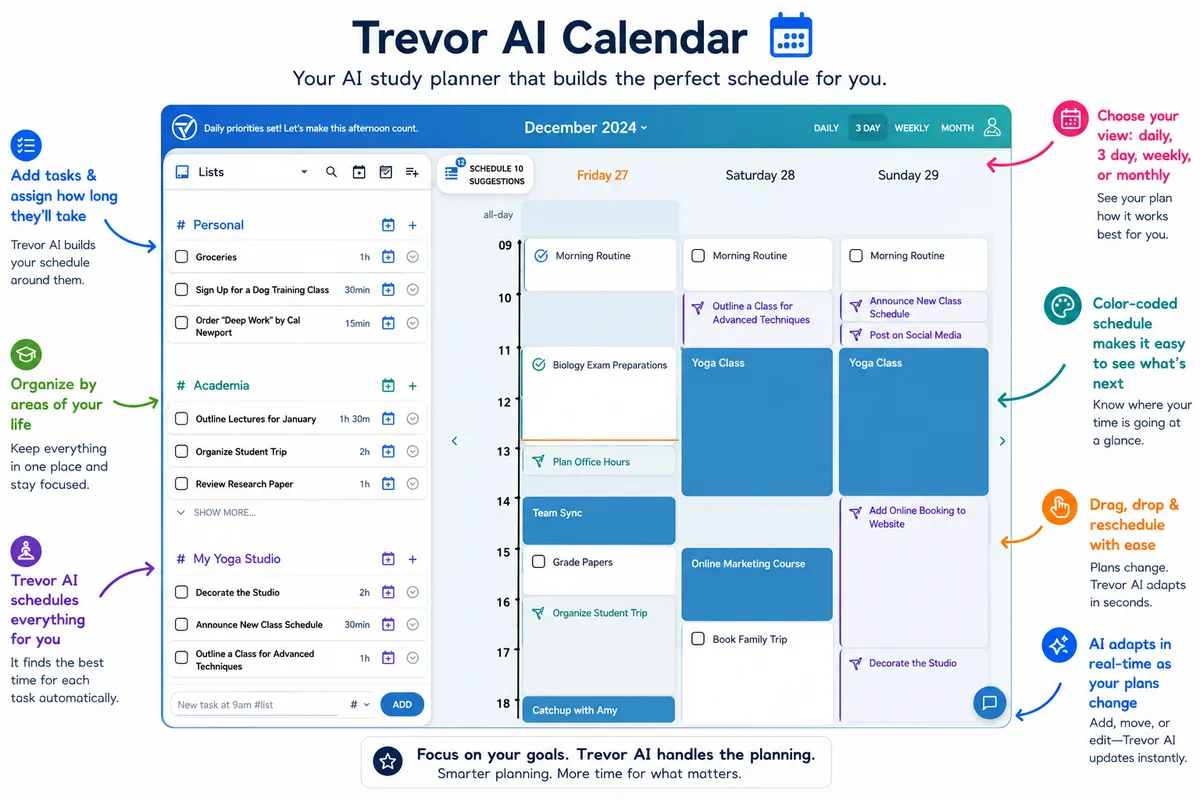
Time blocking means assigning every hour of your day a purpose before the day starts. Not a rigid military schedule - just a rough plan that gives each block a job.
Morning (8-12): Classes + highest-difficulty study tasks. Your brain's prefrontal cortex is sharpest in the morning for most people. Use this for hard problem sets, essay writing, and conceptual learning.
Afternoon (1-5): Medium-effort tasks - reading, reviewing notes, group work, lighter assignments. Energy dips after lunch, so match the difficulty to your energy.
Evening (6-10): Low-effort tasks + free time - flashcard review, reading, socializing, rest. Do not schedule hard cognitive work here unless you are genuinely a night owl.
The Two-Word Trick That Protects Your Time
“Not today.”
When someone asks you to do something that does not fit your plan: “I cannot do that today.” Not “no” forever, not a big confrontation. Just not today. This protects your schedule without burning bridges or feeling guilty.
For a night-specific version of this approach, check out our guide on how to stop wasting your evenings after class. And for the study blocks themselves, using a structured prompt like the Chemistry Tutor keeps you focused during the time you have.
Related Study Resources & Free AI Tools
- Step-by-Step Hub Guide: The Ultimate Notion Student Setup & Study Tracker Guide
- Science-Backed Study Method: Time-Blocking Schedule for Deep Student Focus
- 24/7 Interactive AI Tutor: Practice with Generalist Teacher
- Free Prompt Engineering Course: S-Tier AI Prompt Writing for Students (28 Free Lessons)
Frequently Asked Questions
What if my schedule changes every day?
How do I balance social life with academics?
What is the best app for time blocking?
What would you like to do next?
What are you trying to solve right now?
Pick your bottleneck to compare 2026 pricing caps, free student promos, or test our matched AI coach.
Claim free student promos first—never stack two $20/mo chatbots.
Verify your .edu email for Google AI Pro (12 months free) or Perplexity Education ($10/mo), then pair it with our Step-by-Step study prompts so AI quizzes you instead of writing generic summaries.
Compare Deep-Dive Guides (Save $15–$20/mo):