


Ir a la sección (7)
- 1.Google Gemini Student Features & Commands (2026 Table)
- 2.Workflow 1: Use @Google Drive to Turn Class Docs Into Study Guides
- 3.Workflow 2: Use @YouTube to Digest 2-Hour Lecture Videos in 30 Seconds
- 4.Workflow 3: Fact-Check With the "G" Button & Add Socratic Prompts
- 5.Turn Google Gemini Into a Socratic Tutor With Vertech Academy
- 6.Final Verdict: Use Gemini to Gather, Use Socratic Prompts to Learn
- 7.Frequently Asked Questions
La mayor ventaja de Gemini es su ventana de contexto masiva: puedes subir el programa del curso y varios capítulos enteros a la vez sin que pierda el hilo.
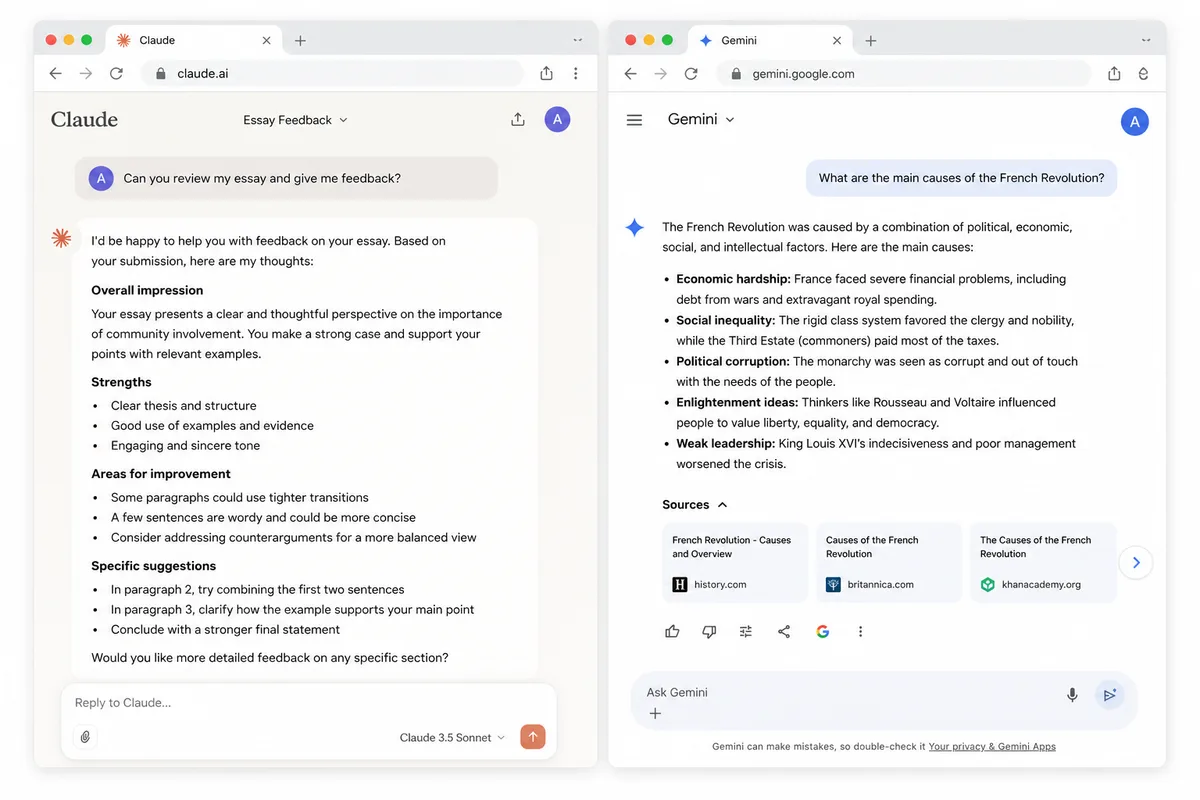
Here is how to unlock Google Gemini's real power for school in 2026: stop treating it like a plain chat box and use its three built-in Google ecosystem superpowers: type @Google Drive to pull study notes from your Docs and PDFs without re-uploading files, type @YouTube to turn 90-minute lecture videos into timestamped study guides, and always click the "G" (Double-check response) icon below its answers to highlight verified facts in green and catch hallucinations in orange.
We already compared how Gemini stacks up against other chatbots in our head-to-head guides on ChatGPT vs Gemini for studying and ChatGPT vs Claude vs Gemini. This guide is your hands-on tutorial for setting up Google Gemini step by step, avoiding the .edu account restrictions that trip up most students, and pairing Gemini with Socratic prompts that actually raise your grades.
The 6 Google Gemini Features Every Student Should Use
-
 @Google Drive ConnectorSearch across all your Google Docs & syllabi instantly
-
 @YouTube Lecture SummarizerExtracts timestamps & formulas from 2-hour videos
-
 The "G" Double-Check ButtonHighlights verified facts in green & doubts in orange
-
1M1-Million-Token Context WindowHolds an entire semester of textbooks in one chat
-
🔎Gemini Deep ResearchCompiles multi-page literature reviews with web links
-
 Vertech Socratic Prompt LayerTurns Gemini into a step-by-step active recall tutor

Google Gemini Student Features & Commands (2026 Table)
Most students only know 10% of what Gemini can do because Google hides its best tools behind @ commands and bottom-toolbar icons. Here is your cheat sheet to the six most useful Gemini features for college and high school in 2026:
How to Trigger & Use Every Google Gemini Study Feature
| Gemini Feature | How to Trigger It | Free vs. Advanced | Best School Task | Pro Student Tip |
|---|---|---|---|---|
| 1. Google Drive & Docs Search | Type @Google Drive or @Google Docs |
100% Free | Combining 5 weeks of lecture Google Docs | Name your Docs clearly by course & week |
| 2. YouTube Lecture Breakdown | Type @YouTube + paste video URL |
100% Free | Summarizing 90-min recorded lectures | Ask for exact [MM:SS] timestamps |
| 3. "Double-Check Response" | Click the "G" icon under any reply | 100% Free | Verifying dates, stats & science claims | Never cite an orange-highlighted claim |
| 4. Export to Docs / Sheets | Click Share & Export → Export to Docs | 100% Free | Saving study guides & grade tables | Use for study guides, never final essays |
| 5. 1M-Token PDF Upload | Click + icon → Upload files / Drive |
Free ( generous) / Pro (1M) | Searching 400-page textbook PDFs | Pair with NotebookLM for strict citations |
| 6. Socratic Active Quizzing | Paste a Vertech Socratic Prompt | $0 Free Daily Tutor | 1-question-at-a-time midterm prep | Stops Gemini from dumping walls of text |
Why @YouTube might be missing on your school email
School IT admins often block Gemini Extensions on .edu accounts. Share your class Google Drive folder with your personal Gmail so all @ extensions work smoothly.
Turn on Google Workspace in Gemini Settings
Click Extensions (or Apps) in the left sidebar at gemini.google.com and toggle Google Workspace and YouTube to ON.
Always click the "G" icon on research answers
Green highlights mean Google Search found a matching source; orange highlights mean Gemini guessed and you must verify the claim yourself.
Never let Gemini "Help me write" inside your final essay
Inserting AI-written paragraphs inside Google Docs creates a 1-second paste block in your Version History. Type your own sentences!
Workflow 1: Use @Google Drive to Turn Class Docs Into Study Guides
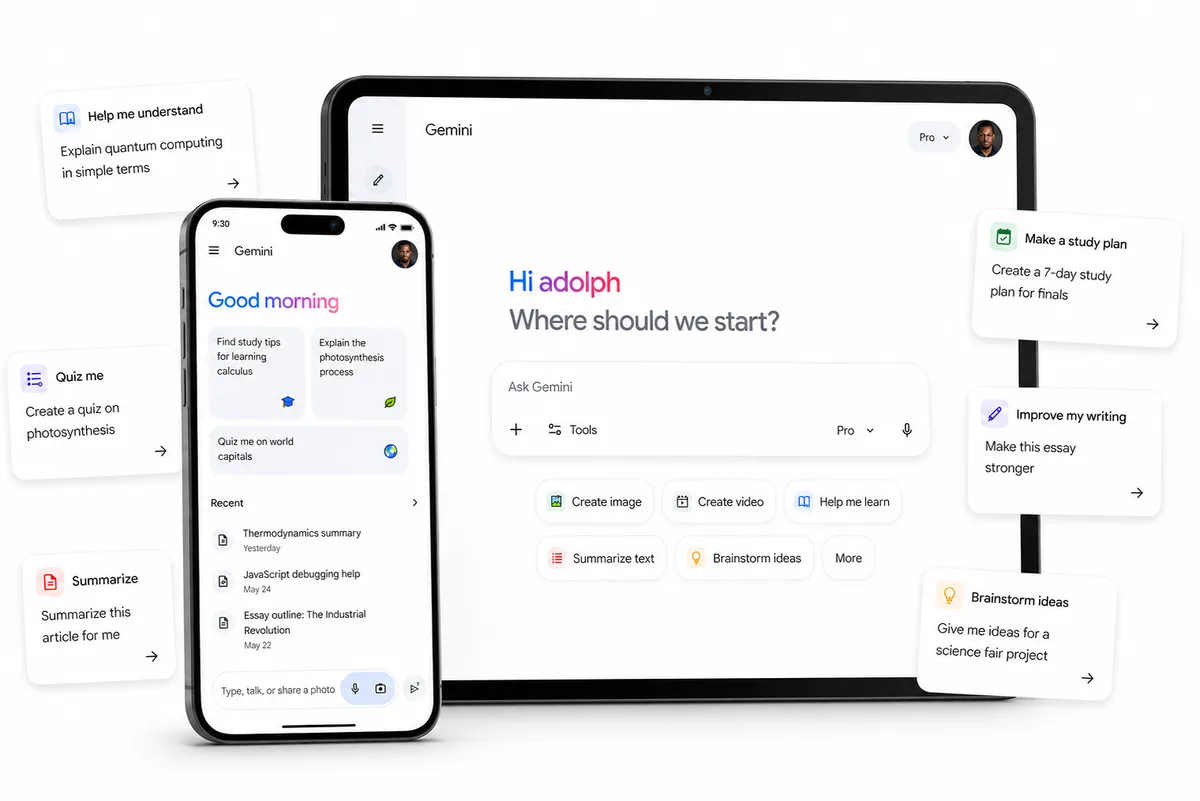
If you take lecture notes in Google Docs or store your course syllabi in Google Drive, you do not need to download them as PDFs and upload them into an AI chat every week. Once the Google Workspace extension is enabled, simply type @Google Drive in the Gemini prompt bar.
Workflow 2: Use @YouTube to Digest 2-Hour Lecture Videos in 30 Seconds
When your professor assigns a 75-minute YouTube lecture or you are trying to find the exact 4 minutes inside an Organic Chemistry Tutor video that covers your homework question, watching the whole video at 1x speed wastes your evening. Because Google owns YouTube, Gemini reads the full video transcript natively.
Workflow 3: Fact-Check With the "G" Button & Add Socratic Prompts
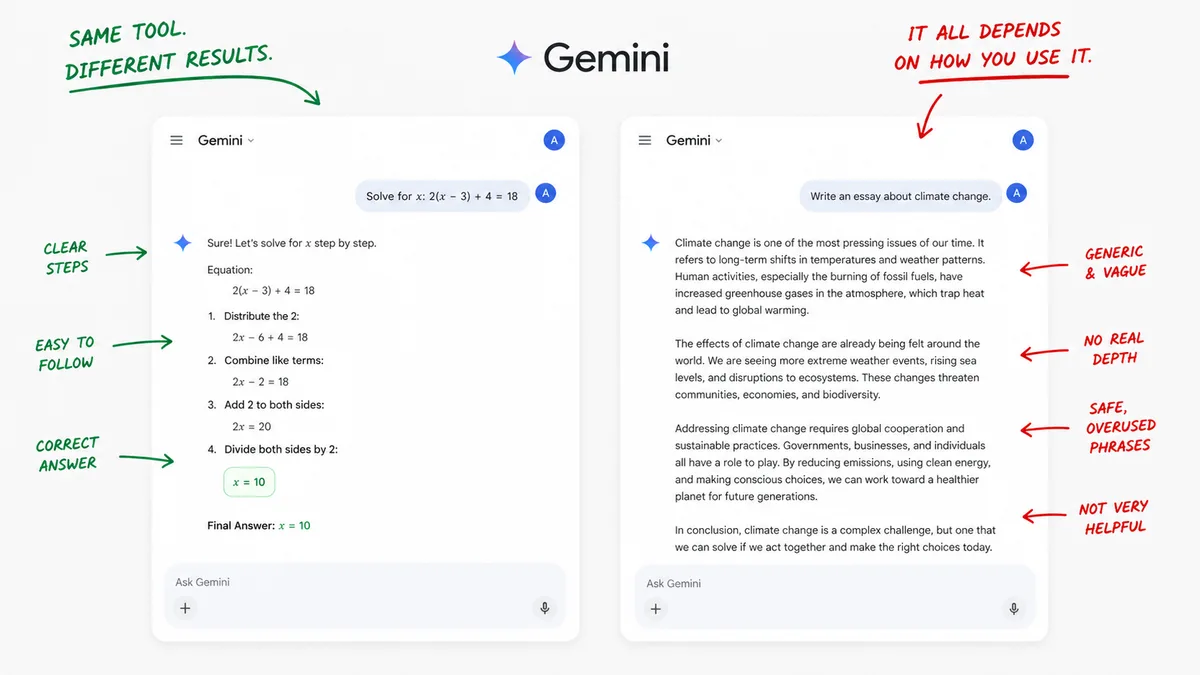
Raw Google Gemini has one big weakness when you use it out of the box: if you ask a study question, it acts like a search engine and hands you a 500-word summary immediately. Reading passive summaries does not prepare you for closed-book tests.
Amateur Gemini Habits vs. Power-Student Gemini Workflows
Amateur Gemini Mistakes
-
•
Manually copy-pasting paragraphs out of Google Docs into Gemini instead of typing
@Google Drive. - • Using the "Help me write" button inside your essay Google Doc to generate paragraphs, which ruins your Version History proof.
- • Trusting Gemini's dates or citations blindly without clicking the "G" Double-Check button underneath the reply.
- • Asking Gemini to "summarize this chapter" and skimming the bullets without ever quizzing yourself.
The Power-Student Gemini System
-
•
Connecting
@Google Driveand@YouTubeso Gemini reads your class Docs and lecture videos directly. - • Clicking the "G" icon on every research answer and only keeping claims highlighted in verified green.
- • Keeping Gemini in a separate browser tab while typing 100% of your essays yourself inside Google Docs.
- • Pairing Gemini with Vertech's Generalist Teacher or Notes Organizer for Socratic active recall.
Turn Google Gemini Into a Socratic Tutor With Vertech Academy
Google Gemini gives you a massive 1-million-token context window and direct Google Drive access, while Vertech Academy gives you the pedagogical system that makes Gemini actually teach you (ranked #1 in our 7 best free AI tools for students and 7 best AI exam prep tools).
Upgrade Google Gemini With Engineered Study Tutors
Stop typing generic one-line prompts into Gemini. Launch Generalist Teacher, Summarizer Specialist, Notes Organizer, or Learning Planner to turn your Google Drive notes into step-by-step mastery sessions.
Your 3-Step Google Gemini School Setup
Enable Google Workspace & YouTube Extensions
Open gemini.google.com (using your personal Gmail if your .edu blocks extensions) and toggle Google Workspace + YouTube ON.
Organize Class Docs With Clear Course Prefixes
Rename your Google Docs with a consistent prefix like BIO101 - Week 4 Notes so @Google Drive retrieves the right files every time.
Click "G" to Fact-Check & Drill With Socratic Prompts
Verify every research claim with the "G" button and use Vertech's Generalist Teacher to quiz yourself one question at a time.
Final Verdict: Use Gemini to Gather, Use Socratic Prompts to Learn
Gemini Is the Best Librarian. Your Prompt Makes It a Tutor.
Google Gemini's ability to reach into your Google Drive and YouTube lectures for $0 is unbeatable for gathering your study materials in one place. Just remember that gathering notes is step zero. Pair Gemini's retrieval speed with a Socratic prompt that quizzes you one question at a time, and you will turn your existing Google Drive into an A-grade study machine.