

Ir a la sección (7)
- 1.Claude AI Student Features & Setup Cheat Sheet (2026 Table)
- 2.Workflow 1: Use Claude Artifacts to Build Interactive Quizzes & Visual Maps
- 3.Workflow 2: Synthesize 350+ Pages at Once With the 200K Context Window
- 4.Workflow 3: Beat the Free Message Limit & Audit Essays Safely
- 5.Turn Claude Into a Socratic Tutor With Vertech Academy
- 6.Final Verdict: Use Claude for Depth, Use Socratic Prompts for Mastery
- 7.Frequently Asked Questions
Usa los Proyectos de Claude para guardar el sílabo y las rúbricas de tu materia: así cada respuesta estará adaptada exactamente a lo que pide tu profesor.
Here is the fastest way to master Claude AI for school in 2026: stop using it for one-sentence back-and-forth chats that burn through your free message quota in 15 minutes. Instead, upload your weekly syllabus and reading PDFs into its massive 200,000-token context window (~150,000 words), toggle on Claude Artifacts to build interactive split-screen quizzes and visual flowcharts, and use our One-Shot Token-Saver Protocol so a single prompt does the work of ten.
We already tested how Anthropic's flagship model stacks up against its biggest rivals in our head-to-head guides on Claude AI vs ChatGPT for students, NotebookLM vs ChatGPT vs Claude for study notes, and ChatGPT vs Claude vs Gemini. This hands-on tutorial shows you how to configure Claude step by step, how to build interactive study tools with zero coding, and how to never get locked out by Claude's 5-hour rate limit during midterms.
The 6 Claude AI Features Every Student Should Use
-
 200,000-Token Reading WindowRead ~150,000 words (350+ textbook pages) in one chat
-
⚡Interactive Claude ArtifactsRender live clickable quizzes, flashcards & SVG diagrams
-
📁Claude Projects WorkspacesPin syllabi, grading rubrics & lecture PDFs per course
-
✍️Custom Study & Writing StylesSwitch Claude into Socratic Tutor or Harsh Rubric Grader
-
🛡️One-Shot Token-Saver LoopStretch your free 5-hour message quota 4x further
-
 Vertech Socratic Prompt LayerTurns Claude into an active-recall coach that never spoils

Claude AI Student Features & Setup Cheat Sheet (2026 Table)
Most students treat Claude like a plain text chatbot and accidentally waste 80% of their free daily token budget within twenty minutes. Whether you are using the $0 Free plan or the $20/month Pro plan, here is how every core Claude feature works for school in 2026 and how to trigger it properly:
How to Trigger & Optimize Every Claude Study Feature
| Claude Feature | How to Enable / Trigger | Free vs. Pro ($20/mo) | Best Academic Use Case | Token-Saving Student Rule |
|---|---|---|---|---|
| 1. Claude Artifacts (Split Screen) | Settings → Feature Preview → Toggle Artifacts ON | 100% Free | Interactive HTML quizzes, flashcards & SVG flowcharts | Ask for a 3-tab study dashboard in 1 prompt |
| 2. 200K Context PDF Analysis | Click the paperclip icon → Upload PDF / DOCX / CSV | Free & Pro (200K tokens) | Comparing 3 to 5 dense journal articles or chapters | Start a fresh chat right after extracting notes |
| 3. Custom Study & Writing Styles | Click the pen icon in prompt bar → Create Style | 100% Free | Setting a permanent "Socratic Tutor" persona | Saves typing 100 words of instructions every chat |
| 4. Claude Projects Course Folders | Left sidebar → Projects → Add Project Knowledge | Claude Pro ($20/mo) | Pinning syllabi, rubrics & semester slide decks | Archive old weeks' PDFs you no longer need |
| 5. Rubric-Based Essay Critique | Upload grading rubric + draft + Essay Coach | 100% Free | Finding weak thesis claims before your professor grades | Forbid rewrites so your Version History stays clean |
| 6. Socratic STEM & CS Debugging | Paste error trace + Coding Tutor Prompt | 100% Free | Python, Java, C++, R & calculus step verification | Ask for variable traces instead of full solution code |
Claude re-reads attached PDFs on every single reply
If you attach a 50-page PDF (35,000 tokens) and send 10 short follow-up replies in that same thread, you burn 350,000 tokens and get locked out. Extract your master study guide in one prompt, then open a brand-new chat!
Never upload a 1,000-page textbook when you need Chapter 4
Use your computer's "Print to PDF" dialog to save just the 20 pages assigned for this week's lecture. Smaller uploads mean faster Claude responses and 5x more free messages per session.
Build interactive widgets instead of reading walls of text
Whenever you ask Claude to create a practice test, concept map, or study table, tell it to "Open this in an interactive Artifact" so you get a clean right-hand workspace with clickable buttons.
Use Claude as a rubric critic, never a paragraph ghostwriter
Pasting AI paragraphs into your essay triggers Turnitin and breaks your typing timeline (see our AI Detectors Student Guide). Always type your own revisions inside Google Docs.
Workflow 1: Use Claude Artifacts to Build Interactive Quizzes & Visual Maps
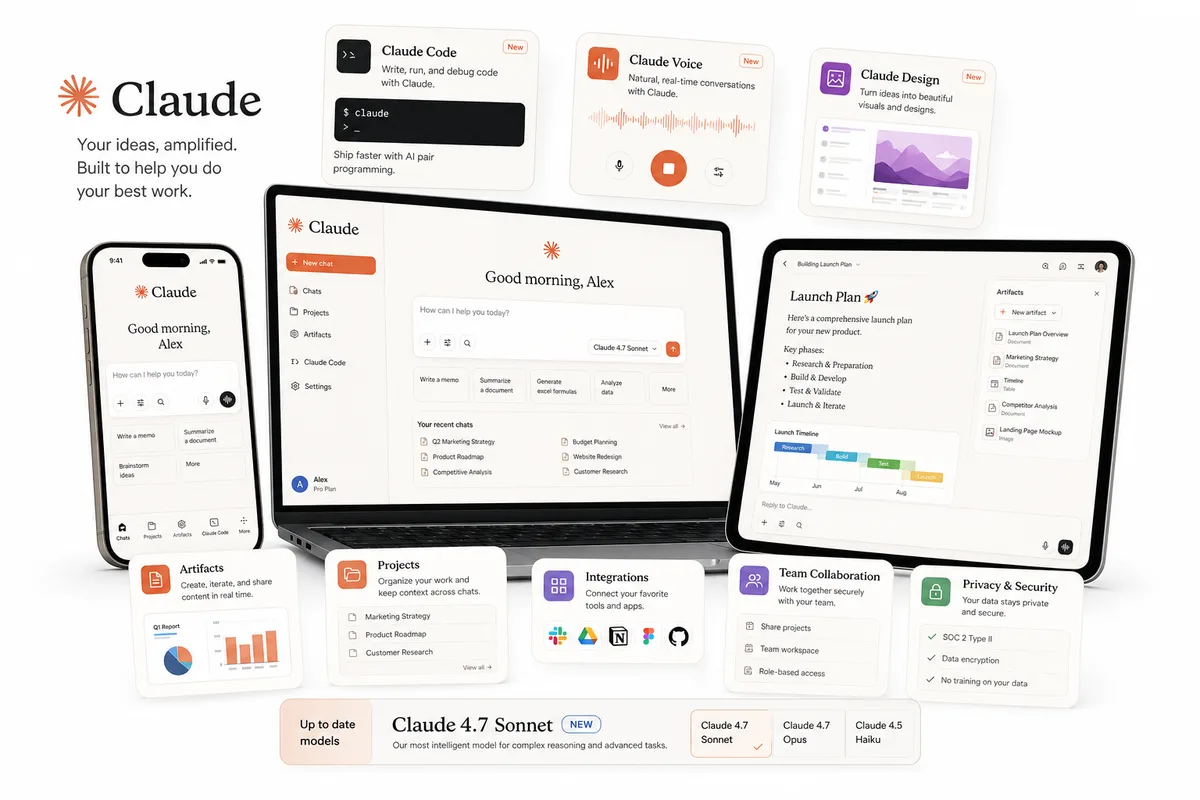
Claude Artifacts is the single biggest advantage Claude has over standard text chatbots. When you ask a normal chatbot for a 10-question practice test, it prints all 10 questions on screen at once, often with the answer key sitting right at the bottom where your eyes accidentally see it. Worse, scrolling up and down a long chat thread to check your answers feels clunky and passive.
When you ask Claude to build an interactive HTML or React Artifact, it opens a dedicated split-screen panel on the right side of your monitor and compiles a real, clickable mini-application in 15 seconds. You can click multiple-choice buttons, flip digital flashcards with your spacebar, inspect visual Mermaid flowcharts of biological pathways or historical timelines, and track your score automatically without writing a single line of code.
Workflow 2: Synthesize 350+ Pages at Once With the 200K Context Window
In upper-level college courses, your biggest bottleneck is rarely a single 5-page worksheet. Instead, a professor assigns four 35-page journal articles, a 60-slide lecture deck, and a primary source packet, then asks you to write a synthesis seminar paper or defend a position in class discussion. Many chatbots suffer from "lost-in-the-middle" drift when you feed them more than 40 pages: they summarize the first three pages and the final conclusion while skipping the methodology and data tables in the middle.
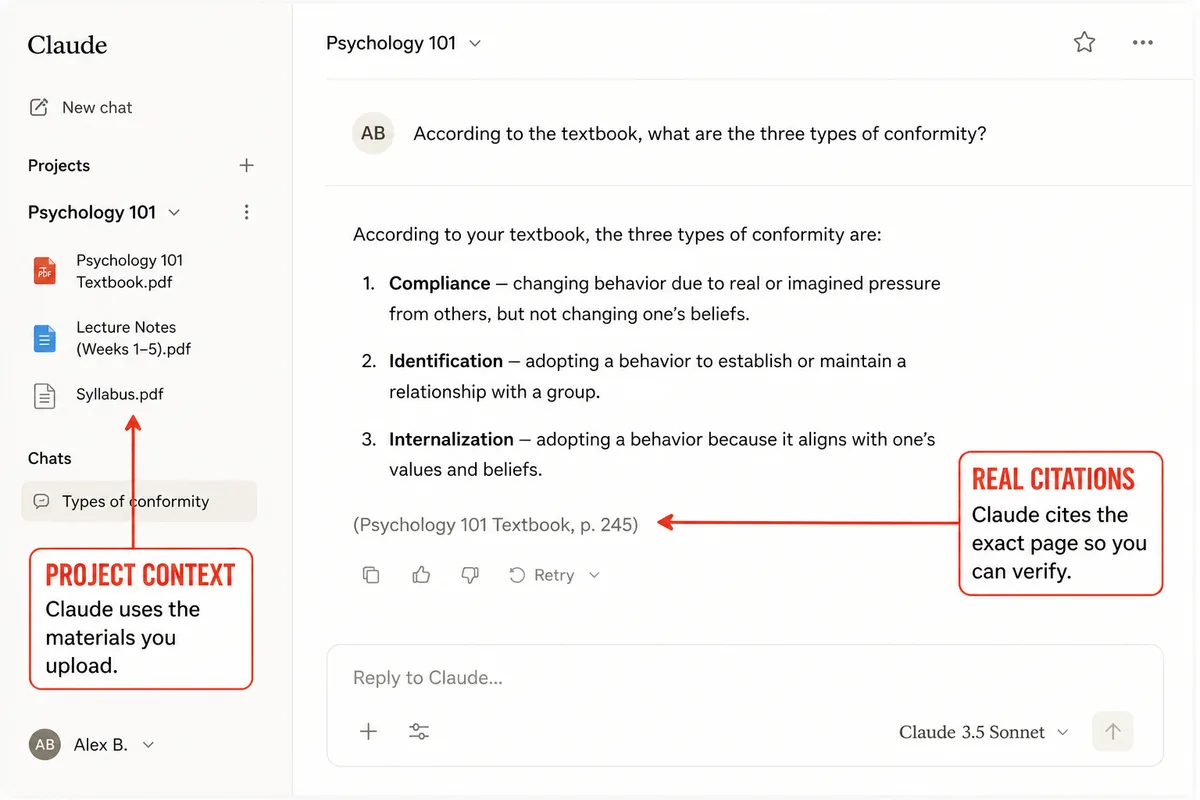
Claude's 200,000-token context window is engineered specifically for high-recall retrieval across long documents. When you upload three or four PDFs together and pair them with our Summarizer Specialist or Critical Thinking Expert prompt, Claude can pinpoint exact page-level disagreements between Author A and Author B in seconds.
Workflow 3: Beat the Free Message Limit & Audit Essays Safely
Why do so many students hit the dreaded "You've reached your limit for Claude Sonnet" screen after just 10 or 12 messages? Because Claude does not just count how many messages you send; it counts the cumulative tokens processed across the entire conversation. Every time you hit Enter in a chat that has 60 pages of PDFs attached, Claude re-processes all 60 pages plus the entire chat history from message #1.
To make your free tier last all afternoon, follow the Two-Chat Split Rule: use Chat A (Heavy Extraction) to upload your PDF and run one comprehensive prompt that generates your structured study guide or Artifact. Then, copy that study guide text, open Chat B (Lightweight Socratic Drill) with no PDFs attached, paste the condensed study guide, and do all of your back-and-forth active-recall quizzing or essay brainstorming there for 1/10th the token cost!
Amateur Claude Mistakes vs. Power-Student Claude Workflows
Amateur Claude Mistakes
- • Sending 20 short one-line replies inside a chat thread with a 75-page PDF attached, hitting the 5-hour lockout in 15 minutes.
- • Leaving Claude Artifacts turned off and scrolling through giant walls of plain-text practice questions.
- • Asking Claude to "rewrite my essay to sound more academic" and pasting the output into Google Docs (triggering Turnitin flags).
- • Pasting broken Python or Java lab code and copying Claude's finished solution without understanding how the bug happened.
The Power-Student Claude System
- • Using a One-Shot Extraction Prompt on heavy PDFs, then opening a fresh lightweight chat for active-recall quizzing.
- • Building clickable 10-question quizzes, flashcards, and visual flowcharts inside Claude Artifacts.
- • Using Claude strictly as a harsh grading-rubric auditor while typing 100% of essay revisions yourself inside Google Docs.
- • Pairing Claude with Vertech's Generalist Teacher and Coding Tutor for Socratic step-by-step mastery.
Turn Claude Into a Socratic Tutor With Vertech Academy
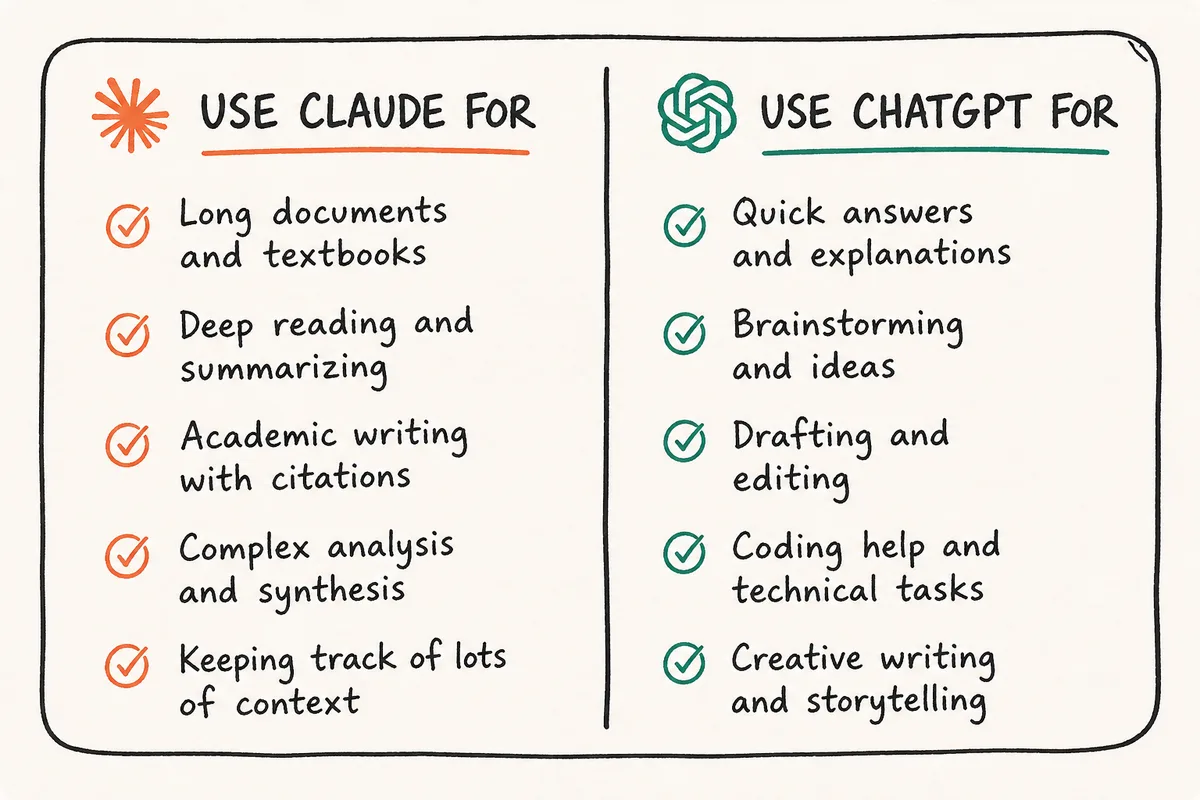
Claude gives you the best long-document reading comprehension and split-screen Artifacts in AI, while Vertech Academy gives you the engineered Socratic prompt architecture that makes Claude teach you step by step (featured in our 7 best free AI tools for students and 7 best AI exam prep tools).
Upgrade Claude AI With Engineered Socratic Study Tutors
Instead of burning your free token quota on vague one-line prompts, launch Generalist Teacher, Summarizer Specialist, Essay Writing Coach, or Coding Tutor to get structured, one-shot mastery sessions inside Claude.
Your 3-Step Claude AI School Habit
Turn On Claude Artifacts & Save a Socratic Custom Style
Toggle Artifacts ON in Settings → Feature Preview, and create a Custom Style that ends every explanation with active-recall questions.
Use the Two-Chat Split to Protect Your Free Quota
Extract your study guide or Artifact from heavy PDFs in one prompt, then paste those notes into a fresh chat with no PDF attached for quizzing.
Audit Drafts Against Your Rubric, Type Every Word Yourself
Use Claude to spot weak arguments against your professor's grading rubric while writing 100% of your essay inside Google Docs.
Final Verdict: Use Claude for Depth, Use Socratic Prompts for Mastery
Stop Chatting Inside Heavy PDF Threads. Start Building Artifacts.
Whenever a student tells me they got locked out of Claude right before an exam, it is almost always because they kept sending short follow-up questions inside a chat with a 70-page textbook PDF attached. Once you learn the One-Shot Extraction + Fresh Chat trick and turn on Claude Artifacts, Claude becomes the sharpest reading, coding, and essay-critique partner in your entire academic workflow.