
Introduction: The "Stuck" Moment
We have all been there. It is 9 PM, your textbook is open, but the words aren't making sense. You have a math problem that looks like an alien language or an essay prompt you don't even know how to start.
Usually, you would turn to Google, but scrolling through ads and long articles takes forever. You could ask ChatGPT, but it might make up facts (hallucinate) without telling you.
Enter Perplexity AI. It is a "conversational search engine" that is perfect for students. Unlike standard chatbots, it browses the internet in real-time and cites its sources, so you know exactly where the information is coming from.
Here is how to use it to get unstuck instantly.
1. Don't Just Ask for the Answer, Ask for the "Why"
If you just type "What is the answer to question 5?", you aren't learning. Perplexity shines when you ask it to explain concepts.
Treat it like a tutor sitting next to you. Use natural language to explain your confusion.
Bad Prompt: "Solve 2x + 5 = 15."
Good Prompt: "I'm stuck on this algebra equation: 2x + 5 = 15. Can you walk me through the steps to solve it and explain why we subtract 5 first?"
Tool to try: Perplexity AI
2. Use "Focus Mode" to Cut Out the Noise
One of Perplexity's best features is the Focus button. It lets you tell the AI exactly where to look for information, filtering out random blogs or unreliable websites.
When you click "Focus" (usually found in the search bar), you can select:
Academic: This searches only published academic papers and journals. It is incredible for writing research papers where you need credible sources.
Math: This optimizes the AI for solving equations, often using Wolfram Alpha logic to ensure the math is actually correct.
Writing: This turns off the web search to help you brainstorm outlines or edit your draft without distraction.
3. Upload Your Worksheet or Graph
Sometimes it is hard to type out a problem, especially if it involves a geometry graph or a complex diagram.
Perplexity allows you to upload images and PDFs directly into the chat. You can snap a photo of your textbook page or upload your teacher's PDF worksheet.
Action Step: Click the + Attach button (paperclip icon). Upload your image and ask, "Can you explain the concept shown in this diagram?" or "Summarize the key points of this PDF chapter."
4. Verify Your Sources (The "Trust but Verify" Step)
This is the biggest difference between Perplexity and other AI tools. Every answer comes with citations (little numbers) linking to the original websites.
If you are writing an essay, you can click these numbers to go directly to the source material. This helps you avoid plagiarism and ensures the facts you are using are real.
Pro Tip: If a source looks weird, ask Perplexity: "Can you find a more credible source for this claim, like a .edu or .gov site?"
5. Turn Your Notes into a Study Guide
Once you have finished your homework, don't just close the tab. You can use your chat history to prepare for the test.
Ask Perplexity to act as a quizmaster based on the conversation you just had.
Try this prompt: "Based on the problems we just solved about photosynthesis, can you create a 5-question multiple-choice quiz to help me review? Don't show the answers immediately."
Conclusion: Study Smarter, Not Harder
Perplexity AI isn't about getting the easy way out; it is about having a study buddy available 24/7. By using features like Focus Mode and Attachments, you can cut down on frustration and actually understand the material.
Next time you are staring at a blank page, don't panic, just ask.
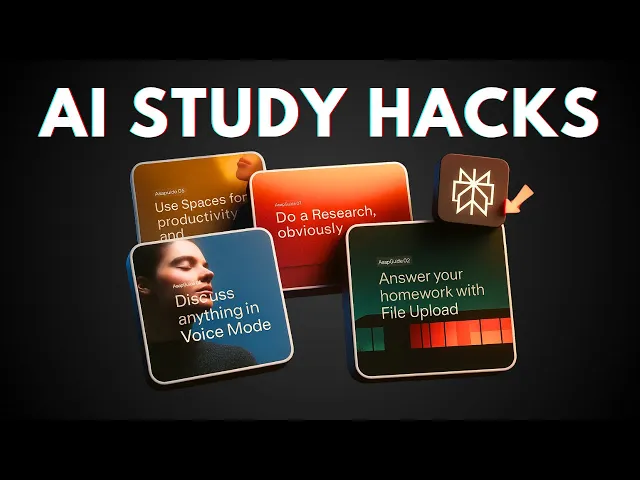
How to Use Perplexity AI to Study Effectively (Tips for Student)
This video visually demonstrates the "Spaces" and "Flashcard" features mentioned, showing exactly how a student can set up Perplexity for effective study sessions.