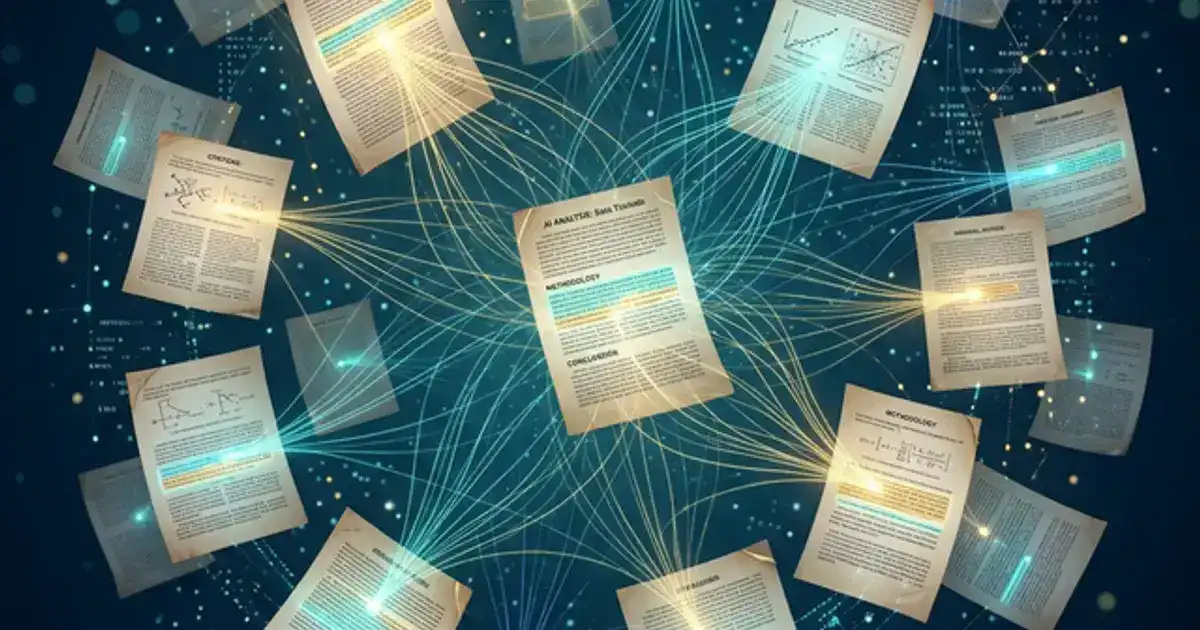
Research papers are the most time-consuming assignment in college. Finding credible sources, reading dozens of papers, organizing citations, building an argument, and formatting everything correctly can take weeks. AI tools cannot and should not write your research paper for you, but they can dramatically accelerate every step of the process that is not the actual writing. Finding sources that would take hours of database searching now takes minutes. Reading and extracting key ideas from 30-page papers takes seconds. Organizing your literature review, building outlines, and formatting citations can all be handled by AI while you focus on the intellectual work: developing your argument, analyzing evidence, and writing in your own voice.
This guide shows you how to use AI ethically at every stage of the research process. The emphasis is on using AI as a research assistant, not a ghostwriter. Your professor can tell the difference, and more importantly, the entire point of a research paper is to develop your critical thinking. AI handles the logistics. You do the thinking.
Every tool and workflow in this guide uses free tiers. No subscriptions needed.

Step 1: Finding Sources with AI
Perplexity AI is the best free tool for finding academic sources. Unlike ChatGPT, which can fabricate citations, Perplexity searches the actual web and provides links to real sources. Use Academic Focus mode for research papers.
Source finding prompt:
"Find 10 peer-reviewed journal articles
published after 2020 on [your topic]. For each article, provide: the full citation, a 2-sentence summary of the
findings, and the methodology used. Prioritize highly cited papers from reputable journals."
Semantic Scholar is another powerful free tool. It uses AI to search 200+ million papers and shows citation graphs, so you can find the most influential papers on any topic. Enter your research question in natural language and it returns relevant papers ranked by influence.
Elicit searches academic databases and extracts key findings from papers automatically. Upload your research question and Elicit returns a table of relevant papers with their sample sizes, methodologies, and key findings already extracted. This saves hours of manually reading abstracts.
Critical rule: always verify. Never cite a source you found through AI without checking that it actually exists. Open the link, read the abstract yourself, and confirm the findings match what AI summarized. AI can occasionally misattribute findings or hallucinate paper titles. Your name goes on the paper, not AI's.
Step 2: Reading and Analyzing Papers with AI
Reading 20+ academic papers is the most time-consuming part of research. AI can help you triage papers quickly so you spend your deep reading time on the most relevant ones.
| Reading Level | Method | Time | When to Use |
|---|---|---|---|
| Quick triage | AI summary of abstract + conclusion | 2 min | Deciding if a paper is relevant |
| Standard review | AI extracts key findings + you read methodology | 15 min | Papers you will cite but not deeply analyze |
| Deep analysis | Full read + AI helps identify strengths/weaknesses | 45-60 min | Core papers that form your argument |
For quick triage: Upload the PDF to Claude and ask: "Summarize this paper in 3 sentences: what question did they ask, what method did they use, and what did they find?" This tells you in 30 seconds whether the paper is worth deeper reading.
For standard review: Ask Claude: "Extract the following from this paper: (1) research question, (2) sample size and methodology, (3) key findings with specific numbers, (4) limitations the authors acknowledge, (5) how this connects to [your topic]."
For deep analysis: Read the paper yourself first. Then ask Claude: "I just read this paper. What are the 3 strongest aspects of their methodology? What are 3 potential weaknesses or limitations they did not address? How might a critic challenge their conclusions?" This sharpens your critical thinking for the literature review section.
Step 3: Organizing Your Literature Review
Once you have read your sources, you need to organize them into themes for your literature review. This is where most students get stuck: they have 15 papers and no idea how to structure the discussion.
Literature organization prompt:
"I have these sources for my research
paper on [topic]: [paste summaries of all sources]. Group these sources into 3-4 thematic categories based on their
findings and methodologies. For each category, identify points of agreement and disagreement between sources.
Suggest a logical order for discussing these themes."
This gives you a thematic structure instead of a paper-by-paper summary, which is what professors want. A literature review that says "Smith (2023) found X, then Jones (2024) found Y" is weak. A review that says "Three studies support the theory of X, while two studies challenge it with evidence of Y" shows synthesis and critical thinking.
Citation management: Use Zotero (free) to organize your sources and generate citations in any format. Add papers as you find them, tag them by theme, and Zotero generates your bibliography automatically. This eliminates the nightmare of formatting 30+ citations manually.
Step 4: Building Your Outline with AI
With your sources organized, use AI to create a detailed outline that you will write from.
Outline prompt:
"Create a detailed outline for a [length] research
paper on [topic]. My thesis is: [your thesis]. My sources are organized into these themes: [list themes from Step
3]. Include: introduction with hook and thesis, literature review organized by theme, methodology section,
analysis/discussion, and conclusion. For each section, include 2-3 bullet points of what to cover."
The outline is a guide, not a script. AI creates the structure. You write every sentence. Having a detailed outline means you never stare at a blank page. You always know what to write next. But the words, the analysis, and the argument are entirely yours.
Get AI prompts designed for academic research
Our prompt library includes research-specific prompts for source finding, literature review organization, and outline generation.
Browse the Prompt Library - Free →The Ethics Framework: Where the Line Is
Ethical Uses of AI in Research
- Finding and triaging sources
- Extracting key findings from papers you have read
- Organizing sources into themes
- Creating outlines and structure
- Checking grammar and clarity after you write
- Generating citations in the correct format
- Understanding statistical methods in papers
Unethical Uses of AI in Research
- Having AI write any section of your paper
- Submitting AI-generated paragraphs as your own
- Citing sources you have not actually read
- Using AI to fabricate data or results
- Paraphrasing AI output instead of writing original analysis
- Not disclosing AI use when required by your institution
For a deeper dive into using AI responsibly, see our guide on using AI without getting in trouble.
Using AI for Formatting and Citations
Formatting is the most tedious part of research papers and the easiest to automate with AI. After you have written your paper, use these workflows to polish the technical details.
Citation formatting: Paste your rough citations into ChatGPT and ask: "Convert these citations to [APA/MLA/Chicago] format. Include: author names, year, title, journal name, volume, issue, and page numbers." Always verify against the official style guide, but AI gets 90% correct and saves significant time.
Consistency check: Ask Claude: "Review this paper for consistency: are headings formatted uniformly, are in-text citations in the same style throughout, are numbers written consistently (numerals vs. words), and are there any formatting inconsistencies?" This catches the small errors that lose points on rubrics.
Abstract writing: After your paper is complete, paste the full text and ask: "Write a 150-word abstract for this paper that includes: the research question, methodology, key findings, and implications. Use formal academic language." Then edit the AI draft to match your voice. The abstract should be the last thing you write because it summarizes the finished product.
Common Research Mistakes AI Helps You Avoid
Cherry-picking sources. Confirmation bias makes you find sources that support your argument and ignore ones that contradict it. AI helps by showing you the full landscape: "Show me the strongest arguments both for and against [your thesis]. Include sources for each side." This makes your paper stronger because you can preemptively address counterarguments.
Relying on outdated sources. Ask AI: "Are there any more recent studies (post-2022) that update, contradict, or extend the findings from [older source]?" Academic knowledge evolves. A 2018 study might have been superseded by a 2024 meta-analysis. AI keeps your bibliography current without manually searching for updates to every source.
Weak methodology analysis. Most undergraduate students describe what researchers did but do not evaluate how well they did it. Ask Claude: "What are the methodological strengths and weaknesses of this study? Specifically assess the sample size, control group design, potential confounding variables, and generalizability of the findings." This transforms a mediocre literature review into a strong one.
Missing the gap. The best research papers identify a gap in existing literature and fill it. Ask: "Based on all the sources I have collected, what questions remain unanswered? Where do the existing studies disagree? What has not been studied yet?" This question often reveals your thesis statement if you have not found one yet.
Not connecting sources. A literature review that treats each source in isolation is just a summary list. Use AI to find connections: "How do [Source A's findings] relate to [Source B's methodology]? Are there common assumptions across these papers? Where do they diverge and why?" These connections demonstrate the analytical thinking that earns top grades.
AI Workflows for Different Paper Types
Argumentative papers. Your primary need is finding strong evidence for both sides. Use Perplexity to find supporting and opposing sources, then Claude to analyze the strength of each argument. Build your outline around the progression of your argument: establish the problem, present evidence, address counterarguments, and reach a conclusion.
Literature reviews. Focus on comprehensive source discovery and thematic organization. Upload all papers to NotebookLM to find cross-document themes and contradictions. Ask: "What are the major schools of thought on this topic? How have they evolved over time? Where is the field heading?" Structure by theme, not chronologically.
Lab reports. AI is most useful for understanding your results and connecting them to existing literature. After running your experiment, ask: "My results show [findings]. How do these compare to the expected results from [theory]? What might explain any discrepancies?" This helps you write a stronger discussion section.
Case studies. Use ChatGPT to identify relevant theoretical frameworks: "I am writing a case study about [topic]. What theoretical frameworks from [discipline] would be most applicable for analysis? For each framework, explain how it would interpret the key events in this case." Apply 2-3 frameworks for a multi-perspective analysis that impresses professors.
Using AI to Develop and Refine Your Thesis Statement
The thesis statement is the foundation of your research paper. A strong thesis is specific, arguable, and supported by evidence. AI helps you develop one through iterative refinement rather than staring at a blank document hoping for inspiration.
Thesis development prompt:
"I am writing a research paper on [topic]. Based on these sources I have collected: [list key findings]. Help me develop 3 possible thesis statements, each taking a different angle on the topic. For each thesis, tell me: (1) what makes it arguable (not just a fact), (2) what evidence supports it, (3) what the strongest counterargument would be."
Having three options lets you choose the thesis you find most compelling and can best support. Most students settle for their first idea. The iterative approach with AI produces a stronger thesis because it forces you to consider alternatives before committing.
Stress-test your thesis. Once you have chosen, ask: "Play devil's advocate against this thesis: [your thesis]. Give me the 3 strongest arguments someone could make to disagree. For each counterargument, suggest how I could address it in my paper." Anticipating and addressing counterarguments is what separates good research papers from excellent ones.
Working with Professors and AI Policies
University AI policies vary enormously. Some professors embrace AI as a research tool. Others ban it entirely. Most fall somewhere in between but have not clearly articulated their position. Your job is to understand and follow your specific professor's expectations, even when they are ambiguous.
Read the syllabus carefully. Look for sections labeled "Academic Integrity," "AI Policy," or "Technology Use." If the syllabus addresses AI, follow it exactly. If it is silent on AI, that does not mean AI use is permitted. It means the professor has not updated their syllabus yet. When in doubt, ask directly: "Can I use AI tools like Perplexity to find sources for my paper? I plan to read all sources myself and write my own analysis."
Document your AI usage. Keep a log of exactly how you used AI for each paper. Note the tool, the prompt, and what you did with the output. If a professor ever questions your work, you can show exactly how AI assisted your research process without generating any of your writing. This documentation protects you and demonstrates responsible use.
Understand the spectrum of acceptable use. There is a clear spectrum from fully acceptable to clearly unethical. Finding sources with Perplexity sits at the fully acceptable end for virtually every professor. Having Claude write your conclusion sits at the clearly unethical end. Between those extremes, the line depends on your professor's specific expectations. When you are unsure where a specific use falls, default to the more conservative position.
Use AI as a competitive advantage, not a shortcut. Students who use AI to find better sources, build stronger outlines, and identify gaps in their arguments produce better research papers than students who do not use AI at all. The advantage is not in the writing. It is in the research quality. A paper built on 20 carefully selected, AI-discovered sources with a well-organized argument beats a paper built on 8 randomly found sources every time. This is the ethical advantage of AI in research: better inputs produce better output, and you are still doing all the thinking and writing yourself.