Google gives you links. ChatGPT gives you answers without sources. Perplexity AI gives you answers with numbered citations you can actually click and verify. For students who need to research topics quickly and trace every claim back to a real source, it is the single most useful free tool available in 2026.
This guide covers exactly how to use Perplexity for academic research: finding sources for papers, understanding complex topics, building literature reviews, and fact-checking AI-generated content. You will also learn where Perplexity falls short and how to avoid its blind spots. If you have never used it before, you will be running searches within 5 minutes of reading this.
What Makes Perplexity Different From ChatGPT and Google
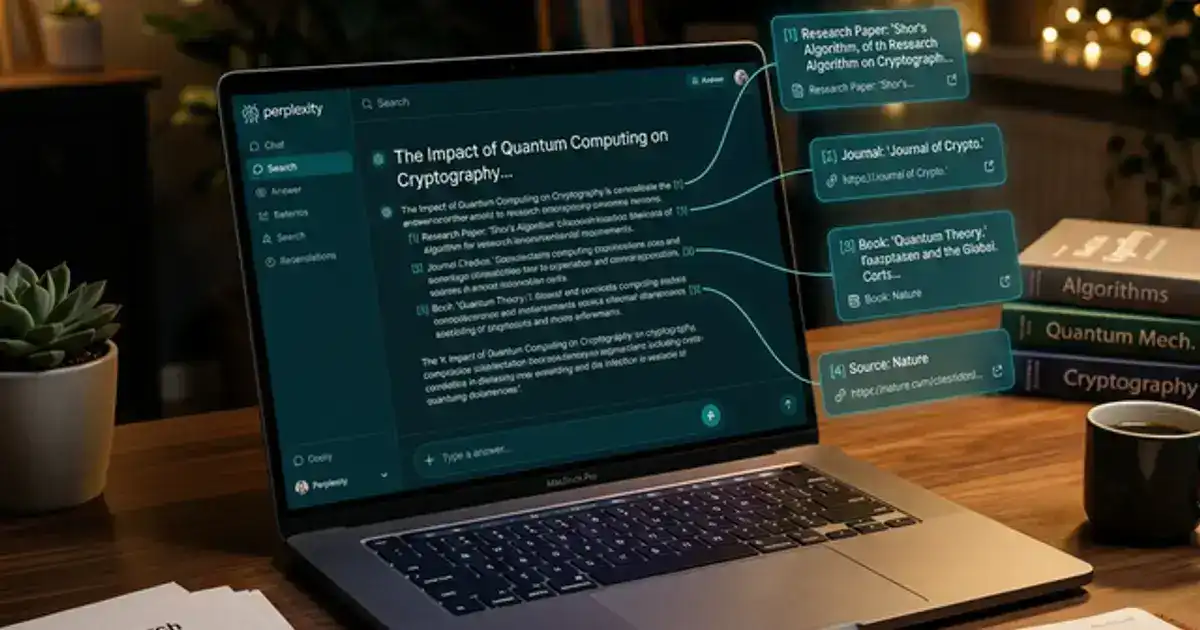
The core difference is simple: every answer Perplexity gives includes numbered source citations. You can see exactly where each piece of information came from and click through to verify it. This matters enormously for academic work where "trust me" is not a valid citation strategy.
Cited sources on every answer
Every claim includes numbered citations linking to the original article, study, or website. Click any number to verify the information at the source. No other AI tool does this as consistently.
Follow-up questions built in
After every answer, Perplexity suggests related follow-up questions. This creates a natural research rabbit hole where each answer leads to the next question, just like good academic research should work.
Focus modes for different research
Perplexity lets you set a "Focus" for your search: All (web), Academic (research papers), Writing, Math, Video, or Social. The Academic focus searches scholarly databases and peer-reviewed sources specifically.
Setting Up Your Research Workflow
The biggest mistake students make with Perplexity is using it like Google: typing a vague question and hoping for the best. Perplexity works best when you give it specific, well-structured queries. Here is a 4-step workflow that turns Perplexity into your personal research assistant.
Start with a broad overview question
Begin by asking Perplexity to give you a high-level overview of your topic. Something like "What are the main theories about [topic] in [field]?" This shows you the landscape of the subject and helps you identify which specific angles to dig into. Read the sources it cites and note which ones look promising for your paper.
Switch to Academic Focus for scholarly sources
Once you know what angle you want to pursue, switch to Academic focus mode and ask more specific questions. Perplexity will search academic databases and cite peer-reviewed papers, which is what your professor wants to see in your bibliography. Ask questions like "What does recent research say about [specific aspect of topic]?"
Use follow-up questions to go deeper
After each answer, Perplexity suggests related questions. Click the ones relevant to your research to drill deeper. This is like having a research advisor who keeps asking "what else would you like to know?" Each follow-up question narrows your focus and surfaces more specific sources.
Verify every source before citing
Click every citation number. Read the original source. Confirm the information Perplexity pulled is actually in that source. Some citations lead to paywalled articles, in which case check if your school library provides access. Never cite a source you have not personally opened and read at least the relevant sections of.
Writing Better Perplexity Queries
The quality of your Perplexity output depends entirely on the quality of your input. Vague questions get vague answers. Specific, well-framed questions get detailed, source-rich responses. Here are the query patterns that work best for academic research.
For finding sources:
"What are the most cited research papers on [topic] published between [year] and [year]? Focus on [specific aspect]. Include author names and publication venues."
For understanding a concept:
"Explain [concept] as it is understood in [field]. Include the key researchers who developed this theory, any competing theories, and how the understanding has evolved since [year]."
For literature review:
"What are the main findings in recent research about [topic]? Group them by theme or methodology. I need this for a literature review section of a research paper in [field]."
Pro tip: Use Collections to organize your research
Perplexity has a Collections feature that lets you save searches into folders. Create one collection per research paper or assignment. Every search related to that paper goes into the same collection, giving you a ready-made research trail to reference later. This also helps if your professor asks how you found your sources.
Need help brainstorming research angles?
The Brainstorming Expert prompt generates unique angles, counterarguments, and thesis directions for any research topic.
Try the Brainstorming Expert →Perplexity vs ChatGPT for Research
Both tools are useful for research but they serve different purposes. Understanding the difference prevents you from using the wrong tool for the wrong task.
| Task | Perplexity | ChatGPT |
|---|---|---|
| Finding sources | Better (cited, clickable) | Worse (can hallucinate sources) |
| Explaining concepts | Good (factual, concise) | Better (analogies, depth) |
| Literature review | Better (Academic focus) | Limited (no real-time search) |
| Fact-checking claims | Better (shows sources) | Worse (confident without proof) |
| Brainstorming | Adequate | Better (more creative) |
| Practice quizzes | Not designed for this | Better (Study Mode) |
The smart workflow is: use Perplexity to find and verify information, then switch to ChatGPT or Gemini to help you understand it, brainstorm with it, and prepare for exams on it. Perplexity is your librarian. ChatGPT is your tutor. They solve different problems.
For the full ethical workflow of using AI tools together for research papers, including Perplexity's role in the source-finding phase, see our step-by-step guide on using AI for research papers without plagiarizing.
Advanced Features Most Students Miss
Most students only use Perplexity's basic search. But there are several features that make it significantly more powerful for academic work.
File uploads
Upload a research paper PDF and ask Perplexity to summarize it, extract key findings, identify the methodology, or explain specific sections. This turns a 30-page paper into a 5-minute read while still giving you enough understanding to cite it intelligently.
Multi-source comparison
Ask Perplexity to compare what different sources say about the same topic. It will pull from multiple articles and show you where researchers agree and disagree. This is exactly what a literature review needs to do, and Perplexity does the initial comparison for you.
Threads for ongoing research
Every Perplexity search conversation is saved as a Thread. You can return to it later, add follow-up questions, and build on previous research sessions. This means you do not lose your research progress between study sessions and can pick up exactly where you left off.
Share and export
You can share any Perplexity thread as a link or export the answer as text. This is useful for group projects where one person does the initial research and shares findings with the team, complete with all sources attached.
Using Perplexity for Exam Prep
Most students think of Perplexity as a research-only tool, but it is surprisingly effective for exam preparation because it can quickly synthesize information from multiple textbook-level sources. Here is how to use it the week before an exam.
Create topic summaries. For each major topic on your exam, ask Perplexity: "Give me a comprehensive summary of [topic] as taught in a college [subject] course. Include key definitions, important relationships, and common exam questions." The citations let you verify every claim against your textbook or lecture notes, which doubles as a review activity.
Find alternative explanations. If your professor's explanation of a concept did not click, Perplexity can pull from multiple educational sources to give you different angles. Ask: "Explain [concept] using three different approaches. Cite sources for each." You will often find one explanation that resonates with your learning style better than the textbook version.
Verify your understanding. After studying, use Perplexity to fact-check your own notes. Paste a claim from your notes and ask: "Is this accurate? What does current research say about [claim]?" Perplexity will either confirm your understanding or correct it with sources. This catches misconceptions before the exam instead of during it.
Concept comparison prompt:
"Compare and contrast [concept A] and [concept B] as they are taught in [field]. Include: key differences, similarities, common student confusions, and how they are typically tested on exams. Cite academic sources."
Building a Source Library Over the Semester
The smartest way to use Perplexity is not as a last-minute research tool but as an ongoing source collection engine throughout the semester. Every time you encounter an interesting concept in class, spend 2 minutes asking Perplexity about it. Save the Thread. By the time you need sources for a research paper, you already have dozens of verified references organized by topic.
Create a Perplexity Collection for each class. After each lecture, do one quick search related to the day's topic. Over a 15-week semester, that gives you 75+ research threads per class, each with multiple cited sources. When essay assignments come around, you are not starting from zero. You have a curated library of sources you have been building all semester without spending any dedicated research time.
Pair this with your Notion workspace by pasting key findings from each Perplexity thread into the relevant class page. This creates a searchable knowledge base that grows organically with your coursework. When exam time comes, you have both your lecture notes and supplementary research in one place.
Where Perplexity Falls Short
Perplexity is excellent for what it does, but knowing its limitations is just as important as knowing its strengths. Here is where you need to be careful.
Citations are not always accurate
Perplexity sometimes misattributes information to a source. The source might exist and be real, but the specific claim Perplexity attributes to it might not actually appear in that article. This is less common than ChatGPT's full hallucinations, but it happens. Always click through and verify the source says what Perplexity claims it says.
Academic focus is not Google Scholar
Perplexity's Academic focus searches scholarly databases, but its coverage is not as comprehensive as Google Scholar. For deep academic research in specialized fields, you should still use Google Scholar alongside Perplexity. Use Perplexity for initial exploration and Google Scholar for comprehensive coverage.
Cannot replace your critical thinking
Perplexity synthesizes information from multiple sources, but it cannot evaluate the quality of those sources or determine which arguments are strongest. That judgment is still your job. A well-cited source on a blog is not the same as a peer-reviewed journal article, and Perplexity does not always distinguish between the two in its citations.
For more ways to integrate AI tools into your research and study workflow without putting your grades at risk, check out our guide to free AI tools that replace expensive textbooks and our Notion AI setup guide for organizing all your research in one place.
Turn your research into a paper outline in minutes
The Brainstorming Expert prompt works in ChatGPT, Claude, or Gemini and generates unique research angles, thesis directions, and counterarguments from any topic.
Try the Brainstorming Expert →Perplexity vs Google Scholar vs NotebookLM
Students often ask which research tool to use. The answer is all three, for different stages of the research process. Understanding when to use each one prevents you from wasting time with the wrong tool.
Perplexity is your starting point. Use it for initial topic exploration, finding research angles, getting cited overviews, and understanding what the existing literature says about your topic. It is the fastest way to go from "I know nothing about this" to "I understand the landscape and have 10 potential sources."
Google Scholar is your deep dive tool. After Perplexity gives you the overview, switch to Google Scholar for comprehensive coverage. Search for specific authors, papers, or keywords that Perplexity surfaced. Google Scholar has the most complete database of academic papers and shows you citation counts, which helps you identify the most influential papers in your field.
NotebookLM is your analysis tool. Once you have downloaded the papers you want to cite, upload them to Google NotebookLM. It reads the full text of each paper and lets you ask questions across all of them simultaneously. This is invaluable for literature reviews where you need to compare findings across multiple studies.
The workflow looks like this: Perplexity for discovery, Google Scholar for finding the actual papers, NotebookLM for deep analysis, and then your own brain for the critical thinking, argument building, and writing that makes it a research paper instead of a summary.
For the complete ethical workflow that ties all these tools together, see our detailed guide on using AI for research papers without plagiarizing.