

Ir a la sección (7)
- 1.QuillBot vs. Grammarly vs. Socratic Proofreading (2026 Comparison)
- 2.Why QuillBot & Grammarly Pro Trigger Turnitin Flags in 2026
- 3.How to Paraphrase Research Sources Safely (Without QuillBot Spinning)
- 4.How to Audit Your Essay for A-Grade Clarity Before Submitting
- 5.Edit Smarter for $0 With Vertech's Socratic Essay Writing Coach
- 6.Final Verdict: Fix Your Typos, Never Let an App Spin Your Voice
- 7.Frequently Asked Questions
Usa Grammarly para corregir puntuación y claridad sin alterar tu voz; ten cuidado con los modos de reescritura agresiva que disparan los detectores de IA.
Here is our 2026 verdict on QuillBot vs. Grammarly for students: use Grammarly Free ($0) strictly to catch red-underline typos and missing commas, and skip paying for both QuillBot Premium ($19.95/mo) and Grammarly Pro ($30/mo). Why? Because Turnitin's 2026 detector now specifically flags QuillBot's paraphrasing modes and Grammarly's full-sentence "Rewrite for Fluency" clicks as AI-altered text, putting your grade at risk even when you wrote the original essay yourself.
We have helped hundreds of students who got called into Office Hours simply because they clicked "Accept All" on Grammarly or ran their own rough draft through QuillBot to "sound more academic" (see our guides on how to defend against a false Turnitin AI flag and how to talk to a professor about a false AI accusation). Below is our lab test comparing QuillBot vs. Grammarly across price, grammar accuracy, Turnitin safety, and the $0 Socratic proofreading method that keeps your writing 100% yours.
QuillBot vs. Grammarly vs. Socratic Self-Editing at a Glance
-
GGrammarly Free ($0/mo)Best for catching spelling typos & missing commas safely
-
QQuillBot Paraphraser ($19.95/mo)High risk: triggers Turnitin purple AI-paraphrasing flags
-
⚠️Grammarly Pro "Rewrite" ($30/mo)Full-sentence rewrites flatten your burstiness & trigger flags
-
 Citation Generator ToolsBoth include free APA 7th, MLA 9th & Chicago formatters
-
 Version History ProtectionSave a pre-Grammarly Version History snapshot in Google Docs
-
 Vertech Zero-Rewrite ProofreaderFlags grammar rules in a table so you type 100% of fixes

QuillBot vs. Grammarly vs. Socratic Proofreading (2026 Comparison)
Five years ago, QuillBot and Grammarly were simple dictionary and grammar tools. In 2026, both platforms rely heavily on generative LLMs under the hood. Here is how they compare on price, features, and academic integrity safety:
QuillBot vs. Grammarly Free vs. Grammarly Pro vs. Vertech Coach
| Feature / Safety Metric | QuillBot Premium | Grammarly Free | Grammarly Pro | Grammarly Free + Vertech ($0) |
|---|---|---|---|---|
| 1. Monthly Student Price | $19.95/mo ($8.33/mo annual) | $0 Free Forever | $30/mo ($12/mo annual) | $0 Free Daily Tutor |
| 2. Spelling & Comma Accuracy | Good (Basic checker) | Excellent (Industry standard) | Excellent | Excellent + explains grammar rules |
| 3. Turnitin AI-Flag Risk | High Risk (Purple Paraphrase Flag) | Safe (1-word typo fixes only) | High Risk if clicking "Rewrite" | 100% Safe (You type every word) |
| 4. Google Docs Version History | Creates suspicious paste blocks | Preserves natural typing log | Replaces whole sentences at once | 100% clean keystroke timeline |
| 5. Thesis & Rubric Critique | ✕ Surface sentence spinning only | ✕ Surface grammar only | Generic tone adjustments | ✓ Deep rubric & argument auditing |
| 6. Teaches You to Write Better | ✕ Replaces your words for you | Fixes typos automatically | ✕ Rewrites sentences for you | ✓ Socratic coaching via Essay Coach |
Use Grammarly Free for single-word spelling & commas
Fixing a misspelled word, adding an Oxford comma, or correcting "their/there" does not change your sentence burstiness or trigger AI detectors.
Never spin essay paragraphs or source quotes in QuillBot
Turnitin highlights AI-paraphrased text in purple. Even worse, spinning a journal author's sentence in QuillBot instead of summarizing the idea in your own voice is textbook "patchwriting" plagiarism.
Skip the blue and purple full-sentence rewrite popups
When you click Grammarly's "Rewrite for clarity" 25 times in a 1,000-word essay, Grammarly replaces your natural voice with uniform 18-word LLM sentences that spike GPTZero and Turnitin scores.
Save a "Pre-Proofreading Draft" in Google Docs
Before running any spellcheck, click File → Version history → Name current version and call it "Raw Human Draft Before Spellcheck" (see our Version History Proof Guide).
Why QuillBot & Grammarly Pro Trigger Turnitin Flags in 2026
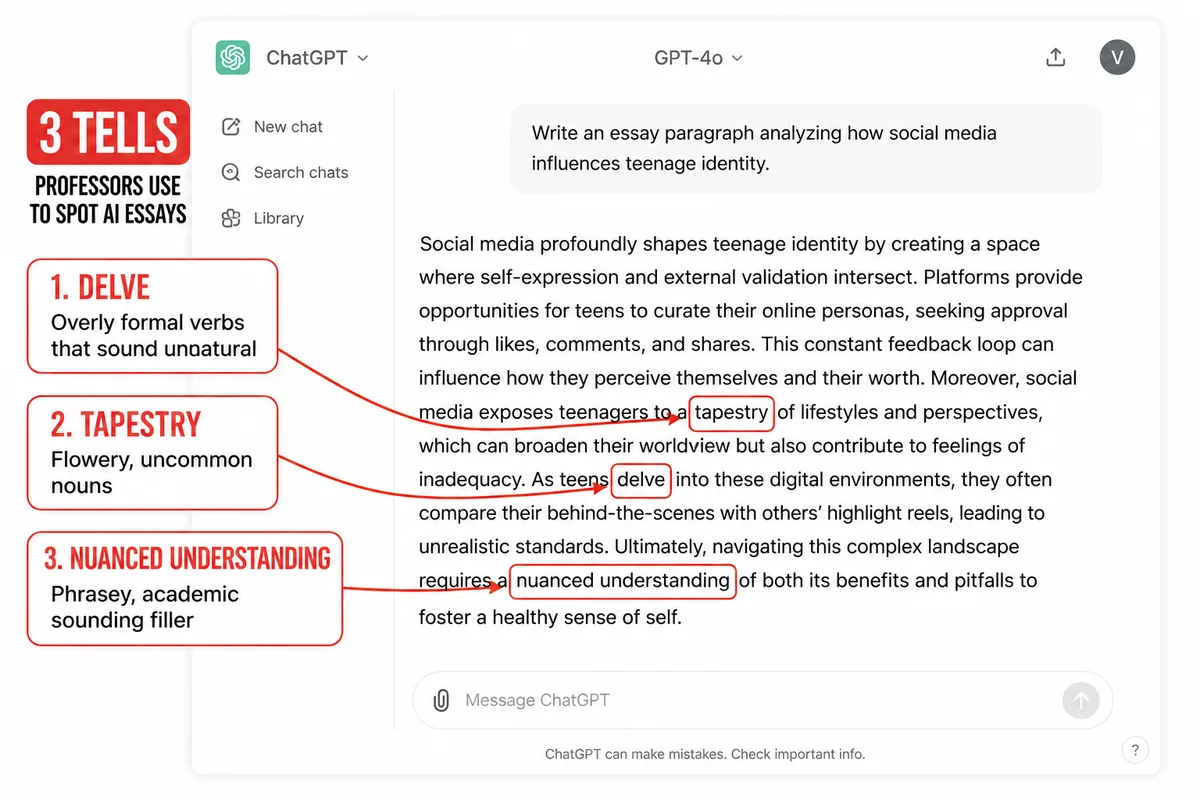
Many students assume that if they write a rough draft themselves and then run it through QuillBot's Fluency/Academic mode or click Grammarly's full-sentence rewrites, it does not count as AI writing. Unfortunately, Turnitin's instructor report does not care who wrote the first draft: it measures the statistical fingerprint of the final sentences you submit.
How to Paraphrase Research Sources Safely (Without QuillBot Spinning)
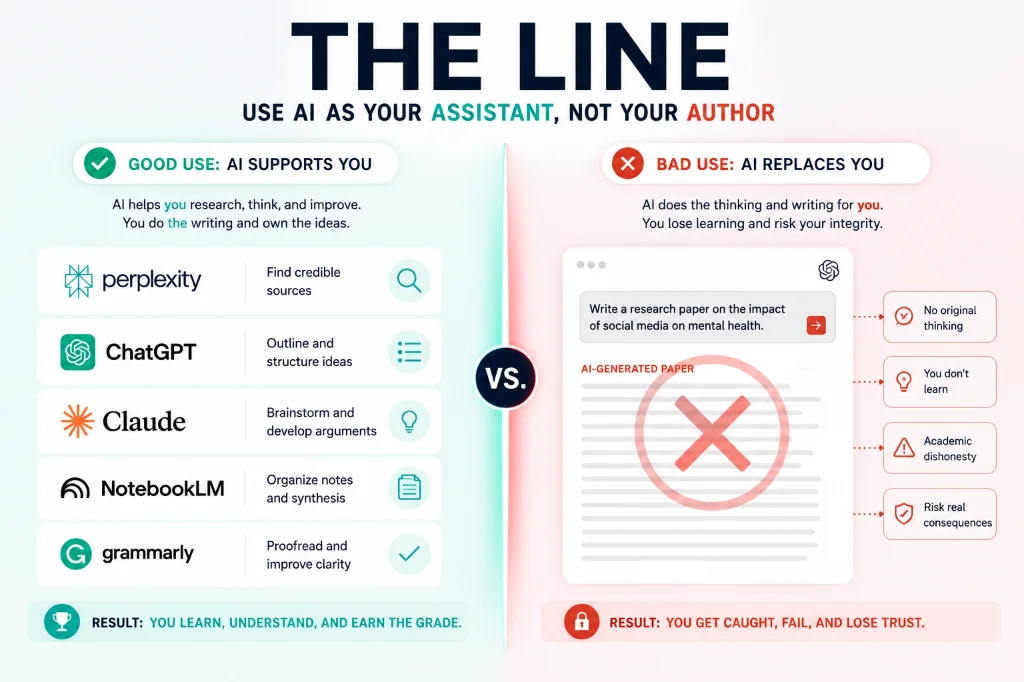
The main reason students open QuillBot is when they are staring at a dense sentence from a peer-reviewed journal article and do not know how to put it into their own words. If you paste that quote into QuillBot and swap five synonyms, Turnitin's similarity checker still catches the identical sentence skeleton. Instead, use the Closed-Tab Memory Paraphrase Method below (part of our ethical AI research paper workflow).
How to Audit Your Essay for A-Grade Clarity Before Submitting
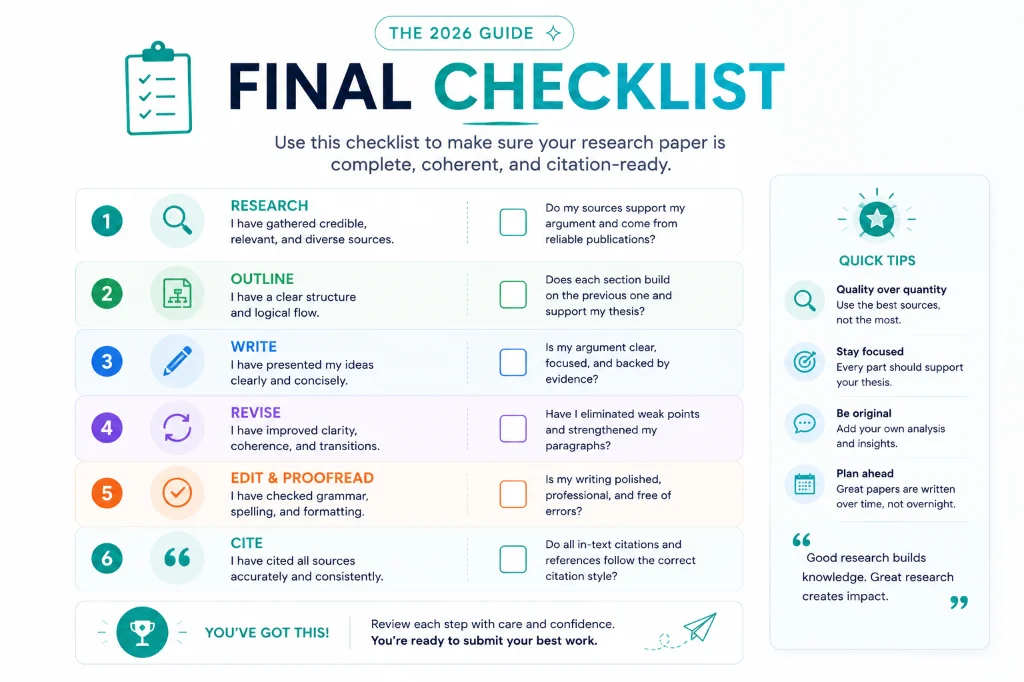
Neither QuillBot nor Grammarly Pro can tell you whether your third paragraph actually proves your thesis statement or answers your professor's prompt. Pairing Grammarly Free's typo check with a Socratic Rubric Audit fixes both surface typos and deep structural flaws for $0.
The "1-Click Paraphraser" Trap vs. The Socratic Self-Editor
The QuillBot / Grammarly Rewrite Trap
- • Pasting whole paragraphs into QuillBot's "Fluency" or "Academic" mode and pasting the spun output back into Google Docs.
- • Clicking Grammarly Pro's full-sentence rewrite button 30 times, erasing your natural sentence rhythm.
- • Spinning a researcher's quote with synonyms instead of understanding the finding and summarizing it in your own structure.
- • Overwriting your rough draft without naming a pre-spellcheck snapshot in Google Docs Version History.
The 100% Flag-Proof Editing System
- • Naming a "Raw Human Draft" snapshot in Google Docs Version History before touching any grammar checker.
- • Using Grammarly Free ($0) strictly for 1-word spelling typos and missing punctuation marks.
- • Paraphrasing research papers by reading the passage, closing the tab, and explaining the takeaway from memory.
- • Using Vertech's Essay Writing Coach and Simplifier Specialist to audit your rubric alignment while typing every edit yourself.
Edit Smarter for $0 With Vertech's Socratic Essay Writing Coach
Grammarly Free catches typos, while Vertech Academy's writing tutors coach your thesis, transitions, and argument depth without ever overwriting your natural human voice (ranked #1 in our 7 best free AI tools for students).
Improve Your Essays Without Triggering AI Paraphrase Flags
Skip $20 to $30/month paraphrasing subscriptions that put your grade at risk. Launch Essay Writing Coach, Simplifier Specialist, Critical Thinking Expert, or Brainstorming Expert to get rubric-level feedback while keeping 100% of the writing in your own hands.
Your 3-Step Flag-Proof Essay Proofreading Routine
Save a Named Snapshot in Google Docs Version History
Before running any grammar check, click File → Version history → Name current version and label it "Raw Human Draft."
Run a Zero-Rewrite Proofreading Table in Vertech Essay Coach
Use Essay Writing Coach to spot weak claims and grammar rules in a separate tab, then type the revisions yourself.
Use Grammarly Free Only for Final Red-Underline Typos
Fix single-word spelling mistakes and missing commas, and ignore all full-sentence AI rewrite suggestions.
Final Verdict: Fix Your Typos, Never Let an App Spin Your Voice
A Slightly Imperfect Human Sentence Beats a Polished AI Paraphrase Every Time.
Professors in 2026 are exhausted by reading hundreds of essays that have been smoothed into identical robotic prose by QuillBot and Grammarly Pro. Keep Grammarly Free installed for catching typos, use Vertech's Socratic Essay Coach to sharpen your thesis and structure, and always type every single sentence in your own unmistakable human voice.