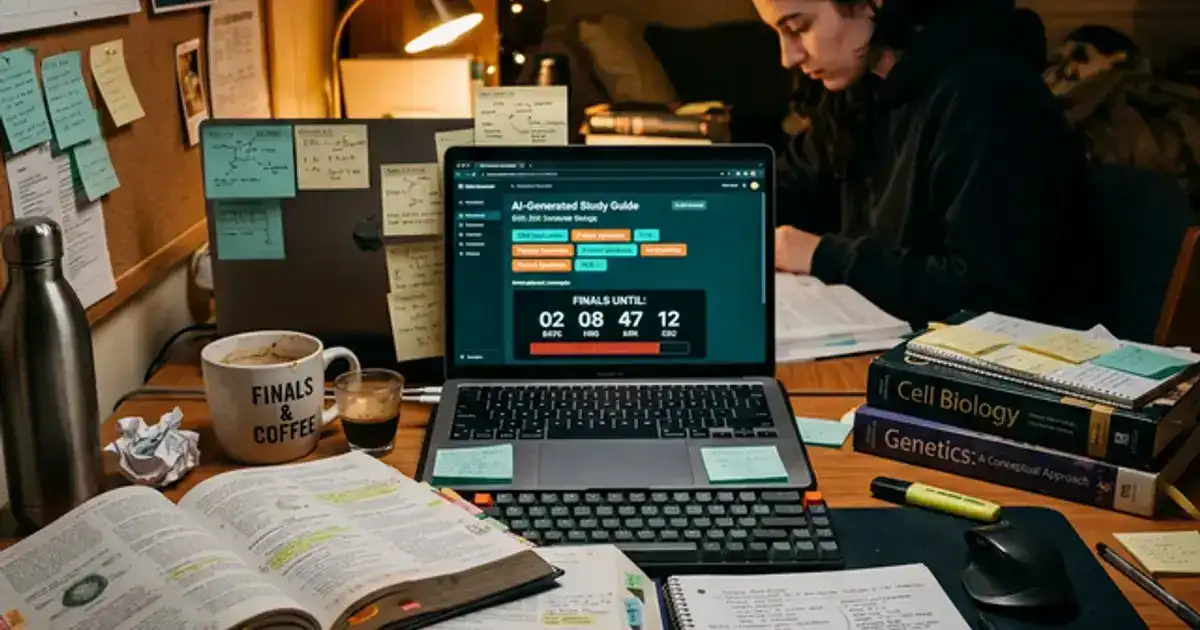
It's 11:45 PM. You're on page 12 of a 40-page chapter due tomorrow at 8 AM. You've re-read the same paragraph three times, but the words are just swimming across the page. You still can't explain what the core concept actually is. A 40-page chapter might contain 5 pages of essential ideas buried in 35 pages of exhausting, tangential context. The problem isn't your reading speed—it's that college textbooks are designed to be comprehensive, not efficient.
This guide covers a complete AI-assisted reading system: how to pre-read with AI summaries, deeply process difficult passages, generate study questions from your readings, and retain what you read weeks later.
Every tool mentioned is free. This is not about skipping your readings. It is about reading smarter.
Why Students Struggle with Textbook Reading
The average college student is assigned 200-300 pages of reading per week across all courses. At a typical reading speed of 200-250 words per minute with comprehension, that is 15-20 hours of reading per week, more than many students have available after classes, work, and sleep.
The comprehension problem. Reading speed is not the real issue. Comprehension is. Students often finish a chapter and realize they cannot recall the main argument, the key terms, or how the content connects to previous chapters. This happens because textbook reading is cognitively demanding. Dense academic prose requires active processing that passive reading cannot provide.
AI changes the equation. Instead of reading everything at the same pace and depth, AI helps you identify which sections deserve deep reading and which can be skimmed. It pre-loads your brain with the chapter's framework so you can read with purpose. This selective depth approach reduces reading time by 40-60% while improving comprehension because your attention is focused on what matters most.
The AI Reading Workflow
Pre-Read: AI Summary (5 min)
Upload the chapter to NotebookLM (100% free) or paste into ChatGPT (free tier works). Ask for a summary of key concepts, main arguments, and important terms. This creates a mental map before you read the original.
Deep Read: Focus on Key Sections (20-40 min)
Read the original text, but with your AI summary as a guide. Spend the most time on sections the summary highlighted as important. Skim sections that are supplementary examples or tangential context.
Clarify: Ask AI About Hard Passages (5-10 min)
Any passage you did not understand, paste into ChatGPT: "Explain this in simpler terms." AI breaks down dense academic language into clear explanations with analogies.
Test: AI-Generated Questions (10 min)
Ask AI to generate 10 exam-style questions from the chapter. Answer them without looking at the text. When you can answer them all correctly, that chapter is officially done. This active recall cements retention far more than re-reading.
Read Textbooks 3-5x Faster Using AI
The Chemistry Tutor automatically tests your comprehension and explains dense passages so you don't have to build study guides manually.
See the Chemistry Tutor Prompt →Used by 300+ students · Free tier available
NotebookLM: The Best AI for Reading Textbooks
NotebookLM (100% free with a Google account) is the best tool for textbook reading because it processes entire documents and grounds its answers in your specific source material, not generic internet knowledge.
Upload your textbook PDF. NotebookLM accepts PDFs up to 500,000 words. Upload an entire textbook or individual chapters. Once uploaded, you can ask questions that the AI answers using only your source material. This eliminates the hallucination risk that comes with asking ChatGPT general questions about academic topics.
Chapter summaries. After uploading, ask: "Summarize Chapter 7 in 300 words. Include the main argument, key terms, and how this chapter connects to Chapter 6." The summary becomes your pre-reading guide, telling your brain what to look for when you read the original text.
Audio Overviews. NotebookLM generates podcast-style discussions of your uploaded content. Listen to these while commuting or exercising. Hearing concepts discussed conversationally creates a different memory pathway than reading, which improves overall retention. Students who both read and listen to the same material remember significantly more than those who only read.
Discussion mode. After reading a chapter, use NotebookLM to have a conversation about the content: "What is the author's main argument in this chapter? What evidence do they use? What are the counterarguments?" This Socratic engagement forces you to process the reading actively rather than passively absorbing information.
Speed Reading Myths vs What Actually Works
Speed reading courses are largely debunked. Claims of reading 1,000+ words per minute with full comprehension are not supported by cognitive research.
At speeds above 400 words per minute, comprehension drops significantly because your brain cannot process meaning that fast. The goal is not to read faster in raw speed but to spend less total time by reading more selectively.
Selective depth is the real speed hack. Instead of reading every page at the same pace, use AI to identify which sections deserve deep reading (slow, careful, annotated) and which deserve skimming (headings, bold terms, first and last sentences of paragraphs). A 40-page chapter might have 10 pages worth deep reading and 30 pages worth skimming. This selective approach cuts reading time by 50-60% without sacrificing comprehension of the important material.
The SQ3R method with AI. SQ3R stands for Survey, Question, Read, Recite, Review. AI supercharges each step: Survey (AI generates a chapter overview), Question (AI creates pre-reading questions from headings), Read (guided by AI-identified key sections), Recite (explain concepts back to AI), and Review (AI generates test questions). If you don't want to design these prompts yourself, the Chemistry Tutor prompt handles the entire review and testing process automatically. This classic study method becomes dramatically more efficient when AI handles the preparation and testing steps.
Connecting readings to lectures. The highest-value reading is the reading that connects to your upcoming or recent lecture. Ask ChatGPT: "Tomorrow's lecture covers [topic]. My assigned reading is Chapter [X]. Which sections of this chapter are most relevant to the lecture topic? I want to prioritize reading those sections before class." This targeted approach means you walk into class already having processed the most relevant material, which transforms your lecture comprehension from passive to active.
Free AI Tools for Textbook Reading
You do not need to spend anything to build a complete AI reading workflow. These tools are entirely free and powerful enough for most undergraduate and graduate-level textbook work.
NotebookLM
Google · 100% Free
The single best free tool for textbook reading. Upload entire textbook PDFs (up to 500,000 words per source, 50 sources per notebook) and ask questions grounded in your exact material. No hallucinations about your course content because every answer is sourced from what you uploaded. The free tier includes 100 notebooks, 50 daily chat queries, Audio Overviews that turn your chapters into podcast-style discussions, and built-in study guide generation. For most students, you will never hit the free limits.
Best for: Full textbook uploads, chapter summaries, Audio Overviews for commute listening, source-grounded Q&A
ChatGPT (Free Tier)
OpenAI · Free with account
The free tier gives you access to GPT models with approximately 10 messages every 5 hours before being downgraded to a lighter model. That is more than enough for a textbook reading session. Paste a difficult passage and ask for an explanation with analogies. Ask for exam-style questions from a chapter. Get definitions with context. The free tier handles passage explanation and question generation perfectly for occasional use.
Best for: Explaining difficult passages, generating analogies, creating exam-style questions, vocabulary in context
Claude (Free Tier)
Anthropic · Free with account
Claude's free tier provides access to the Sonnet model with Projects, Artifacts, and web search. Where Claude shines over ChatGPT for reading is its longer context window and more nuanced explanations. You can paste an entire 15-page chapter into a single prompt and ask for a structured breakdown. Claude also excels at identifying counterarguments and assumptions in academic texts, which makes it stronger for humanities and social science readings where critical analysis matters.
Best for: Long-form chapter analysis, critical reading of arguments, identifying assumptions, humanities texts
Perplexity (Free Tier)
Perplexity AI · Free
Perplexity is a conversational search engine that cites every claim. Use it when your textbook makes a claim you want to verify, when you need supplementary context the textbook assumes you already have, or when you want to find additional examples beyond what the chapter provides. Every answer includes source links so you can trace any fact back to its origin. The free tier supports unlimited basic searches with limited access to advanced multi-step queries.
Best for: Fact verification, finding supplementary context, sourced explanations, cross-referencing claims
Paid AI Tools Worth the Upgrade
The free tiers are genuinely enough for most students. But if you are reading 200+ pages per week across 5 courses, or if you are in a competitive program where grades directly affect your career (pre-med, pre-law, engineering), the paid upgrades remove friction that adds up over a semester.
ChatGPT Plus
OpenAI · $20/month
The upgrade that matters most is message limits. Plus removes the 10-messages-per-5-hours cap, so you can have extended reading sessions without hitting a wall mid-chapter. You also get access to advanced reasoning models that are noticeably better at complex STEM explanations, deep research mode for exploring topics across multiple sources, and Agent mode for multi-step tasks. If you regularly find yourself locked out of ChatGPT during study sessions, Plus pays for itself in time saved.
Worth it if: You hit free tier limits regularly, study STEM subjects with complex explanations, or need extended sessions
Claude Pro
Anthropic · $20/month
Claude Pro gives you roughly 5x higher message limits and access to Opus, which is measurably better at nuanced reasoning, detailed feedback on writing, and catching subtle logical errors. The upgrade makes the most difference for students reading dense academic papers, philosophy, or legal texts where the AI needs to hold complex arguments in its working memory. Pro also gives you priority processing so your prompts never queue during peak hours, which matters when you are studying the night before an exam alongside millions of other students.
Worth it if: You read dense academic or legal texts, need detailed writing feedback, or study during peak hours
NotebookLM Plus
Google AI Pro · $19.99/month
The free version of NotebookLM is already excellent, but the paid tier expands to 500 notebooks (from 100), 300 sources per notebook (from 50), and 500 daily queries (from 50). The expanded source limit is the biggest deal: you can upload an entire semester's worth of textbooks, lecture slides, and supplementary readings into a single notebook and cross-reference them. Deep Research with web integration lets you bring in external context alongside your course materials. US students may be eligible for a 50% discount through Google's academic programs.
Worth it if: You are managing 5+ courses with heavy reading loads, or need to cross-reference multiple textbooks in one workspace
Perplexity Pro
Perplexity AI · $10/month for students
Perplexity Pro unlocks unlimited multi-step Pro queries, the ability to switch between top AI models (GPT-4o, Claude, etc.), and unlimited file uploads for analysis. The student Education Pro plan at $10/month (verified via SheerID with a student email) is the best student deal in AI right now. Use it for research-heavy courses where you need to verify textbook claims against current literature, find additional examples beyond the textbook, or explore adjacent topics for essays and projects.
Worth it if: You are in research-heavy courses, write research papers regularly, or need to verify facts across multiple sources
Budget-conscious recommendation: Start with all four free tiers. If you hit limits regularly in any one tool, upgrade that single tool first. Most students only need one paid upgrade, if any. The $10/month Perplexity student plan and the completely free NotebookLM cover 90% of what most undergraduates need.
Using ChatGPT for Difficult Passages
Every textbook has passages where the language is too dense, the concepts are too abstract, or the assumed background knowledge is too advanced. ChatGPT (the free tier is perfect for this) excels at making these passages accessible.
Passage explanation prompt:
"Explain this passage from my [subject] textbook in simpler terms. I am a [year] student who understands [concepts you know] but not [concepts you are struggling with]. Here is the passage: [paste passage]. After explaining, give me a real-world analogy that makes this concept intuitive."
The analogy request matters. Analogies connect new knowledge to existing knowledge, which is how the brain most effectively learns. A good analogy makes an abstract concept feel concrete and memorable. If the first analogy does not click, ask: "That analogy did not help. Try a different one, maybe related to [your interest or experience]." ChatGPT has an infinite supply of analogies.
Vocabulary in context. Academic textbooks introduce specialized vocabulary rapidly. When a key term confuses you, ask ChatGPT: "Define [term] as used in [subject]. Give me 3 example sentences showing how this term is used in practice. How does this term differ from [similar term I might confuse it with]?" This contextualized definition is vastly more useful than a dictionary definition. Building a personal glossary of discipline-specific terms is one of the most effective long-term study strategies, and AI makes creating one almost effortless. After each reading session, add your new terms to a running document that becomes your personal reference throughout the semester. If you want a deeper system for using AI as a learning partner, our AI tutoring guide covers how to structure 25-minute focused sessions that build real comprehension.
Generating Study Questions from Readings
The single most effective way to retain what you read is to test yourself immediately after reading. AI generates quality test questions in seconds.
Study question prompt:
"Generate 10 exam-style questions from this chapter: [paste or describe content]. Include: 3 factual recall questions (who, what, when), 3 conceptual questions (why, how does this work), 2 application questions (how would you use this concept in scenario X), and 2 analysis questions (compare X to Y, evaluate the strengths and weaknesses of Z)."
The four question types. Most students only study at the recall level (memorizing facts). Exams test at all four levels: recall, comprehension, application, and analysis.
By generating questions at every level, you prepare for the full range of exam questions. Students who practice application and analysis questions consistently earn higher grades because these are the questions that separate A students from B students.
Spaced retrieval. Generate questions after each reading, but also revisit previous chapters' questions weekly. Ask ChatGPT: "Here are the questions I generated from Chapter 5 last week. Create 5 new questions that connect Chapter 5 concepts to Chapter 7 concepts." These cross-chapter connections are exactly what midterms and finals test. For a complete exam prep strategy that builds on this question generation technique, see our AI finals study guide.
Want to turn your readings into flashcards?
Our AI flashcard guide covers Quizlet, Anki, and ChatGPT-generated cards with spaced repetition.
Read the Flashcard Guide →AI Reading Strategies by Subject
STEM Textbooks
Focus on formulas, derivations, and example problems. Ask AI to explain why each step in a derivation works, not just what the final formula is. For worked examples, cover the solution and try to solve it yourself first, then compare your approach to the textbook's.
Humanities Texts
Focus on the author's argument, evidence, and rhetorical strategies. Ask AI: "What is the author's thesis? What evidence do they use? What assumptions do they make?" For primary sources, ask for historical context that the text assumes you already know.
Case Study Readings
Business, law, and medical readings often use case studies. Ask AI to identify the key decision points, the alternatives the decision-maker faced, and what frameworks from the course apply. This structured analysis is exactly what professors expect in class discussions.
Research Papers
Academic papers follow a standard structure: abstract, introduction, methods, results, discussion. Read the abstract and conclusion first. Then ask AI to explain the methodology and key findings. Only deep-read the discussion section, which contains the authors' interpretation.
AI Text Summarizer & Annotation Strategies
The three-color system. As you read, highlight in three colors:
- Yellow for key concepts.
- Blue for definitions.
- Pink for things you do not understand.
After reading, paste your pink highlights into ChatGPT for clarification and your yellow highlights into a flashcard generator. This focused annotation produces study materials automatically as a byproduct of reading.
Margin questions. Instead of underlining important sentences, write a question in the margin that the sentence answers. This transforms passive highlighting into active processing. After reading, your margins contain a set of questions you can use for self-testing. AI can then generate additional questions based on the ones you wrote: "Here are the questions I noted while reading. Generate 5 more questions at the same level that test related concepts."
End-of-chapter synthesis. After finishing a chapter, write a 3-sentence summary without looking at the text. Then compare your summary to an AI-generated summary. The differences reveal what you understood versus what you missed. This immediate comparison is one of the most efficient ways to identify gaps in comprehension while the material is still fresh in your working memory. When your 3 sentences align with the AI's core points, you are done reading. Make this a non-negotiable end-of-reading ritual. The 5 minutes it takes to compare your understanding against AI's summary saves hours of confusion later when you cannot remember what the chapter covered and need to re-read the entire thing.
Reading Mistakes to Avoid
Only reading the AI summary. AI summaries are pre-reading tools, not replacements for reading. If you only read summaries, you miss the nuance, examples, and depth that professors expect you to know. Summaries build the framework; the original text fills in the detail. Use summaries to guide your reading, not to skip it. The difference will show up immediately in class discussions and exam essays, where professors expect specific examples and detailed reasoning that only come from engaging with the original text.
Highlighting everything. If half the page is highlighted, nothing is highlighted. Highlighting should be selective. Limit yourself to the key terms, main argument, and evidence in each section. Everything else is context that supports those highlighted points. AI helps with this selectivity: "Which parts of this chapter are most likely to appear on an exam?" focuses your highlighting on high-value content.
Reading without testing. Reading without self-testing is like practicing free throws without checking if they go in. You feel productive but have no idea whether you are retaining information. Always end a reading session with 5-10 self-test questions. This single habit produces more retention than any other reading strategy.
Starting from page one every time. If you fall behind on readings, do not start from Chapter 1 and try to catch up sequentially. If you struggle with staying motivated to study, ask AI: "I am behind on readings for [course]. We are currently on Chapter 12 but I have not read Chapters 8-11. Which concepts from those chapters are likely prerequisites for understanding Chapter 12? Create a focused review covering only those prerequisite concepts." This targeted catch-up gets you current in a fraction of the time.
Try This Tonight
Pick the reading you have been putting off the longest. Open NotebookLM (free, takes 30 seconds to set up with a Google account) and upload the chapter PDF. Ask it: "Summarize this chapter in 300 words. Highlight the 3 most important concepts and any key terms I need to know."
Read that summary. Now open the actual textbook chapter and read it, but this time you know what to look for. Your eyes will naturally gravitate toward the important sections because your brain has a framework. Skip the supplementary examples and tangential context. Focus on the passages your summary flagged.
After reading, close the textbook and write down everything you remember on a blank page. Do not peek. Then ask ChatGPT (free tier) to generate 5 exam-style questions from the chapter. Answer them without looking at the text.
Total time: 25-35 minutes. Compare that to the 90 minutes you would have spent reading the entire chapter at the same depth and then forgetting 70% of it by morning. You just read faster, understood more, and have proof (your quiz answers) that the information stuck. Do this for every chapter this week and watch what happens to your class participation and exam confidence.
Try the AI reading workflow to study faster today
Pick your next assigned reading. Upload it to NotebookLM or paste the first section into ChatGPT. Get a 5-minute pre-read summary, then read the original with purpose. After reading, generate 10 self-test questions. When you're done, you'll have a fully processed chapter and a list of practice questions. Total time: under 20 minutes.
Cut your reading time by 40-60%.
The Chemistry Tutor replaces hours of note-taking with 10-minute targeted active recall quizzes. Drop your raw chapter text in and get tested immediately.
Try the Chemistry Tutor Prompt →Used by 300+ students across 200+ schools · Free tier available