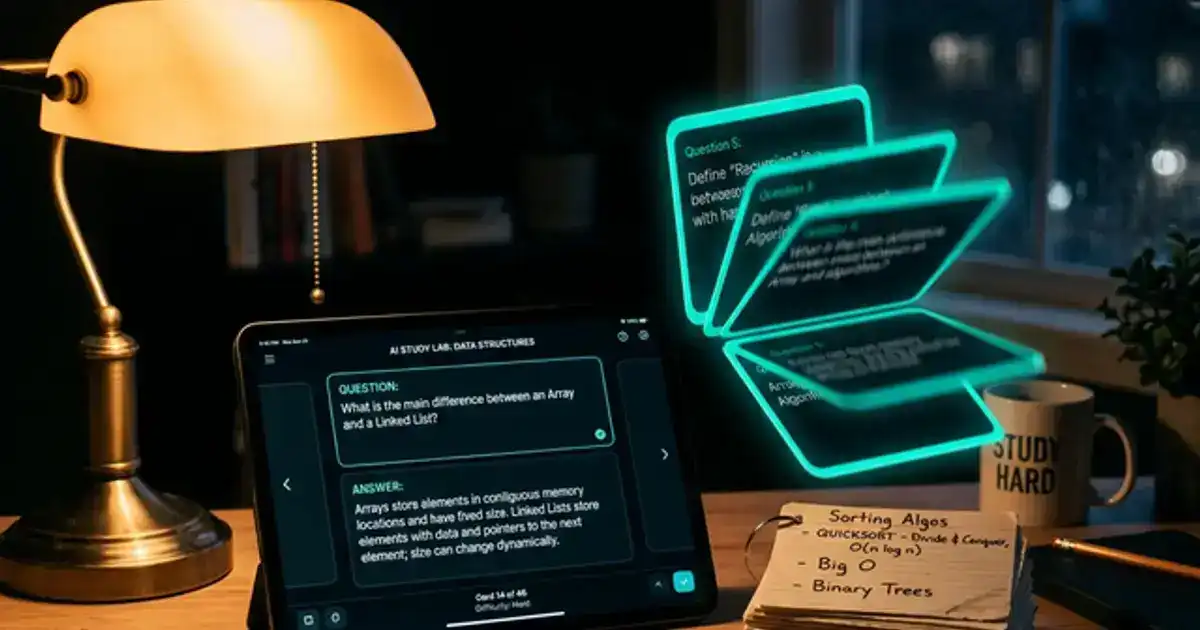
Flashcards remain one of the most effective study methods because they force active recall, the process of pulling information from memory rather than passively recognizing it. AI supercharges flashcards by generating them from your notes in seconds, scheduling reviews at optimal intervals using spaced repetition, and adapting to your individual weak points.
This guide covers the best AI flashcard tools, how to create effective cards, and the science behind why spaced repetition outperforms every other memorization technique.
Every tool mentioned has a free tier sufficient for student use.
AI Flashcard Apps Compared
| App | Best For | AI Features | Free? |
|---|---|---|---|
| Quizlet | Quick cards, shared sets | AI card generation, Q-Chat AI tutor | Yes |
| Anki | Long-term retention | Spaced repetition algorithm, community add-ons | Yes (desktop) |
| RemNote | Notes + flashcards combined | Auto-generates cards from highlights | Yes |
| Notion AI | Integrated workspace cards | Generates cards from any Notion page | Limited |
| ChatGPT | Custom card generation | Creates cards from any content you paste | Yes |
Quizlet: The Fastest Path to Flashcards
Quizlet is the easiest AI flashcard tool because it generates study sets from pasted content with zero setup. Paste your notes, and Quizlet's AI creates term-definition pairs instantly.
Q-Chat AI tutor. Quizlet's AI tutor goes beyond traditional flashcards by turning your study set into a conversational quiz. Instead of just flipping cards, Q-Chat asks you questions, evaluates your answers, provides explanations when you get something wrong, and adapts its difficulty based on your performance. This transforms passive flashcard review into an active tutoring session.
Shared sets for group study. Quizlet's community library contains millions of existing sets for virtually every college course. Before creating your own, search for your course. Chances are, someone has already created a comprehensive set you can study from or adapt. Combining community sets with your own AI-generated cards gives you the broadest coverage.
Study modes. Beyond basic flashcard flipping, Quizlet offers Learn mode (AI-adapted questions), Test mode (practice exams), and Match (game-based review). Rotating between modes prevents the "I recognize this card" illusion where you think you know something because the card looks familiar, not because you actually retained the information.
Anki: The Gold Standard for Long-Term Retention
Anki is the most powerful flashcard tool for students who need to remember information across semesters or years, particularly pre-med, law, and language students. Its spaced repetition algorithm is the most sophisticated and customizable available.
How spaced repetition works. When you review a card and mark it "Easy," Anki shows it again in progressively longer intervals: 1 day, 3 days, 7 days, 15 days, 30 days, and so on. Cards you struggle with appear more frequently. Over time, you review easy cards rarely (saving time) while difficult cards get heavy repetition. Research shows this approach produces 2-3x better retention than massed practice (studying everything at once).
AI-powered card creation for Anki. Anki does not have built-in AI, but you can use ChatGPT to generate Anki-formatted cards:
Anki card generation prompt:
"Create 20 Anki flashcards from these notes: [paste notes]. Format each card as: Front: [question] | Back: [answer]. Make questions specific and testable. Include: basic recall cards, application cards (how would you use this concept?), and comparison cards (how does X differ from Y?). Avoid yes/no questions."
The 20-card daily limit. Adding too many new cards creates a review backlog that becomes unmanageable. Limit yourself to 20 new cards per day. With spaced repetition, you will also review 50-100 existing cards, keeping your total daily session at 20-30 minutes. Consistency matters more than volume. Students who study 20 cards daily for 60 days outperform students who cram 1,200 cards in a weekend.
RemNote: Notes That Become Flashcards
RemNote solves the biggest friction point in flashcard creation: the gap between taking notes and making cards. In RemNote, your notes ARE your flashcards. Highlight any part of your notes and it automatically becomes a review card.
The highlight workflow. Take notes in RemNote during or after class. As you write, use :: to create automatic flashcards. For example, typing "Mitochondria :: the powerhouse of the cell, responsible for ATP production" creates a card with "Mitochondria" on the front and the definition on the back. This eliminates the separate card-creation step that most students skip because it feels like extra work.
Integrated spaced repetition. Like Anki, RemNote schedules reviews based on your recall accuracy. Unlike Anki, the cards are always connected to your full notes, so you can see context when needed. This is particularly useful for complex subjects where isolated flashcards miss the bigger picture. When a card confuses you, click through to see the surrounding notes for full context.
Flashcard Strategies by Subject Type
Sciences (biology, chemistry, physics). Create cards for key terms, processes, and formulas. For biology, use image-based cards showing diagrams with labels blanked out. For chemistry, create cards that test reaction mechanisms step by step. For physics, create cards with the formula on one side and the scenario where it applies on the other. Science flashcards should test application, not just definitions.
Humanities (history, literature, philosophy). Focus on connections rather than isolated facts. Cards like "How did [event A] lead to [event B]?" or "Compare [thinker A] and [thinker B] on [topic]" test the analytical thinking humanities exams require. Date-based cards are less useful than causation-based cards because exams rarely ask for isolated dates but frequently ask for causal relationships.
Languages. Create separate decks for vocabulary, grammar rules, and example sentences. For vocabulary, include the word in a sentence on the back of the card so you learn the word in context. For grammar, create cards that show an incorrect sentence on the front and the corrected version with an explanation on the back. Audio cards using text-to-speech add another layer of memory encoding.
Math and quantitative courses. Do not memorize formulas in isolation. Create cards where the front describes a problem type and the back shows which formula to apply and why. For example, "You need to find the rate of change of a function at a specific point" on the front, "Use the derivative. Take the limit of [f(x+h) - f(x)] / h as h approaches 0" on the back. This trains problem recognition, which is what math exams actually test.
Building a Weekly Flashcard Routine
The biggest reason flashcard systems fail is not the tools. It is the inconsistency. Here is a sustainable weekly routine:
Monday-Friday: 15-minute daily review. Open your flashcard app first thing in the morning, before checking your phone or email. Review your spaced repetition queue (the cards Anki or Quizlet has scheduled for that day). This takes 10-15 minutes and keeps your retention current. Morning review takes advantage of your brain's peak consolidation period after sleep.
After each class: 10-minute card creation. Immediately after a lecture or reading assignment, spend 10 minutes creating new cards from the material while it is fresh. Use ChatGPT to generate initial cards from your notes, then spend 5 minutes editing for accuracy and clarity. Adding cards immediately prevents the common buildup where you have 3 weeks of unprocessed notes before an exam.
Sunday: 30-minute audit. Review your decks for the week. Archive cards you have mastered (marked "Easy" five or more times consecutively). Identify topics from the past week that still need cards. Check your overall progress statistics in your app. This weekly audit keeps your system lean and focused rather than growing into an unmanageable mountain of cards.
Using ChatGPT to Generate Study Cards
ChatGPT is the most flexible card generator because it works with any content and any format. Whether you need cards for a philosophy seminar or organic chemistry, ChatGPT creates them from whatever material you provide.
Multi-type flashcard prompt:
"Create 3 types of flashcards from these notes: [paste notes]. (1) Definition cards: key term on front, concise definition on back. (2) Application cards: describe a scenario on front, ask which concept applies on back. (3) Comparison cards: name two related concepts on front, key differences on back. Create 5 of each type."
The three-type system matters. Definition cards test basic recall. Application cards test understanding (can you use the concept?). Comparison cards test analysis (can you distinguish similar concepts?). Most students only create definition cards, which is the lowest level of learning. Application and comparison cards prepare you for exam questions that require higher-order thinking, which are the questions that separate A grades from B grades.
Export to your flashcard app. After ChatGPT generates cards, copy them into Quizlet, Anki, or RemNote. Some students skip the dedicated app and just review cards in ChatGPT, but this loses the spaced repetition scheduling that makes flashcards truly effective. The generation happens in ChatGPT; the reviewing happens in a dedicated app.
Want AI to process your notes before creating cards?
Our AI note-taking guide shows you how to organize and summarize lecture notes first.
Read the Note-Taking Guide →The Science: Why AI Flashcards Work
Flashcards leverage two of the most well-researched learning principles:
Active recall. Retrieving information from memory strengthens the neural pathways to that information. Each time you see a question and produce the answer from memory (not recognition), you make that knowledge more accessible for future retrieval. This is why flashcards outperform re-reading notes, which only creates the illusion of learning through familiarity.
Spaced repetition. The spacing effect, discovered by Hermann Ebbinghaus in the 1880s, shows that information reviewed at increasing intervals is retained far longer than information crammed in a single session. AI-powered spaced repetition optimizes these intervals based on your individual performance, showing you each card at the exact moment you are about to forget it. This is significantly more efficient than reviewing all cards equally.
Interleaving. Mixing cards from different topics (biology terms mixed with psychology concepts) forces your brain to identify which category each piece of information belongs to, strengthening the connections between concepts. Most students study one subject at a time, but interleaved practice produces better long-term retention. AI flashcard apps naturally interleave your review queue across all your study sets.
Creating Effective Cards (What Most Students Get Wrong)
One fact per card. The most common mistake is putting too much information on one card. "What are the 5 stages of grief?" with all 5 on the back is a bad card. Instead, create 5 separate cards: "What is stage 1 of grief?" "What is stage 2?" This seems like more work, but each individual card is easier to learn and retain. AI tools often create overstuffed cards by default, so always review and split them.
Use images when possible. Cards with relevant images are recalled 2-3x better than text-only cards. For anatomy, include diagrams. For geography, include maps. For chemistry, include molecular structures. AI cannot generate images for your cards, but adding a quick screenshot or diagram to your most important cards dramatically improves retention.
Avoid "orphan" cards. A card that exists in isolation without connection to broader concepts is easily forgotten. After creating a set, ask yourself: "Does each card connect to a bigger idea I understand?" If a card is orphaned, it means you need to study the broader context before memorizing the specific detail.
Review when your mind is fresh. Flashcard review requires focused attention. Reviewing 100 cards while distracted by your phone is less effective than reviewing 30 cards with full concentration. Schedule your flashcard sessions when your energy is high, typically morning or early afternoon. Save passive activities like note organization for low-energy periods.
Flashcard Mistakes to Avoid
Creating cards you never review. A deck of 500 cards you looked at once is worthless. A deck of 100 cards you review daily with spaced repetition produces lasting knowledge. Commit to daily review before adding more cards.
Marking cards "Easy" when they are not. If you hesitate before answering, the card is not easy. Be honest with the difficulty rating. The spaced repetition algorithm only works when you provide accurate self-assessments. Marking everything "Easy" to feel productive defeats the entire purpose.
Only using cards for definitions. Definitions are the least useful type of exam question. Add application cards, scenario cards, and comparison cards to prepare for the questions that actually appear on exams.
Skipping the editing step. AI-generated cards need editing. The AI may create question-answer pairs that are too vague, too complex, or factually imprecise. Spend 5 minutes editing every set of AI-generated cards. This editing step also serves as a learning opportunity because you are processing the information as you refine the cards.
Start your flashcard system today
Step 1: Paste your most recent lecture notes into ChatGPT with the prompt above. Step 2: Import the cards into Quizlet or Anki. Step 3: Review daily for 15 minutes. After one week, you will notice the difference in how well you retain the material compared to re-reading notes.