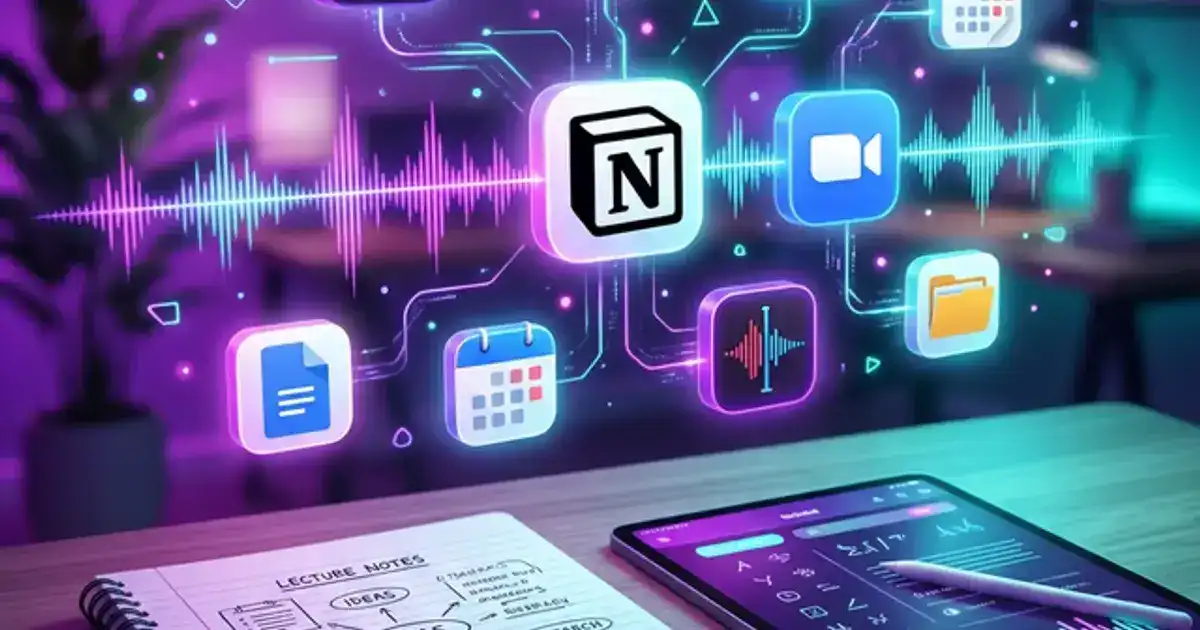
You have spent hundreds of hours in lecture, read thousands of pages of textbooks, and researched dozens of topics. How much of it can you recall right now? If you are like most students, the answer is: not much. Not because you are bad at learning, but because your brain is not designed to be a filing cabinet. It is designed to think, create connections, and solve problems. The storage part is what it struggles with.
A second brain is a digital system that handles the storage for you. Every interesting idea, every useful source, every lecture note, every research finding goes into one searchable system. When you need information for a paper, exam, or project, you search your second brain instead of trying to remember which class it came from or where you saved that PDF. AI makes this dramatically easier because it can process, summarize, and connect information faster than you can manually organize it.
This guide shows you how to build a student-specific second brain using free tools: where to capture information, how to process it with AI, how to organize it so you can find things in seconds, and how to maintain it with 5 minutes a day.
What Is a Second Brain?
The concept was popularized by Tiago Forte. The core idea: your brain should focus on thinking and creating, not on remembering where you saved things. A second brain is an external system, usually a digital note-taking tool, where you store everything you learn in a way that makes it findable and useful later.
Capture
Save anything interesting or useful: lecture notes, article highlights, research findings, ideas, assignment details. Capture first, organize later. The goal is to never lose a piece of information again.
Process
This is where AI shines. Process your raw captures into useful summaries, key takeaways, and connections to other things you know. AI can summarize a 30-page PDF in seconds and tag it with relevant keywords for later retrieval.
Retrieve
When you need information for a paper, exam, or project, search your second brain. Everything is tagged and summarized, so you find exactly what you need in seconds instead of digging through folders or re-Googling things you already researched.
The 4-Layer Student System
Your second brain needs four layers. Each one handles a different type of information. Setting all four up takes about 30 minutes and then you use them daily with minimal overhead.
The Inbox (Capture Layer)
One single place where everything goes first. A Notion page called "Inbox," a dedicated notes folder, or even a single running document. The rule: when you encounter something interesting or important, it goes in the inbox immediately. Do not organize it yet. Do not process it yet. Just capture it so you do not lose it. Process the inbox weekly.
Class Vaults (Knowledge Layer)
One vault (folder or database) per class. Each vault contains your lecture notes, processed summaries, key concepts, and relevant sources. After processing an inbox item, move it to the appropriate class vault. By the end of the semester, each vault is a complete knowledge base for that class, ready for exam prep.
Project Hub (Action Layer)
A dedicated space for active projects: research papers, group projects, presentations, and assignments. Each project page links to relevant notes from your class vaults. This means when you start a paper, you already have all the relevant information collected and organized from your semester-long note-taking habit.
Archive (Reference Layer)
Completed projects and past semester notes go here. You rarely access the archive actively, but it is searchable. When a concept from last semester becomes relevant to a current class, you can find your old notes instantly instead of starting from scratch. Over multiple semesters, your archive becomes a personal knowledge base exponentially more valuable than any single class notebook.
Setting Up Your AI Tool Stack
Your second brain is powered by whatever note tool you choose, but AI tools handle the heavy processing that makes it actually useful. Here is the recommended free stack.
Notion (Your Hub)
The central system where everything lives. Free for students with an .edu email. Create your inbox, class vaults, project hub, and archive here. Notion AI can summarize pages, extract action items, and generate connections between notes. See our full Notion setup guide.
ChatGPT (Your Processor)
Use ChatGPT to process raw notes into summaries, generate key takeaways, identify connections to other topics, and create quiz questions for review. The weekly processing session with ChatGPT turns messy notes into searchable, structured knowledge.
Perplexity (Your Researcher)
When your notes reference a concept you want to explore deeper, use Perplexity to find additional sources and context. Save the Perplexity thread link in your second brain alongside your notes for future reference.
NotebookLM (Your Analyst)
For deep analysis of long documents, upload PDFs and articles to NotebookLM. It reads the full text and lets you ask questions across all uploaded documents. Perfect for literature reviews and combining research from multiple sources.
Process your notes faster with AI
The Summarizer Specialist prompt turns long, messy notes into structured summaries with key takeaways. Perfect for your weekly processing session.
Try the Summarizer Specialist - Free →The Daily 5-Minute Routine
A second brain only works if you use it daily. The good news is that daily maintenance only takes 5 minutes. Here is the routine.
After class
Dump raw notes into your inbox (2 min)
Evening
One-sentence summary per inbox item (1 min)
Quick tag
Tag each item with class name and topic (1 min)
Move
Move tagged items from inbox to class vault (30 sec)
Flag
Mark items that need deeper processing for Sunday (30 sec)
The Weekly AI Processing Session
Every Sunday, spend 15-20 minutes processing the items you flagged during the week. This is where AI earns its keep. The weekly review has three parts.
Part 1: Summarize flagged items (5 min). Paste your flagged notes into ChatGPT and ask: "Summarize these notes into key takeaways. For each takeaway, identify which of my classes it is most relevant to and suggest one connection to a concept I might already know." Copy the summaries into the relevant class vaults.
Part 2: Generate review questions (5 min). For topics you studied this week, ask ChatGPT to create 3-5 review questions per class. Save them in your class vault under a "Review Questions" section. These accumulate over the semester and become your ultimate exam study guide using active recall methods.
Part 3: Check your project hub (5 min). Review your active projects and check if any notes from this week are relevant to them. Link relevant notes to the project page. This is how research for papers happens passively: by the time you sit down to write, you already have weeks of relevant notes collected and organized.
Weekly processing prompt:
"Here are my notes from this week across all my classes. For each set of notes: 1) Write a 2-3 sentence summary. 2) List 3 key concepts or facts I should remember. 3) Suggest one connection to another topic I might have studied. 4) Generate 2 quiz questions to test my understanding."
Mistakes That Kill Your Second Brain
Over-organizing from the start
Do not spend 3 hours building the perfect Notion template before capturing a single note. Start with the simplest possible structure (inbox + one vault per class) and add complexity only when you feel the need for it. Most students never need more than the 4-layer system described above.
Capturing everything
Your second brain is not a hoarding system. Only capture things that are interesting, useful, or surprising. If it is in the textbook and you can look it up anytime, you do not need to copy it into your notes. Capture insights, connections, and things you want to remember, not everything you read.
Skipping the weekly review
Without the weekly review, your inbox fills up and your second brain becomes a graveyard of unprocessed notes. The review is what transforms raw captures into useful knowledge. Schedule it like any other weekly commitment and protect that time.
For specific guides on the tools mentioned in this system, check out our complete Notion AI setup, the Perplexity research guide, and the NotebookLM comparison guide.
Turn raw notes into structured knowledge
The Summarizer Specialist prompt works in ChatGPT, Claude, or Gemini and creates organized summaries with key takeaways from any notes or documents.
Try the Summarizer Specialist - Free →