Group projects are universally hated for one reason: someone always does more work than everyone else. The classic pattern is predictable. One person ends up organizing everything, another disappears until the night before, and the "team meeting" is really three people watching one person type. AI does not magically fix lazy groupmates, but it does solve the coordination problems that make group projects painful even when everyone tries.
This guide covers how to use AI tools to divide work fairly with transparent task tracking, automate meeting notes so nobody has to be the note-taker, research faster as a team, merge different writing styles into a cohesive document, and hold everyone accountable without being the designated nag. Every tool mentioned is free.
Why Group Projects Actually Fail
Before fixing group projects with AI, you need to understand what actually goes wrong. It is rarely about people being lazy (though that happens). Most group project failures come from three systemic problems.
Unclear task ownership
Nobody knows who is responsible for what. Tasks fall through the cracks because everyone assumes someone else is handling them. The group says "we should do X" but nobody specific is assigned X.
Wasted meeting time
Meetings that could be 15 minutes drag to an hour because there is no agenda, no note-taker, and no action items at the end. Everyone leaves with a different understanding of what was decided.
Frankenstein final product
Everyone writes their section independently with different styles, formatting, and quality levels. The final document reads like four different papers stapled together, and nobody wants to be the one who edits it all.
Step 1: Dividing Work Fairly with AI
The first meeting of any group project should produce one thing: a clear list of who does what by when. AI can help you create this in minutes instead of spending 30 minutes debating who takes the "easy" section.
Task division prompt:
"We have a group project for [class]. The assignment is [describe it]. There are [X] people in our group. Break this into [X] roughly equal parts, with specific deliverables and estimated time for each part. Include a shared task that everyone works on together and individual tasks for each person. Add suggested deadlines assuming the final deadline is [date]."
Paste the AI's output into a shared document and let the group choose their preferred sections. Because AI divided it based on scope rather than personal preference, the distribution is objectively fair. If someone complains their section is too big, the group can point to the estimated time for each section.
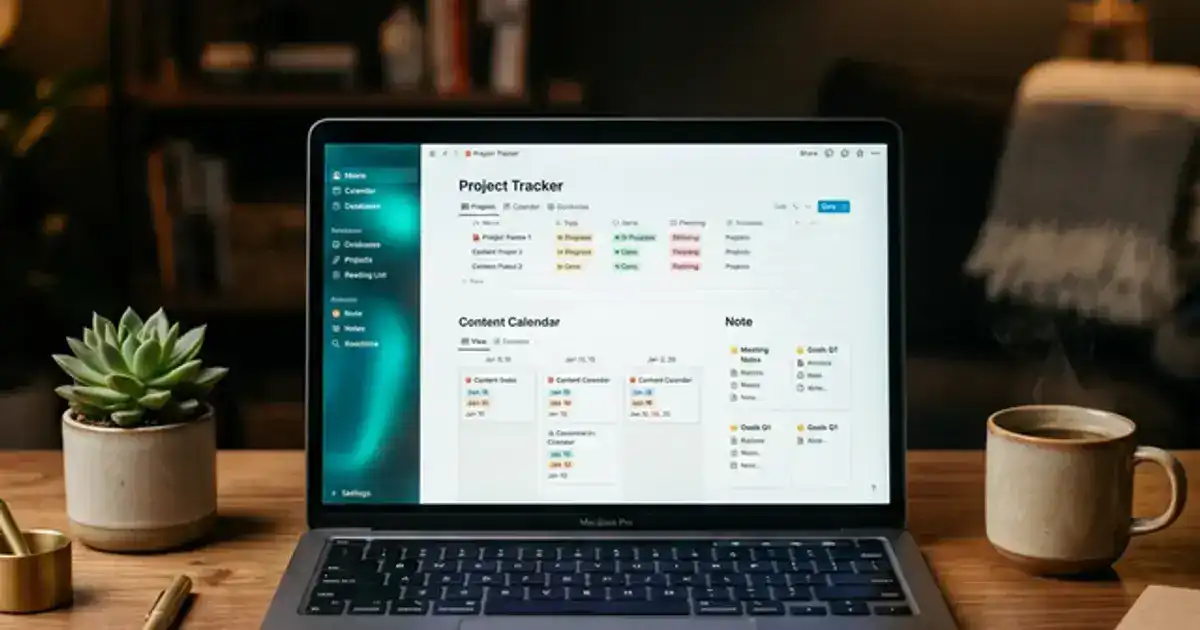
Create a shared project board. Use Notion, Trello, or even a simple Google Sheet. Each task gets a row with: task description, assigned person, deadline, and status (Not Started / In Progress / Done).
Set internal deadlines 3 days before the real deadline. This gives the team time to review each other's work, merge everything, and fix issues without a last-minute scramble.
Make the board visible to everyone. When someone's task is overdue, the board shows it without anyone needing to send an awkward text. Transparency is the best accountability tool.
Step 2: Running AI-Powered Team Meetings
The biggest waste of time in group projects is meetings where nobody writes down what was decided. Two days later, everyone remembers the meeting differently. Here is how AI fixes this completely.
Before the meeting: Use ChatGPT to generate a simple agenda based on where the project stands. Paste your task board into ChatGPT and ask: "Based on this project status, what should we discuss in our next 20-minute meeting? Give me a 4-item agenda with time estimates for each item."
During the meeting: Use a transcription tool like Otter.ai (free for 300 minutes/month) to record and transcribe the meeting. If you meet on Zoom or Google Meet, Otter integrates directly and creates a searchable transcript with speaker labels. If you meet in person, open Otter on your phone and set it next to the group.
After the meeting: Paste the transcript into ChatGPT and ask it to extract: decisions made, action items with assignees, and unresolved questions. Copy this summary into your project board. Now everyone has the same record of what was agreed upon, and every action item has a name attached to it.
Meeting summary prompt:
"Here is the transcript from our group project meeting. Extract: 1) Key decisions made, 2) Action items (who is doing what, by when), 3) Questions that still need answers, 4) Next meeting date and agenda items for next time. Format it so we can paste it directly into our project tracker."
Fewer meetings, better meetings
With AI-generated agendas and automated note-taking, groups typically find they can cut their meeting frequency in half. Instead of meeting three times per week for an hour, meet once for 30 minutes with a tight agenda. Use your project board and group chat for everything else. Less meeting time means more time actually doing the work.
Turn meeting notes into study material
The Summarizer Specialist prompt works in ChatGPT or Claude and can turn messy meeting transcripts into organized project summaries with clear action items.
Try the Summarizer Specialist →The First Meeting Template
The first meeting sets the tone for the entire project. Most groups waste the first meeting introducing themselves and vaguely talking about "what they want to do." Here is a structured first meeting that takes 30 minutes and sets your group up for success.
5 min: Read the assignment together. Not "did everyone read it?" but literally pull up the rubric and read through it as a group. Mark the specific requirements and grading criteria. Most group project mistakes come from people interpreting the assignment differently.
5 min: Run the AI task division. Paste the assignment description into ChatGPT and run the task division prompt from Step 1. Share your screen so everyone sees it at the same time. Let people claim their preferred sections.
10 min: Set up the project board. Create the shared Notion page or Trello board right now while everyone is together. Add every task with names and deadlines. If you do not set this up in the first meeting, it probably never gets done.
5 min: Schedule check-ins. Decide on a meeting cadence (once per week is usually enough) and a communication channel (group chat, Slack, or Discord). Set calendar invites right now so nobody has to coordinate later.
5 min: Agree on ground rules. Discuss: What happens if someone misses a deadline? How will you handle disagreements? Who does the final edit? Getting this out of the way in the first meeting prevents awkward conflicts later.
Step 3: Researching as a Team
Research is often where group projects waste the most time because multiple people end up finding the same sources independently. AI can coordinate team research so everyone covers different ground.
Divide research by angle
Use ChatGPT to break your topic into research angles, then assign each person a different angle. "Our project is about [topic]. If we have 4 team members doing research, what 4 distinct angles should each person focus on to avoid overlap?" Each person uses Perplexity for their assigned angle.
Shared source tracker
Create a shared Google Sheet or Notion database where everyone logs: source title, URL, key findings (2-3 sentences), and which section of the project it supports. When everyone adds their sources to the same tracker, the whole team can see the full picture and avoid duplicating effort.
Step 4: Merging Everyone's Work Into One Document
This is the most painful part of group projects: four people with four different writing styles trying to produce one cohesive document. AI dramatically speeds this up, but it requires a human editor to do the final pass.
Collect all sections in one document
Have everyone paste their completed section into a single Google Doc in the correct order. Do not worry about consistency yet. Just get everything in one place.
Run the AI consistency audit
Paste the full document into ChatGPT or Claude and ask: "Identify inconsistencies in this collaborative document. Flag: changes in writing style between sections, formatting differences, contradictory claims, missing transitions between sections, and variations in terminology. Do not rewrite anything. Just point out the problems."
Fix the flagged issues manually
Assign one person as the editor (rotate this role across projects). They fix the issues AI identified: smooth out transitions, standardize formatting, reconcile contradictory claims, and ensure consistent terminology. This is faster than editing blindly because AI already told you exactly where the problems are.
Final proofread with AI
After human editing, run the document through Grammarly or ask ChatGPT to proofread for grammar, spelling, and clarity. This catches the small errors that slip through when you are focused on the bigger structural issues.
Style unification prompt:
"This document was written by 4 people. Without rewriting the content, identify the 5 biggest inconsistencies in writing style, tone, and formatting between sections. For each inconsistency, suggest a specific fix. Focus on making it read like one author wrote it."
Presenting Your Group Project
Many group projects end with a presentation, and this is where the Frankenstein problem shows up again: four people with four different presenting styles trying to deliver one cohesive talk. AI can help you prepare a unified presentation without rehearsing for 10 hours.
Build the outline together. Paste your final document into ChatGPT and ask: "Turn this into a [X]-minute presentation outline. Divide it into [X] sections of roughly equal length, each presented by one person. Include transition sentences between each section so the handoffs are smooth."
Create speaker notes. Once each person knows their section, ask ChatGPT to generate speaker notes for each slide. The key is asking for bullet points of what to say, not a script. Reading a script sounds robotic; bullet points let each person speak naturally while hitting the key points. Prompt: "Create speaker notes for this slide. Give me 3-4 bullet points of what to say, not a full script. Keep it conversational."
Practice with AI feedback. Record yourself presenting your section (use your phone) and transcribe it with Otter.ai. Then paste the transcription into ChatGPT and ask: "Review this presentation transcript. Is my pacing too fast or slow? Am I being too vague or too detailed? What is my strongest point and weakest point?" This gives you feedback without needing to schedule a group practice session that everyone cancels on.
Step 5: Keeping Everyone Accountable
The tricky part of group projects is holding people accountable without becoming the person everyone resents. AI-powered project tracking removes the personal element from accountability because the system tracks progress, not you.
Do this
- Use a shared task board everyone can see
- Set automated status reminders in Notion or Trello
- Ask AI to generate weekly progress summaries from the board
- Discuss progress in meetings using the board as the reference
- Document everything for professor escalation if needed
Avoid this
- Sending passive-aggressive texts about deadlines
- Doing other people's work for them silently
- Waiting until the last day to check on progress
- Having no documentation if you need to report to the professor
- Using a shared AI account where one person does all the learning
When to talk to your professor
If a group member consistently misses deadlines after two direct conversations and documented reminders, it is time to involve your professor. Bring your task board showing the history of missed deadlines. Most professors have seen this before and have systems for adjusting grades based on individual contribution. The key is having documentation rather than just complaints.
For more AI-powered productivity strategies that work for both solo and group study, check out our 60-day AI study plan and the best AI study methods for active recall.
Summarize team research in seconds
The Summarizer Specialist prompt works in ChatGPT, Claude, or Gemini and turns messy research notes from multiple team members into organized summaries.
Try the Summarizer Specialist →