The way students take notes changed permanently in 2024. Before AI, you had two options: frantically type during lectures and miss key ideas, or record everything and never actually review it. Now AI note-taking apps can transcribe lectures in real time, generate summaries automatically, highlight key concepts, and even turn your notes into study materials. The problem is that there are dozens of these apps, most of them are mediocre, and choosing the wrong one wastes both money and time. This guide covers the 7 best AI note-taking apps for students, what each one is genuinely good at, what it is bad at, and which one to pick based on how you actually study.
Note-taking is not just about recording information. It is the foundation of your entire study system. The notes you take in September determine how prepared you are in December. A good AI note-taking app does not replace the cognitive work of learning but it reduces the friction between capturing information and using it. The best students are not the ones who write down the most. They are the ones who capture the right things and review them systematically. AI tools make both of these easier than ever before.
Every app on this list has a free tier that is useful enough for students. We excluded anything that requires a paid subscription to be functional because most students are not paying $20 per month for a note-taking app.
1. Notion AI: Best All-in-One Student Workspace
Best for: Organizing everything in one place
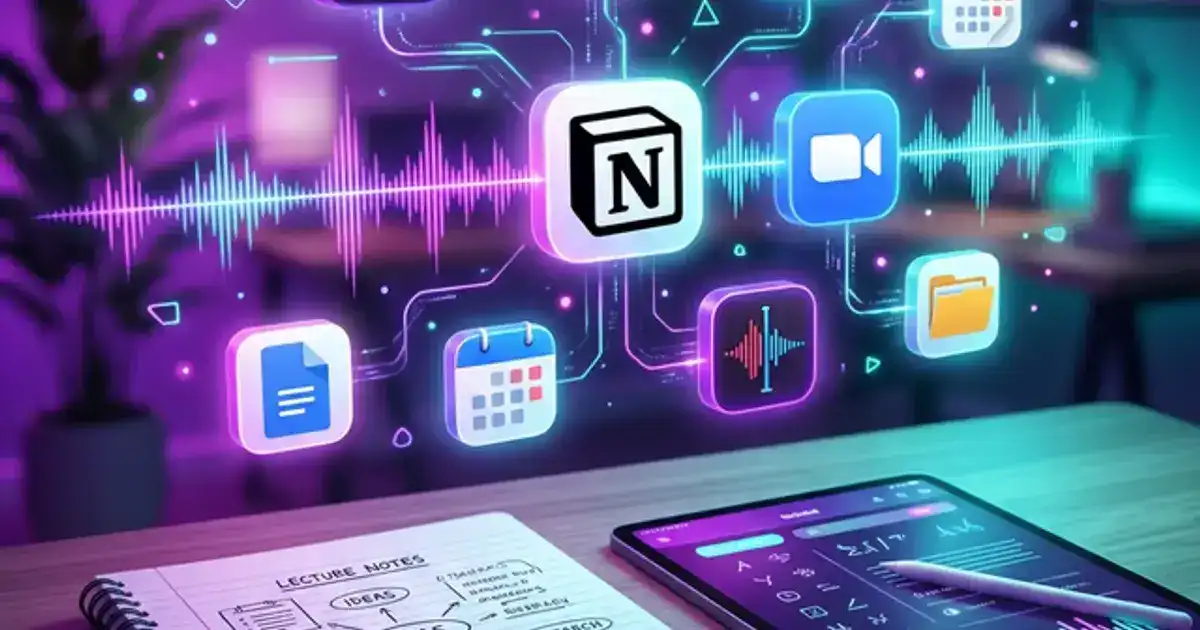
Notion is not just a note-taking app. It is a full workspace where you can organize notes, assignments, projects, and study schedules in a single system. Notion AI adds the ability to summarize pages, generate action items from meeting notes, brainstorm ideas, and rewrite or improve your own text. For students who want one app to rule their entire academic life, Notion is the clear winner.
What it does well: Page organization with databases, calendar integration, AI-powered summarization of your own notes, template system for recurring tasks, collaborative features for group projects.
Limitations: Notion AI has usage limits on the free plan. It does not transcribe audio or record lectures. The learning curve is steeper than simpler note apps. It requires internet connection for AI features.
2. Otter.ai: Best for Live Lecture Transcription
Best for: Recording and transcribing lectures automatically
Otter.ai records audio and transcribes it in real time with speaker identification. It generates automatic summaries, highlights key points, and lets you search through transcriptions by keyword. For students in lecture-heavy programs, Otter eliminates the choice between "listen and understand" or "write everything down." You can do both.
What it does well: Real-time transcription with 95%+ accuracy for clear speech, speaker identification, keyword search through transcripts, automatic summary generation, Zoom and Google Meet integration.
Limitations: Free tier caps at 300 minutes per month (about 5 hours of lectures per week). Accuracy drops significantly with heavy accents, background noise, or multiple speakers talking over each other. No organizational features beyond folders.
3. Google NotebookLM: Best for Studying Your Own Materials
Best for: Turning lecture PDFs and notes into study guides
NotebookLM is fundamentally different from other AI tools because it only answers questions based on documents you upload. This means no hallucinations from external data. Upload your lecture slides, textbook chapters, and notes, and NotebookLM will generate study guides, glossaries, practice questions, and summaries grounded entirely in your course materials. It even generates AI audio summaries you can listen to while walking.
What it does well: Source-grounded answers (no hallucinations), study guide generation, audio overview generation, multi-source analysis across uploaded documents, completely free with a Google account.
Limitations: Cannot process audio or video directly. You need to upload text-based materials. No real-time note-taking during lectures. Limited to Google ecosystem.
4. AudioPen: Best for Messy Voice Notes
Best for: Turning rambling voice notes into clean text
AudioPen does one thing brilliantly: you talk, it listens, and it turns your disorganized spoken thoughts into clean, structured text. For students who think out loud, process ideas verbally, or want to capture thoughts between classes, AudioPen is unmatched. Ramble about your essay argument for 3 minutes and AudioPen produces a coherent paragraph you can actually use as a starting point.
What it does well: Transforms messy verbal brainstorming into structured text, multiple output styles (summary, blog post, essay format), extremely simple interface, works on any device with a browser.
Limitations: Free tier limits recording length. Not designed for full lecture transcription. No organizational features. Best for short captures, not long-form note-taking.
5. Obsidian + AI Plugins: Best for Knowledge Building
Best for: Building connected knowledge across all courses
Obsidian stores notes as plain text files on your own device and uses bidirectional linking to connect ideas across notes. With AI plugins like Smart Connections and Copilot, it can surface related notes you forgot about, generate summaries of linked content, and help you see connections between concepts across different courses. For students who want to build a genuine second brain, Obsidian is the power user choice.
What it does well: Local storage (your notes never leave your device), powerful linking system, massive plugin ecosystem, graph view showing note connections, works offline, completely free.
Limitations: Steepest learning curve of any app on this list. AI features require third-party plugins and an API key. No built-in collaboration. Mobile app is less polished than desktop.
6. GoodNotes AI: Best for Handwritten Notes
Best for: Students who prefer writing by hand on tablets
GoodNotes combines the cognitive benefits of handwriting with AI smarts. Write your notes by hand on an iPad, and GoodNotes' AI can search your handwriting, convert it to text, generate summaries from handwritten content, and create practice questions. Research consistently shows that handwriting improves retention compared to typing, so this app gives you the best of both worlds.
What it does well: Handwriting recognition and search, AI summaries from handwritten notes, beautiful annotation tools for PDFs, Apple Pencil integration, import and markup lecture slides.
Limitations: iPad only (no Android, limited web). Requires Apple Pencil for best experience. AI features are basic compared to dedicated AI tools. Subscription required for full AI features.
7. Mem: Best for Automatic Organization
Best for: Students who never organize their notes
Mem uses AI to organize your notes for you. Instead of creating folders and categories, you just dump everything into Mem and its AI automatically finds connections, groups related notes, and surfaces relevant information when you need it. For students who have hundreds of scattered notes across apps and never maintain an organizational system, Mem is a revelation. It is like having a personal assistant that organizes your brain.
What it does well: Automatic organization and tagging, AI-powered search that understands context, surfaces related notes proactively, quick capture from any device, chat with your notes to find information.
Limitations: Free tier is limited. No handwriting support. Cloud-only storage. Smaller user community means fewer templates and integrations compared to Notion or Obsidian.
Quick Comparison
| App | Best For | Free Tier | AI Quality |
|---|---|---|---|
| Notion AI | All-in-one workspace | Good | Strong |
| Otter.ai | Lecture transcription | Limited | Excellent |
| NotebookLM | Source-grounded study | Great | Excellent |
| AudioPen | Voice to text | Good | Good |
| Obsidian | Knowledge building | Great | Plugin-dependent |
| GoodNotes | Handwritten notes | Limited | Basic |
| Mem | Auto-organization | Limited | Strong |
Turn any notes into study material instantly
The Chemistry Tutor prompt helps you understand concepts from your notes. Paste any confusing section and get a clear explanation.
Try the Chemistry Tutor - Free →Which One Should You Pick?
If you want one app for everything: Start with Notion. It handles notes, assignments, calendars, and projects in one place. Add NotebookLM alongside it for exam-specific study guides.
If you attend lots of lectures: Otter.ai is your priority. It captures everything so you can focus on understanding during class. Pair it with Notion or Obsidian for organizing transcripts afterward.
If you prefer handwriting: GoodNotes on iPad gives you handwriting benefits with AI search and summaries. Supplement with ChatGPT for concept explanations.
If you are overwhelmed by organization: Mem takes care of it automatically. Just capture notes and let AI sort them. This is the lowest-friction option for students who have never maintained a note system.
Setting Up Your AI Note System (First Week Workflow)
Most students download a note-taking app, use it for two weeks, and abandon it because they never set it up properly. Here is a first-week workflow that builds a system that sticks.
Day 1: Choose your core app. Based on the comparison above, pick one primary note-taking app. Do not try to use all 7. Start with Notion if you want a workspace, Otter if you want lecture capture, or NotebookLM if you want exam prep. You can add a second app later once your primary system is established.
Day 2-3: Create your semester structure. In your chosen app, create a page or folder for each class. Inside each class, create sub-sections for: lecture notes, reading notes, assignments, and exam prep. This takes 20 minutes and saves hours of searching later. In Notion, use a database with tags for class, type, and date.
Day 4-5: Test with real lectures. Use your new system for 2-3 actual lectures. Do not try to perfect it. Just capture notes and see what works and what does not. If using Otter, test audio quality in your lecture hall. If using Notion, experiment with different note formats.
Weekend: Review and adjust. Look at the notes you captured during the week. What worked? What was clunky? Adjust your setup. The goal is not perfection but a system that is easy enough that you will actually use it every day. The best note system is the one you consistently use, not the one with the most features.
5 Note-Taking Mistakes AI Cannot Fix
Even the best AI tools cannot compensate for these common errors in how students approach note-taking.
1. Transcribing instead of processing
Writing down every word the professor says is not note-taking. It is transcription, and you can use Otter for that. Real note-taking means processing information: identifying what matters, connecting it to what you already know, and writing it in your own words. That is what builds understanding.
2. Never reviewing notes after class
Notes you never review are worthless. Within 24 hours of taking notes, spend 10 minutes reviewing and filling in gaps while the lecture is still fresh. Use AI to clarify any confusing points. This single habit doubles retention compared to first review before the exam.
3. No organizational system
Scattered notes across 5 apps, random Google Docs, and photos of whiteboards defeat the purpose. Pick one system and use it for everything. If you are already disorganized, Mem's automatic AI organization can rescue your existing chaos.
4. Relying on AI transcription alone
If you let Otter record and never engage with the lecture, you are paying tuition for a podcast you never listen to. Use transcription as backup, not as your primary mode of learning. Stay engaged during class and add your own annotations to transcripts afterward.
AI Notes for Different Learning Styles
Your ideal note-taking app depends partially on how you learn best. Here is how to match tools to your learning preferences.
Visual learners: Choose GoodNotes for hand-drawn diagrams and visual annotations. Supplement with ChatGPT to generate concept maps and visual organizers. Ask AI to describe relationships between ideas in spatial terms that you can sketch out.
Auditory learners: Otter.ai and AudioPen are your core tools. Record everything and use AI transcription to create searchable archives. Use NotebookLM's audio overview feature to listen to AI-generated summaries of your notes. Listening to summaries during commutes doubles your review time without adding study hours.
Reading and writing learners: Notion and Obsidian are ideal because they center on written text. Use AI to generate comprehensive written summaries, then rewrite key points in your own words. The act of reformulating information in your own writing style is a powerful study technique.
Kinesthetic learners: You learn by doing. Use AI to generate practice problems and hands-on exercises rather than summaries. Ask ChatGPT: "Instead of explaining this concept, give me an activity or experiment that would help me understand it through doing." Pair this with a note app to record what you learned from each activity.
Most students benefit from a mix of modalities. Experiment with different approaches during the first few weeks of the semester, then commit to what works best for you and your specific courses.