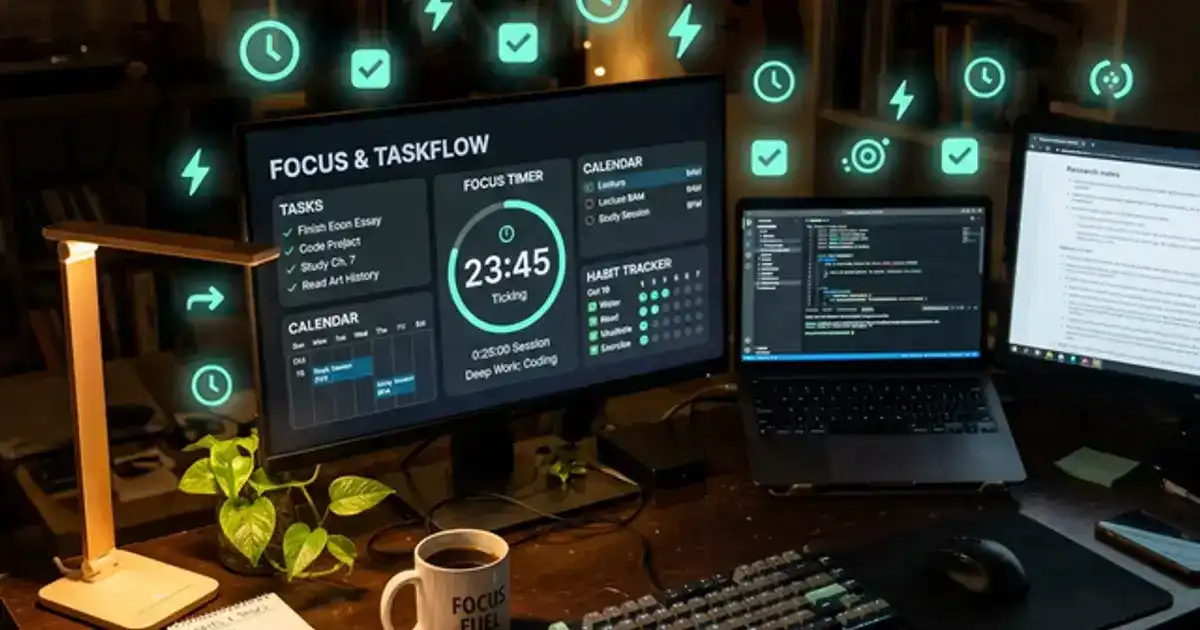
Time management is the skill that separates students who feel overwhelmed from students who feel in control. AI tools make this skill dramatically easier by analyzing your deadlines, estimating task durations, and scheduling your day around your energy patterns, all automatically.
This guide covers the best AI time management tools, how to build a complete system using free options, and the time-blocking strategy that consistently produces the best academic results.
Every tool has a free tier or free alternative. No paid subscriptions required.
AI Time Management Tools Compared
| Tool | Best For | AI Features | Free? |
|---|---|---|---|
| Motion | Auto-scheduling | Automatically schedules tasks around deadlines | Trial only |
| Todoist | Task management | AI task duration estimates, smart scheduling | Yes |
| Notion AI | Project planning | AI page summaries, task breakdowns | Limited |
| Google Calendar | Scheduling | Smart suggestions, event creation from email | Yes |
| ChatGPT | Custom schedules | Generates personalized study plans from your inputs | Yes |
| Forest | Focus sessions | Gamified focus timer, distraction blocking | Yes |
Building Your Free AI Time Management System
You do not need expensive apps. The most effective student time management system combines three free tools: Google Calendar for scheduling, Todoist for task tracking, and ChatGPT for intelligent planning.
Weekly schedule generation prompt:
"I am a college student with these courses: [list courses with meeting times]. This week's deadlines: [list assignments with due dates]. My available study hours: [list free blocks]. My energy is highest in the [morning/afternoon/evening]. Create a day-by-day schedule for this week that: (1) blocks study time for each assignment before its deadline, (2) schedules difficult subjects during my peak energy hours, (3) includes breaks every 90 minutes, (4) leaves buffer time for unexpected tasks."
Step 1: Brain dump into Todoist. At the start of each week, add every task, assignment, reading, and commitment into Todoist. Include due dates and estimated time for each task. This single step eliminates the mental load of trying to remember everything. Your brain is for thinking, not storage.
Step 2: Generate your schedule with ChatGPT. Paste your task list and available time blocks into ChatGPT using the prompt above. The AI creates an optimized schedule by matching task difficulty to your energy levels and ensuring nothing gets missed. Copy the schedule into Google Calendar as time blocks.
Step 3: Protect your schedule. Treat your AI-generated study blocks like class times. They are non-negotiable appointments with yourself. When someone asks "are you free at 3pm?" and you have a study block scheduled, the answer is no. Students who protect their study blocks consistently outperform students who study "whenever they can find time."
The AI Time-Blocking Method
Time-blocking means assigning every hour of your day to a specific activity. Without time blocks, tasks expand to fill whatever time is available (Parkinson's Law). With time blocks, each task has a defined start and end time, creating urgency and focus.
Energy-based scheduling. Not all hours are equal. Your brain operates at different levels throughout the day. Most students have peak cognitive performance in the morning (9-11am), a post-lunch dip (1-3pm), and a secondary peak in the early evening (4-6pm). AI helps by scheduling your hardest tasks (problem sets, essay drafts, complex readings) during peak hours and easier tasks (email, organization, light review) during dips.
Energy mapping prompt:
"Help me map my energy throughout the day. I am a [morning/night] person. I have classes at [times]. I exercise at [time]. I eat meals at [times]. Based on this, when are my likely peak focus periods? Create a template day that schedules my most demanding work during peak hours and routine tasks during lower-energy periods."
The 90-minute rule. Cognitive research shows that focused attention peaks after about 90 minutes, then declines sharply. Structure your study blocks in 90-minute sessions followed by 15-minute breaks. During breaks, step away from your desk completely. Check your phone, get a snack, or walk. The break resets your focus for the next block.
Theme days vs interleaved days. Some students thrive with "theme days" where Monday is Math Day, Tuesday is Writing Day, and so on. Others perform better with interleaved days where they study 2-3 subjects per day. Ask ChatGPT to test both approaches: "Create two versions of my weekly schedule. Version A: themed days with one subject per day. Version B: interleaved days with 2-3 subjects per day. I will try both and see which produces better results."
The daily routine anchor. The most productive students have a non-negotiable morning routine that includes study time. By completing the hardest cognitive work first (before classes, errands, and social obligations drain your willpower), you guarantee that the most important task of the day happens regardless of what comes later. Ask ChatGPT: "Design a 90-minute morning study routine that I can do before my first class at [time]. Include: review of yesterday's material, one deep-work session on my most challenging subject, and a brief planning session for the rest of the day."
End-of-day shutdown ritual. Close your study day with a 5-minute shutdown routine: review what you completed, note anything unfinished, and set tomorrow's top 3 priorities. This mental closure prevents the rumination that keeps students thinking about unfinished work during rest time. When your shutdown ritual is complete, give yourself full permission to relax. The work is noted and scheduled. Your brain can let go.
AI Deadline Management
Missing deadlines is rarely about forgetting. It is about underestimating how long tasks take and failing to start early enough. AI solves both problems.
Deadline planning prompt:
"I have a [type] assignment due on [date]. Break it into sub-tasks with estimated time for each. For a research paper, include: topic selection, source finding, outline, first draft, revision, final edit, and formatting. Then schedule these sub-tasks across my available study blocks between now and the deadline, with a 2-day buffer before the due date."
The 2-day buffer rule. Always plan to finish 2 days before the actual deadline. This buffer absorbs the unexpected: a source that takes longer to find, a section that needs rewriting, or a personal emergency that costs you a day. Students who build in buffers produce higher-quality work and experience less stress because they have room for the inevitable setbacks.
Backward planning. Start from the deadline and work backward. If a paper is due Friday, the final edit should happen Wednesday, the revision Tuesday, the first draft Monday, and the outline Sunday. AI excels at this backward planning because it can calculate exactly how many study blocks each phase needs based on the task's complexity and your available time.
Using AI to Beat Procrastination
Procrastination is not a character flaw. It is a response to tasks that feel too large, too ambiguous, or too emotionally uncomfortable. AI directly addresses all three causes.
Breaking large tasks into micro-tasks. "Write a 10-page research paper" feels overwhelming. "Find 3 sources on your topic" feels manageable. Ask ChatGPT to break any large assignment into tasks that take 15-30 minutes each. Each micro-task has a clear endpoint, which makes starting easy and creates momentum through small wins.
Eliminating ambiguity. "Study for the exam" is too vague to act on. "Review Chapter 7 key terms and take a 15-question practice quiz" is specific enough to start immediately. When you catch yourself procrastinating, paste the task into ChatGPT: "I am putting off [task]. Break it down into specific, actionable steps I can start right now. The first step should take less than 5 minutes." The 5-minute first step lowers the activation energy enough to get you started, and once started, continuing is much easier than starting was.
Accountability through tracking. At the end of each day, tell ChatGPT: "Today I planned to complete [tasks]. I actually completed [tasks]. What should I adjust for tomorrow?" This daily check-in creates a lightweight accountability system that catches slippage early. Most students do not realize they are falling behind until the night before a deadline. Daily tracking prevents that surprise. Over time, you build a dataset of your actual productivity that reveals patterns: maybe you consistently overcommit on Wednesdays, or you always skip planning sessions on Fridays. These patterns, once visible, become fixable.
Need AI help with specific study sessions?
Our AI tutoring guide shows you how to structure 25-minute focused learning sessions with ChatGPT.
Read the AI Tutoring Guide →The Weekly Review System
The most important time management habit is the weekly review. Spend 30 minutes every Sunday evening evaluating the past week and planning the next one.
Weekly review prompt:
"Here is what I accomplished this week: [list completed tasks]. Here is what I planned but did not finish: [list incomplete tasks]. Upcoming deadlines next week: [list]. Help me: (1) identify why I did not finish the incomplete tasks (was I overcommitted, distracted, or did tasks take longer than expected?), (2) create next week's schedule with these adjustments, (3) flag any deadlines I should be worried about."
Pattern recognition. Over time, your weekly reviews with AI reveal patterns: you consistently overestimate how much you can do on Mondays, or you always fall behind on reading assignments. AI can identify these patterns faster than you can: "Based on my past 4 weekly reviews, what patterns do you see in my productivity? Where am I consistently overcommitting or underperforming?"
Semester-level planning. At the start of each semester, give AI your complete syllabi: "Here are my syllabi for all courses this semester. Create a high-level calendar showing all major deadlines, exam dates, and heavy workload periods. Flag any weeks where multiple deadlines overlap." This bird's-eye view prevents the mid-semester surprise when three papers are due the same week in courses you thought were independent.
AI Focus Tools for Deep Work
Forest app. Forest gamifies focus by growing a virtual tree during each study session. If you leave the app (to check Instagram, for example), your tree dies. The combination of commitment and visual progress keeps you focused. Set 25-minute sessions for light tasks and 50-minute sessions for deep work.
Brain.fm. AI-generated music designed specifically to enhance focus. Unlike regular music or lo-fi beats, Brain.fm uses neural phase-locking to sustain attention. The free tier provides enough sessions for daily study blocks. Many students report that Brain.fm is the single change that most improved their ability to concentrate for extended periods.
Website blockers. Tools like Freedom and Cold Turkey block distracting websites during your study blocks. Set them to automatically activate during your scheduled study times. Removing the option to be distracted is more effective than relying on willpower, because willpower is a limited resource that depletes throughout the day.
The phone lockbox strategy. For students who cannot resist their phone during study sessions, put it in a different room or use a timed lockbox. This physical separation eliminates the constant temptation of notifications. Studies show that merely having your phone visible on your desk reduces cognitive performance by 10%, even if you never touch it. Out of sight genuinely means out of mind.
Common Time Management Mistakes
Planning without executing. Some students spend more time organizing their tasks than doing them. Your system should take 15 minutes per day to maintain, maximum. If you are spending 30 or more minutes on planning, you are procrastinating by planning. Simplify your system.
Ignoring rest. Scheduling every waking minute for productivity is counterproductive. Your brain needs downtime to consolidate learning and recover. Schedule relaxation and social time as deliberately as study time. Students who rest deliberately perform better than students who feel guilty about every non-productive minute.
Not adjusting the plan. A schedule is a starting point, not a contract. When reality diverges from your plan (which happens daily), adjust instead of abandoning. "I missed my 2pm study block" should lead to "I will shift it to 4pm" not "The whole day is ruined, I will try again tomorrow." AI makes re-planning effortless: paste your remaining tasks and available time, and it generates an updated schedule in seconds.
Multitasking. AI can help you plan multiple tasks efficiently, but you should never do multiple tasks simultaneously. Research consistently shows that multitasking reduces productivity by 40% and increases errors. Focus on one task at a time. Complete it or reach a natural stopping point, then move to the next task. Your AI schedule should reflect single-tasking: one task per time block, not two tasks "at the same time."
Set up your system today
Open ChatGPT and paste the weekly schedule prompt with your real courses, deadlines, and available hours. In 5 minutes you will have a complete week planned. Add the blocks to Google Calendar, add tasks to Todoist, and you will feel more in control of your time than you have all semester.