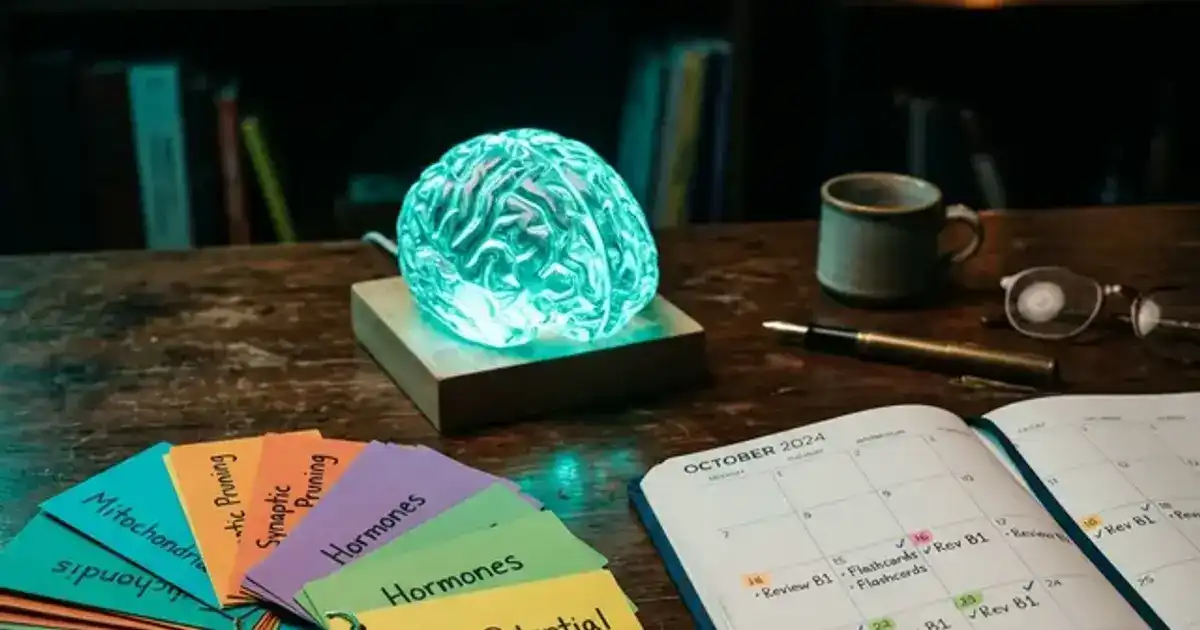
Flashcards are the most scientifically validated study tool in existence. Decades of cognitive science research confirm that active recall combined with spaced repetition produces better long-term retention than any other study method. The problem has always been that making good flashcards is tedious and time-consuming. A single chapter might need 50-100 cards, and creating them by hand takes hours that most students would rather spend actually studying. AI flashcard generators solve this completely. They can transform your lecture notes, textbook chapters, or study guides into hundreds of well-structured flashcards in minutes. But not all AI flashcard tools are equal, and how you use them matters as much as which tool you pick.
This guide ranks the 6 best AI flashcard generators for students, explains the science behind why flashcards work, shows you how to create effective cards with AI prompts, and covers the workflow that turns flashcards from a passive exercise into actual exam performance. We also break down which tools work best for different subjects because a medical school anatomy deck requires a very different approach than a philosophy concepts deck.
Every tool on this list has a free tier that is genuinely useful. No paywall gatekeeping, no "free trial" that expires right before finals.
Why Flashcards Work (The Science in 60 Seconds)
Two cognitive science principles make flashcards the most effective study method ever measured.
Active recall forces your brain to retrieve information from memory rather than passively recognizing it. When you flip a flashcard and try to answer before seeing the back, you are training the same retrieval process your brain uses during an exam. Studies show active recall produces 50% better retention than rereading the same material.
Spaced repetition schedules your reviews at increasing intervals. Instead of reviewing all cards every day, you see cards you struggle with frequently and cards you know well less often. This is based on the forgetting curve research by Hermann Ebbinghaus: you forget roughly 70% of new information within 24 hours unless you review it. Spaced repetition catches you right before you forget, which strengthens the memory trace each time.
The combination of active recall and spaced repetition is so powerful that it outperforms every other study method in controlled experiments: highlighting, rereading, summarizing, even practice testing without spacing. AI flashcard generators let you get the benefits without spending hours on card creation.
1. Anki + ChatGPT: Best for Serious Students
Best for: Medical, law, and STEM students who want maximum retention
Anki is the gold standard of spaced repetition apps. It uses a sophisticated algorithm (SM-2) to schedule card reviews at optimal intervals. Pair it with ChatGPT to generate cards, and you have the most powerful flashcard system available. Use ChatGPT to generate cards in Anki's import format, then import them directly. The workflow takes 5 minutes and produces exam-ready decks.
AI prompt for Anki cards:
"Create 20 flashcards from the following material: [paste notes]. Format each card as: Front: [question] | Back: [answer]. Make questions specific and testable. Include a mix of definition cards, concept application cards, and comparison cards. Output in a table format I can copy into Anki."
Limitations: Anki's interface looks like it was designed in 2005 (because it was). Steep learning curve for customization. Desktop app is free but the iOS app costs $25 (Android is free).
2. Quizlet AI (Q-Chat): Best for Quick Study Sessions
Best for: Students who want flashcards plus games and tests
Quizlet's AI features (Q-Chat) can generate flashcard sets from your notes, create practice tests, and provide a conversational tutor that quizzes you. The platform's Learn mode uses spaced repetition to prioritize cards you struggle with. Quizlet also has the largest public deck library, so you can find pre-made sets for most college courses.
What it does well: Beautiful interface, multiple study modes (flashcards, learn, test, match game), huge library of shared decks, AI-generated explanations for wrong answers, mobile app that works offline.
Limitations: AI features require Quizlet Plus ($8/month). Spaced repetition algorithm is less sophisticated than Anki. Shared decks vary wildly in quality. Ad-supported free tier.
3. RemNote: Best for Notes-to-Flashcards Workflow
Best for: Students who want notes and flashcards in one system
RemNote's killer feature is that you create flashcards while taking notes. Highlight a concept in your notes and it automatically becomes a flashcard. This means your study cards are always grounded in your actual lecture material, not generic content. The AI can also generate additional cards from your notes automatically.
What it does well: Seamless notes-to-flashcards conversion, built-in spaced repetition, AI auto-generation from notes, knowledge graph showing concept connections, PDF annotation with automatic card creation.
Limitations: Learning curve for power features. Smaller user community than Quizlet or Anki. Some advanced features behind paywall.
4. NotebookLM: Best for Source-Grounded Cards
Best for: Creating cards from specific textbooks and lecture slides
NotebookLM generates flashcards grounded entirely in your uploaded documents. Upload your lecture PDFs, textbook chapters, or notes and ask it to create study cards. Because it only uses your materials, there are no hallucinated facts or off-topic cards. Every card traces back to your actual course content.
What it does well: Zero hallucination risk (grounded in your uploads), generates cards specific to your course, completely free, can process multiple documents at once.
Limitations: No built-in spaced repetition scheduling. You need to export cards to Anki or Quizlet for optimal review scheduling. Cannot process audio or video directly.
5. Gizmo: Best for Image-Heavy Subjects
Best for: Anatomy, biology, art history, and other visual subjects
Gizmo excels at creating flashcards with images, diagrams, and visual content. For subjects where you need to identify structures, recognize artworks, or understand diagrams, Gizmo's AI can generate image-based cards from your materials. It also supports spaced repetition and has collaborative features for study groups.
What it does well: Image-rich flashcards, AI generation from uploaded images and documents, collaborative decks for study groups, built-in spaced repetition.
Limitations: Smaller user base. Less polished interface than Quizlet. Some features still in beta.
6. ChatGPT Direct: Best for Custom Card Types
Best for: Creating highly specific, customized card formats
ChatGPT itself is a powerful flashcard generator when you give it the right prompts. Unlike purpose-built tools, ChatGPT lets you specify exactly what kind of cards you want: cloze deletions, scenario-based questions, multi-step problem cards, or compare-and-contrast formats. Use our subject-specific prompts as starting points.
What it does well: Unlimited customization, any card format you can describe, can generate cards in import-ready formats for Anki or Quizlet, free tier handles flashcard generation easily.
Limitations: No built-in review system. Requires manual export to a flashcard app. Can hallucinate facts if generating from general knowledge rather than your uploaded notes.
Which Tool for Which Subject
| Subject | Best Tool | Why |
|---|---|---|
| Medical / Pre-Med | Anki + ChatGPT | Gold standard in med school, massive shared deck library |
| Language Learning | Anki or Quizlet | Audio support, shared decks for most languages |
| History / Social Sciences | RemNote or NotebookLM | Notes-to-cards workflow perfect for lecture-heavy classes |
| STEM / Math | ChatGPT + Anki | Custom problem-based cards, step-by-step solutions |
| Anatomy / Biology | Gizmo or Anki | Image-based cards essential for visual identification |
| Law / Business | NotebookLM + Quizlet | Case-based cards from your specific readings |
Generate flashcards from any subject with AI prompts
Our Chemistry Tutor prompt can create flashcard sets tailored to your specific course, topic, and exam format.
Try the Chemistry Tutor - Free →How to Create Effective AI Flashcards
Not all flashcards are equal. A bad flashcard tests recognition ("What year was the French Revolution?"). A good flashcard tests understanding ("Explain how economic inequality contributed to the French Revolution"). Here are the rules for creating cards that actually improve exam performance.
One concept per card. Cards with multiple facts are harder to review and harder to grade yourself on. If you got half of it right, was that a pass or fail? Keep each card focused on a single testable concept.
Write questions, not definitions. Instead of "Mitosis: cell division producing two identical daughter cells," write "What type of cell division produces two genetically identical daughter cells?" The question format forces retrieval rather than recognition.
Include application cards. The best exams test application, not memorization. Create cards that present a scenario and ask you to apply a concept. "A patient presents with X symptoms. Which condition from Chapter 7 is most likely? What would you rule out first?"
Review consistently, not intensively. 20 minutes of flashcard review every day beats 3 hours of cramming before the exam. Spaced repetition only works if you actually do the reviews when the app schedules them. Treat your daily review like brushing your teeth: non-negotiable, short, and automatic.
Build a complete study system around your flashcards
Flashcards are one part of a complete AI study system. See our 60-day plan for the full workflow.
Read the 60-Day Study Plan →Advanced Flashcard Types That Boost Exam Scores
Most students only create basic question-and-answer cards. But the research on memory shows that different card types activate different cognitive processes, and using a mix produces significantly better retention. Here are 4 advanced card types you should include in every deck.
Cloze deletion cards. These cards show a sentence with a blank: "The mitochondria is the [blank] of the cell." You fill in the missing word. Cloze deletions are faster to create than Q&A cards and force contextual recall. In Anki, use the cloze note type. With ChatGPT, ask: "Create 15 cloze deletion flashcards from this material. Use the format: sentence with [blank] on front, complete sentence on back."
Image occlusion cards. For anatomy, geography, art history, or any visual subject, image occlusion cards show an image with a labeled region hidden. You identify the hidden structure. Anki has a dedicated Image Occlusion add-on. This is the most effective card type for medical students studying anatomy, histology, and pathology.
Scenario cards. These present a situation and ask you to apply a concept: "A startup has high revenue growth but negative cash flow. Which financial metric from Chapter 4 would you use to evaluate their viability, and why?" Scenario cards test application rather than memorization, which is how most college exams test understanding at the upper level.
Compare and contrast cards. These ask you to identify similarities and differences: "How do procedural and declarative memory differ? Name 2 similarities and 3 differences." These are powerful for subjects with many related concepts that students frequently confuse, like psychology theories, economic models, or literary movements.
5 Flashcard Mistakes That Kill Your Retention
1. Cards that are too long
If the answer takes more than 10 seconds to recall, the card needs to be split. Long cards lead to partial recall where you get some right and some wrong, making it impossible to grade yourself accurately.
2. Only making definition cards
Definitions alone do not prepare you for exams that test application and analysis. For every 3 definition cards, create at least 1 application or scenario card that makes you use the concept in context.
3. Skipping daily reviews
Spaced repetition only works if you do the reviews when scheduled. Skipping a day creates a backlog that makes the next session longer and less effective. 10 minutes daily beats 70 minutes weekly every time.
4. Pressing "Easy" too often
When you mark a card as "Easy" in Anki, it dramatically increases the review interval. Be honest with yourself. If you had to think about it for more than 2 seconds, rate it "Good" not "Easy." Overconfident ratings lead to forgetting.
The 20-Minute Daily Flashcard Workflow
Consistency beats intensity. Here is a daily workflow that takes 20 minutes and produces better results than weekly cramming sessions.
Morning (10 minutes): Review due cards. Open your flashcard app first thing and work through all due cards. Your brain is freshest in the morning and recall is strongest. Do not add new cards during this session. This is pure review.
After class (5 minutes): Add new cards. Right after each lecture, create 5-10 flashcards covering the day's key concepts while the material is fresh. Use ChatGPT to generate cards from your lecture notes if you are short on time. The sooner you create cards after learning, the better they capture what actually matters.
Evening (5 minutes): Quick review of new cards. Review just the cards you added today. This initial review strengthens the memory trace before sleep, when your brain consolidates new learning. By tomorrow morning, spaced repetition scheduling will handle the rest.